
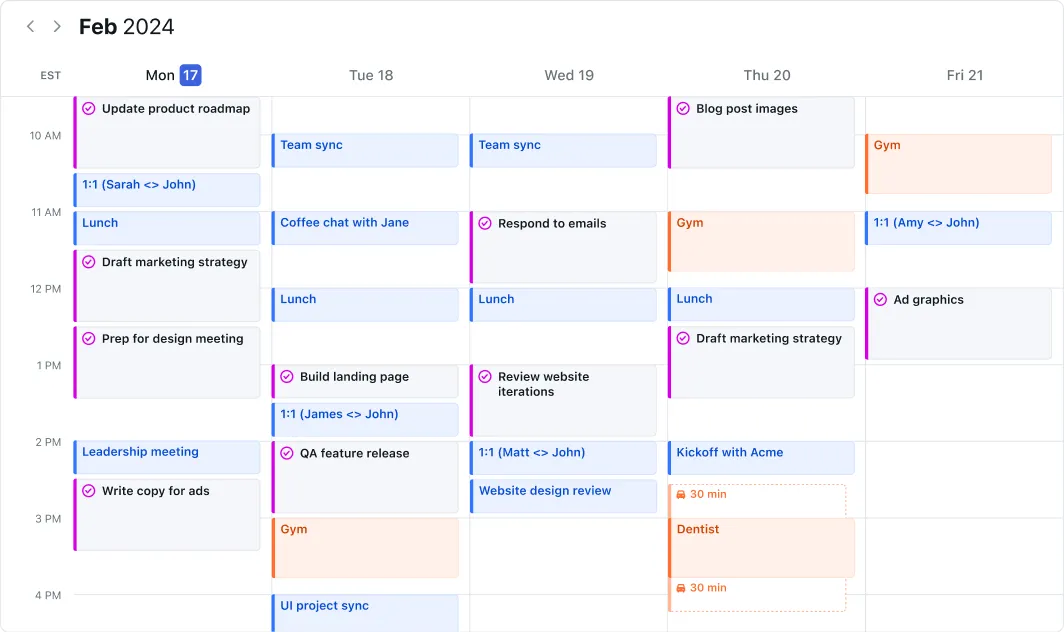
Your calendar is full of meetings, your to-do list grows faster than you can check things off, and you don’t know where to start anymore. Every morning you start planning, but by noon everything’s thrown off again. Sound familiar?
Motion promises to put an end to that with AI that automatically plans your day. No more manually shuffling blocks, no endless puzzling with your calendar. But does it really work as well as it sounds? And is it worth that hefty price?
I dove into all the features, pricing, and reviews to tell you exactly what you’re getting into.
Motion: the company
Motion was developed by the American company UseMotiom Inc. The tool combines a smart calendar with project management and task management, with AI playing the leading role. Instead of you having to figure out when to work on which task, Motion does that automatically for you.
The company focuses primarily on knowledge workers who struggle with a full calendar and too many tasks. They claim that users save an average of 30 days per year through automatic planning. Whether that’s accurate I’ll leave open, but it does show what they’re focusing on: time savings through automation.
Motion has SOC 2 Type 2 certification, which means they take security and privacy seriously. For a tool that has access to your complete calendar and all tasks, that’s reassuring.
Who is Motion for?
Motion isn’t for everyone. If you have a quiet job with few appointments and tasks, this is overkill. But in a few situations Motion can really make a difference:
You have ADHD or struggle with setting priorities. Multiple users mention this specifically: Motion takes decisions out of your hands. You no longer have to figure out what you’re going to do now, the AI has already figured that out for you. That saves an enormous amount of mental energy.
Your calendar is constantly full of meetings. If your day is regularly interrupted by appointments, Motion ensures that your tasks are automatically rescheduled. Does a meeting run over? The rest of your day is immediately adjusted.
You work in a team with many dependencies. Motion immediately shows whether deadlines are realistic when you look at your entire team’s workload. No more optimistic promises that nobody can deliver on.
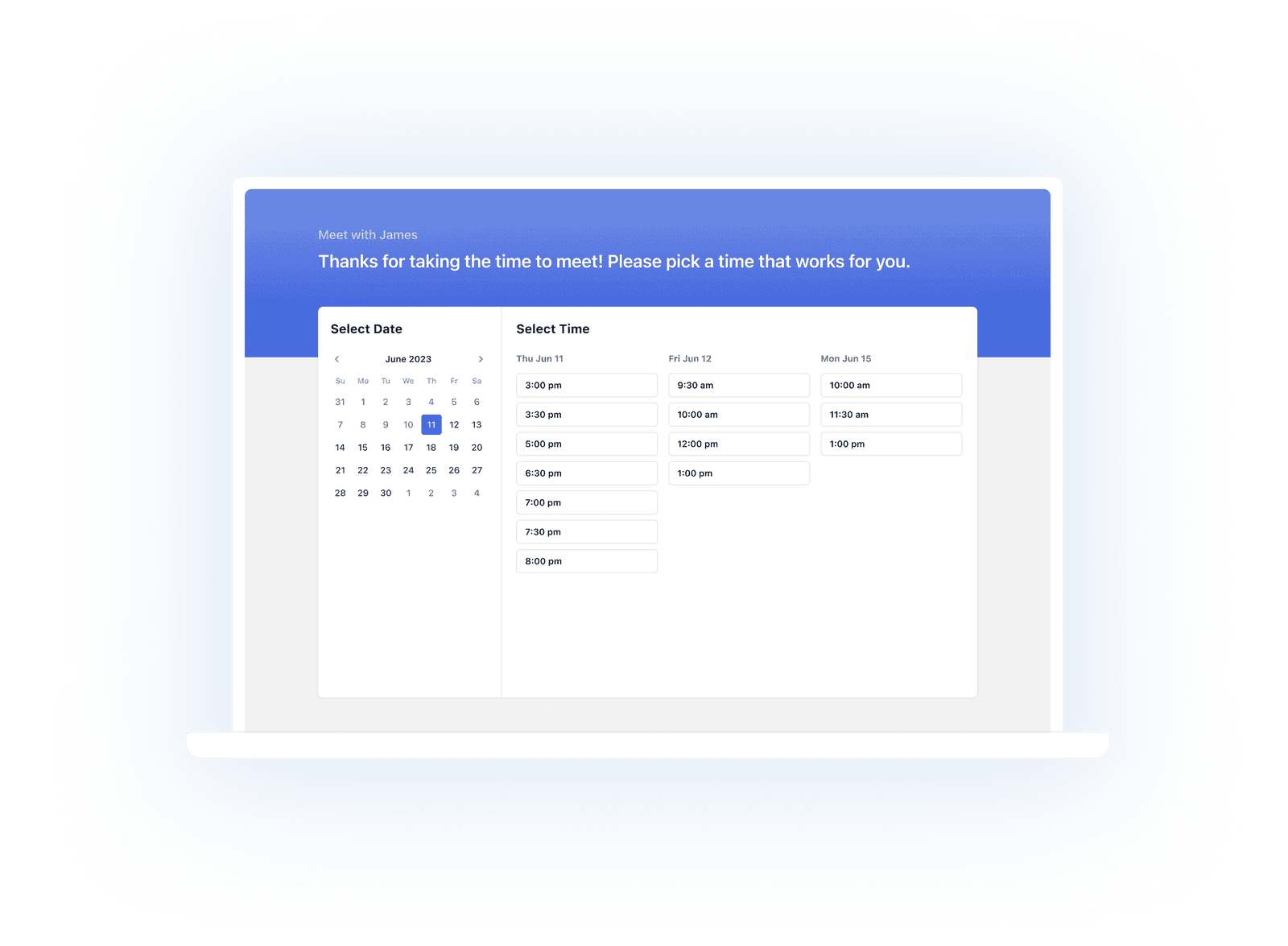
You already use tools like Calendly. Motion has booking pages built in, so you can have external appointments scheduled without an extra tool. Saves another subscription.
Motion is less suitable if you prefer to maintain full control over your planning yourself, or if you have a limited budget. Then there are cheaper alternatives that might be a better fit.
What can Motion do?
Motion is packed with features that all revolve around one goal: scheduling your day as efficiently as possible. These are the most important ones:
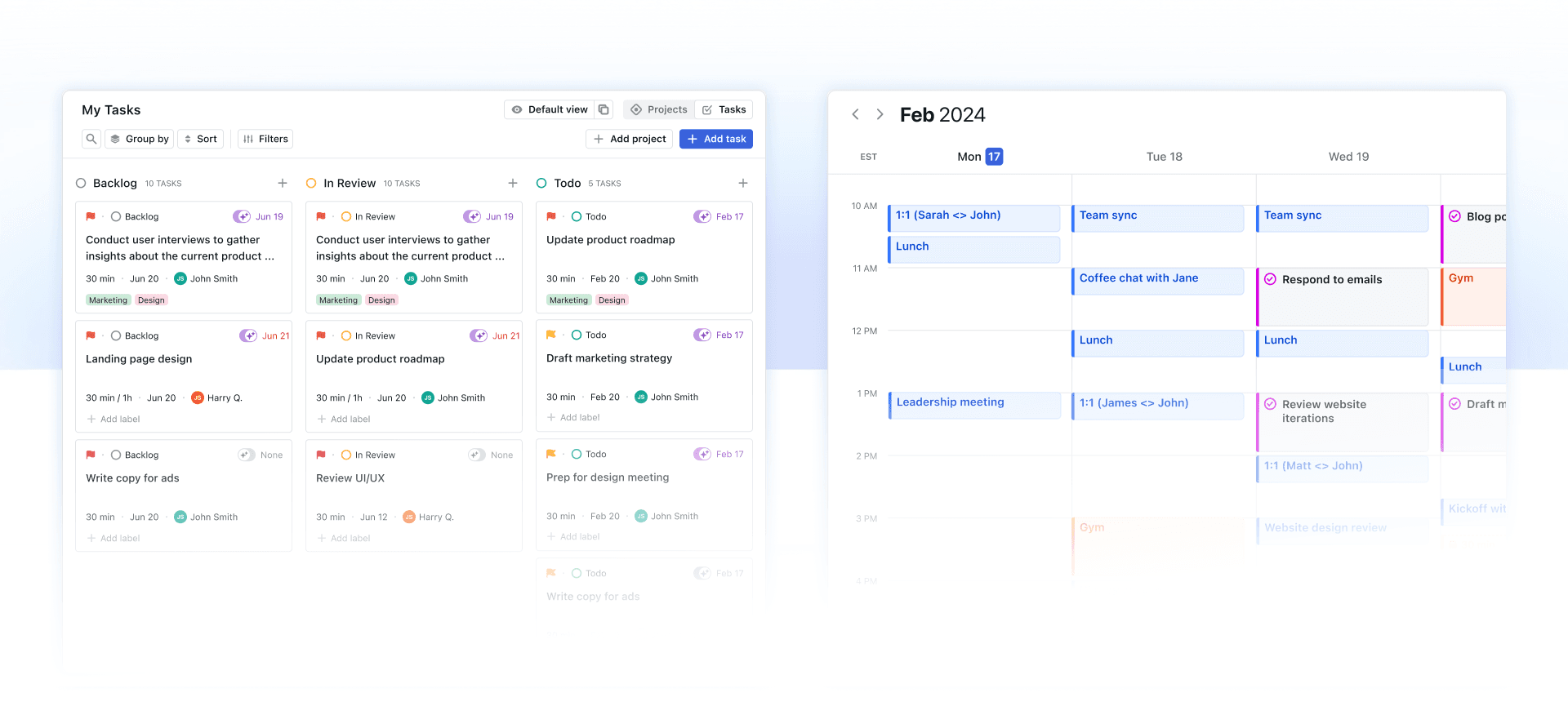
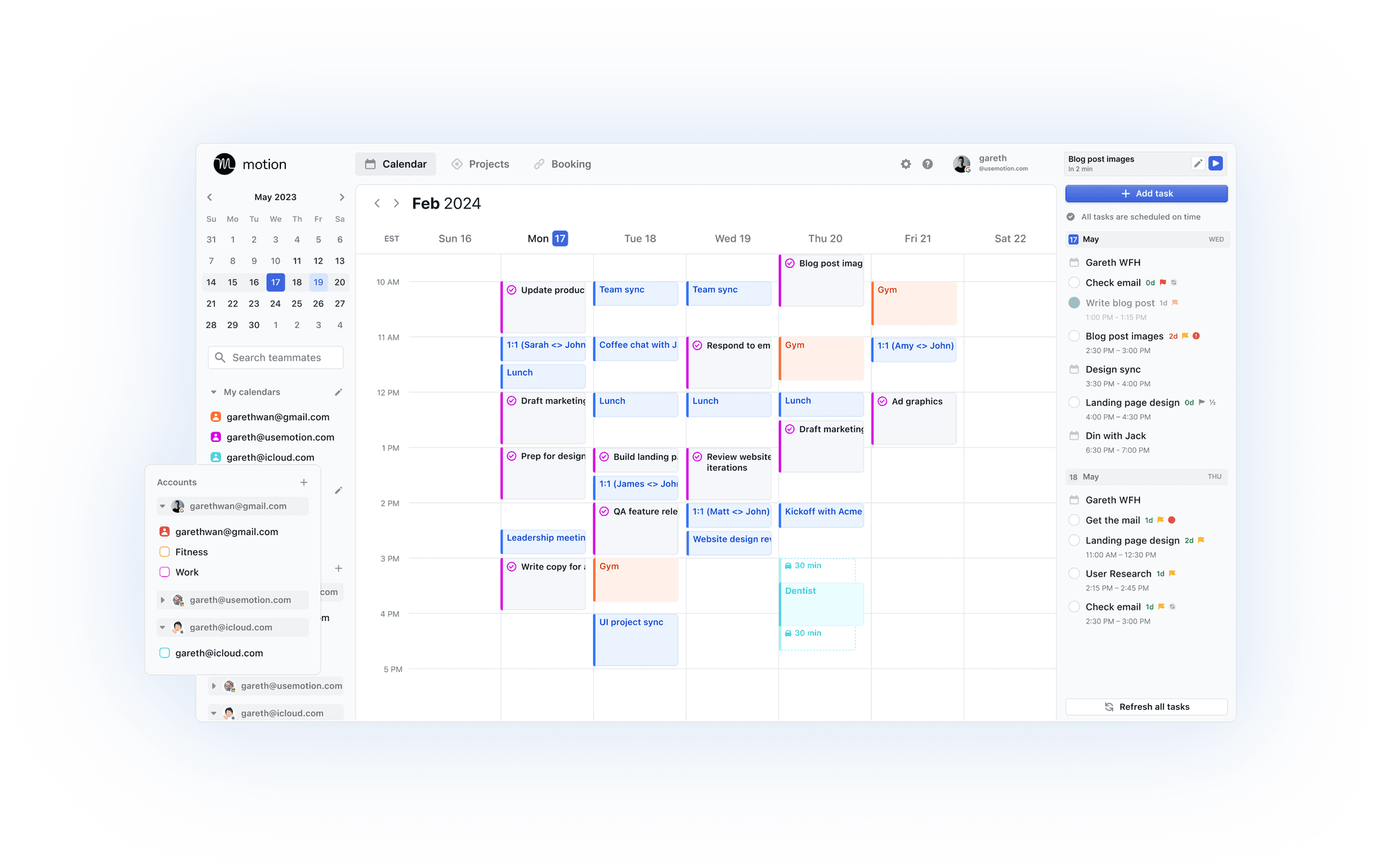
- AI auto-scheduling – The heart of Motion. You enter tasks with a deadline and priority, and the AI automatically schedules when you work on them. Does something change? The schedule adjusts immediately. No more manual shuffling.
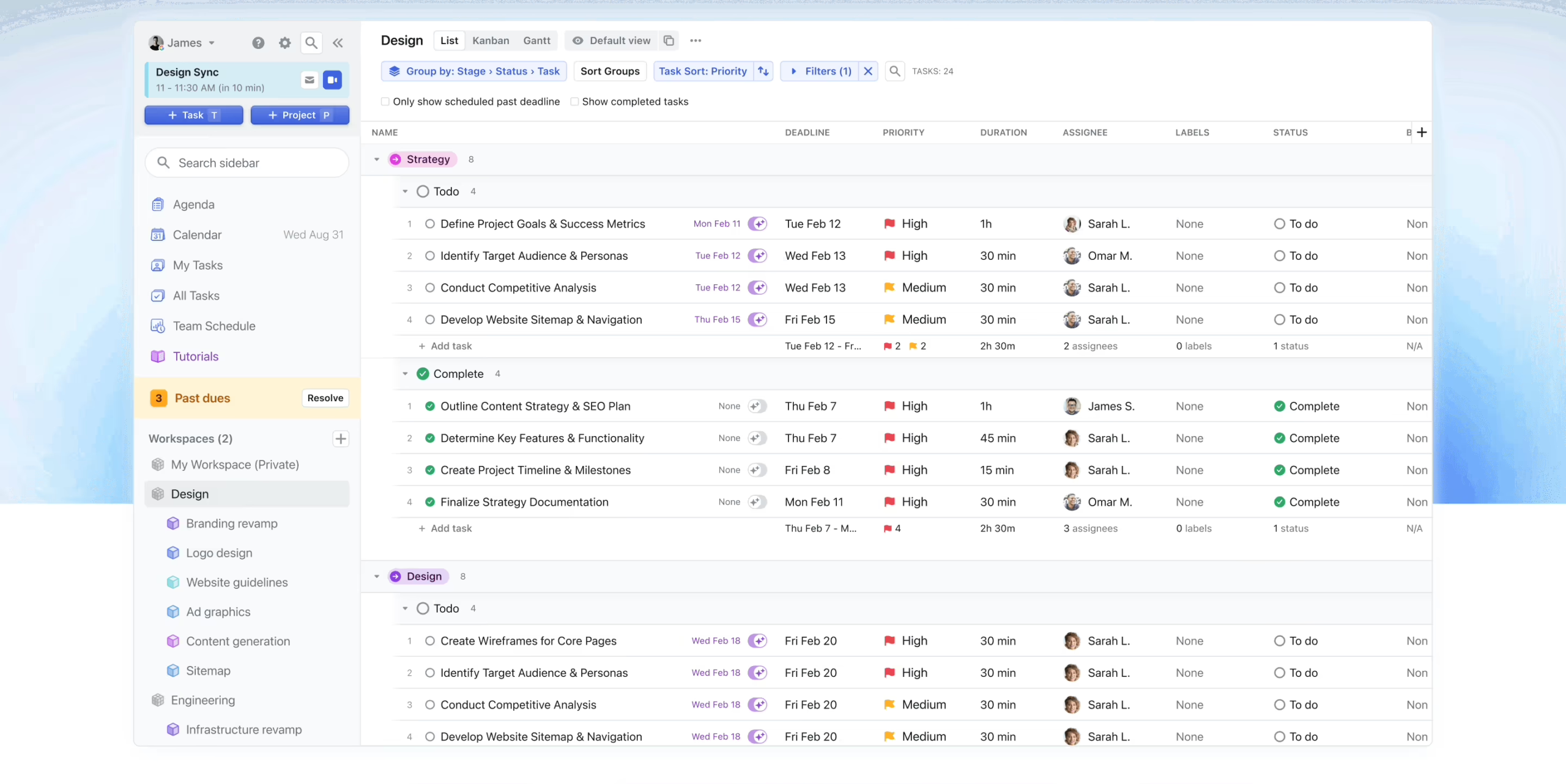
- Project management – Complete project views with Kanban boards, lists, and Gantt charts. You can assign tasks to team members, set dependencies, and see if deadlines are realistic.
- Workflow templates – Create reusable templates for recurring projects. Useful if you often go through similar processes, such as client onboarding or content production. Saves a lot of setup time.
- Calendar integration – Works seamlessly with Google Calendar and Outlook. All your appointments are automatically included in your task planning.
- Meeting assistant and booking pages – Let others schedule appointments in your calendar themselves, just like Calendly. Motion automatically chooses times that fit your workload and preferences.
- Time tracking – Track how much time you actually spend on tasks. Useful for billing or to see where your time goes.
- Team collaboration – See your entire team’s workload in one overview. Motion warns you if someone is overloaded or if deadlines are not achievable with current staffing.
- Mobile apps – Available for iOS and Android, plus desktop apps for Mac and Windows. Although users do complain that the mobile apps are slower than the web version.
What sets Motion apart from regular task managers is the complete integration between calendar and tasks. Your schedule and your to-do list are no longer two separate things you have to manually synchronize. Motion does that automatically, and adjusts as soon as something changes.
What does Motion cost?
Motion is not cheap, I have to admit that right away. There is no free version, only a 7-day trial period. After that, you pay:
Individual plan:
- $ 34 per month with monthly billing
- $ 19 per month with annual billing ($ 228 per year)
Team plan:
- $ 20 per user per month with monthly billing
- $ 12 per user per month with annual billing ($ 144 per year)
Yes, you read that right: the team plan is cheaper per person than the individual plan. That’s a strange choice. So if there are two of you, you’re better off taking the team plan and paying $ 24 per month instead of $ 34.
For teams, Motion is actually quite reasonably priced when you look at what you get. You’re basically replacing multiple tools: a project management tool, a booking tool, and a calendar app. That quickly saves you other subscriptions.
For individual users, $ 19 per month is pricey, especially when you compare it to alternatives. You really need to get a lot of value out of the automatic scheduling to justify that price.
What should you watch out for?
Motion sounds great on paper, but there are a few things users run into. Good to know before you take out a subscription:
The mobile app is a weak point. Multiple reviewers complain that the iOS and Android apps are slow and regularly have bugs. If you work on the go a lot, that can be frustrating. The desktop and web versions are good though.
There is a learning curve. Motion works best when you configure tasks properly with deadlines, priorities, and time estimates. The first week you’re mainly busy getting to know the system and fine-tuning it. Don’t expect it to work perfectly right away.
The AI sometimes makes strange choices. Users report that Motion sometimes schedules tasks at illogical times, or creates too many small blocks. You have to manually intervene regularly and guide the AI.
Customer service is slow. Especially for individual plan users. Priority support is only for business accounts. If you have a problem, it can take days before you get an answer.
Canceling is difficult. Multiple users complain that it’s hard to cancel your subscription. Motion doesn’t make it easy to leave, which is always a red flag.
Few native integrations. Motion works with Google Calendar and Outlook, but if you want to import tasks from other tools you often have to take detours. No direct connections with Slack, Notion, or other popular tools.
Limited control. Some users find the automation frustrating. If you like to determine yourself when you work on what, Motion can feel restrictive. You have to trust the AI a bit, and that’s not for everyone.
Motion reviews
I’ve looked at and read a number of Motion reviews and there are some I’d like to share with you.
1. ToolFinder
ToolFinder takes you through an extensive review of Motion, where Francesco focuses primarily on the question of whether the app is worth its price tag. He emphasizes that Motion is not cheap, but clearly explains how the AI-driven scheduling works and for whom this can be a game changer.
The review goes deep into the core functionality: how Motion automatically organizes tasks based on attributes like deadlines, priorities, and work hours. Francesco shows that the app is especially valuable for people who want to save time on productivity administration. He appreciates the project management capabilities and the built-in booking function, which means you no longer need a separate calendly-like tool.
Pros
- AI planning saves a lot of time organizing your day
- Combines calendar, tasks, and project management in one tool
- Built-in booking functionality for external appointments
- Clear design that is easy to use
Cons
- Pricey for individual users ($ 19/month with annual subscription)
- Calendar view feels somewhat limited
- You need to enter many attributes to make the AI system work well
2. Cybernews
Cybernews dives into Motion with a critical look at both the promised functionality and the actual value in practice. The reviewer wisely starts with a security check and is positively surprised about the SOC 2 Type 2 certification and annual external audits.
The review particularly highlights the versatility of Motion: task management with different views (list, Kanban, Gantt), calendar integration, AI-scheduling, and time tracking. The reviewer appreciates the flexibility, but also notes that the AI-scheduler has a learning curve and that you need to invest time to make the system work well. An honest caveat is that customer support for individual users doesn’t get priority.
Pros
- Strong security standards with SOC 2 Type 2 certification
- Works on all platforms (web, desktop, mobile)
- Many visualization options (list, Kanban, Gantt)
- AI Meeting Assistant prevents endless email exchanges
- Time tracking useful for freelancers and billing
Cons
- Limited options for collaboration with clients
- AI automation has a learning curve and requires fine-tuning
- Priority support only for business users, not for individual subscribers
3. Efficient App
Efficient App explains why they switched to Motion after seven years of Asana, and that says enough. The reviewer focuses on the three core features that distinguish Motion from other project management tools, and shows with practical examples how powerful the combination of calendar and task management is.
The most impressive part of the review is the demonstration of auto-scheduling: how Motion automatically schedules an entire project team, taking everyone’s calendar into account, and immediately alerts when deadlines are unrealistic. The reviewer emphasizes that Motion makes you much more realistic about planning, because the system honestly shows when something doesn’t fit. The workflow templates also get a lot of attention – these make onboarding much easier than with tools like Asana or ClickUp.
Pros
- Calendar and project management fully integrated – no more separate tools
- Auto-scheduling plans your entire day and automatically adjusts to changes
- Workflow templates make setup much easier than competitors
- Gives realistic warnings when deadlines are not achievable
- You can build events directly into your project templates
Cons
- Fewer configuration options than tools like ClickUp (which can also be an advantage)
- Requires disciplined process setup to work optimally
Motion alternatives
Motion doesn’t quite fit what you’re looking for? These are the best alternatives:
- Sunsama – Choose this if you prefer to keep control over your daily planning yourself and are looking for a calmer, more mindful approach. Sunsama focuses on conscious planning instead of letting everything happen automatically. Less AI, more intention.
- Akiflow – Better if you want to collect tasks from many different apps (Slack, Gmail, Trello, etc.) and manually drag them into your calendar. Akiflow has less advanced AI than Motion, but is stronger in consolidating tasks from different sources.
- Reclaim.ai – Good choice if you mainly want to optimize your Google Calendar for meetings and habits, without extensive project management. Reclaim is more of a smart layer on top of your existing calendar than a complete productivity tool.
Each of these tools has a different philosophy. Motion goes for maximum automation, Sunsama for conscious control, Akiflow for integration with other apps, and Reclaim for calendar optimization. Which one fits best depends on how you prefer to work.
Frequently asked questions
Does Motion have a free plan?
No, Motion doesn’t have a permanent free plan. You do get a 7-day trial period to try out the tool. After that, you need to pay for a subscription.
Does Motion work with Outlook and Google Calendar?
Yes, Motion integrates seamlessly with both Google Calendar and Microsoft Outlook and Exchange. All your appointments are automatically synchronized and included in the AI planning.
How does AI planning work?
The AI analyzes your tasks, deadlines, priorities, and available time to automatically create the most efficient schedule for your day. If something changes (a meeting runs over, you add an urgent task), the system automatically adjusts the rest of your day.
Can I use Motion without a team?
Yes, Motion has an Individual plan specifically for solo users. You get all features including AI-scheduling, project management, and booking pages. The team plan is only needed if you want to collaborate with multiple people.
Does Motion work offline?
No, Motion requires an internet connection to work. The AI-scheduling happens in the cloud, so without internet you can’t access your schedule.
Conclusion
Motion is a powerful tool that can really help if you’re struggling with a busy calendar and too many tasks. The AI-scheduling works surprisingly well and saves you time daily on planning and rescheduling.
But it’s not perfect. The mobile apps are slow, customer service leaves something to be desired, and the price is on the high side for individual users. You really need to get a lot of value out of the automatic scheduling to justify $ 19 per month.
Who is Motion worth it for? If you have a busy calendar with lots of meetings, have trouble setting priorities, or work in a team with complex projects. Then Motion can really make the difference between chaos and control.
Who not? If you have a quiet work week, prefer to maintain full control yourself, or have a limited budget. Then there are cheaper alternatives that fit better.
My advice: try the 7-day trial. Really invest that week in properly configuring your tasks and habits. Only then can you truly assess whether the AI-scheduling works for you. And make sure to cancel on time if you don’t like it after all, because that seems to be difficult.