
If you’ve been in the newsletter world for a while, you probably still know Kit as Convertkit. In 2024, the platform went through life with a new, fresh name – but the features remained the same. I’ve used Kit intensively for about two years for various newsletters, and can tell you exactly what works well and what to watch out for. This and more in my Kit review.
Kit: the company
Kit is one of the biggest players in the world of email marketing for creators. The company was founded in 2013 by Nathan Barry (check out his podcast too), who was a blogger and creator himself (or actually still is). His frustration? Existing email tools weren’t made with creators in mind. It had to be different, more personal, and more focused on building a community.
By now, Kit has grown into a platform where tens of thousands of creators have collectively earned nearly a billion dollars. The company is known for its personal approach, extensive integration options, and strong focus on the creator economy.
Who is Kit actually for?
Kit is really built for creators who are serious about their online presence. Think bloggers who want to promote their articles, coaches who sell online courses, or podcasters who want to grow their community. The platform excels if you have many different products or content types – for example, e-books, workshops, and a newsletter.
But let’s be honest: if you just want to send a simple club newsletter, Kit is a bit overkill. The platform comes into its own best when you want more than just sending emails. The strength lies in the smart automations, the different ways to make money with your content, and the ability to divide your mailing list into specific groups. Also for e-commerce, Kit isn’t really suitable. Then there are better solutions, such as Klaviyo for example.
💡 Less suitable for e-commerce
Kit is a tool for creators, content makers, and online entrepreneurs who want to grow their audience, but not the best choice if you mainly run a webshop with lots of marketing emails.
You can tell from everything that Kit is built by people who understand what creators run into. For example, you can set up sales funnels, create landing pages, and target your audience based on their interests without real technical knowledge.
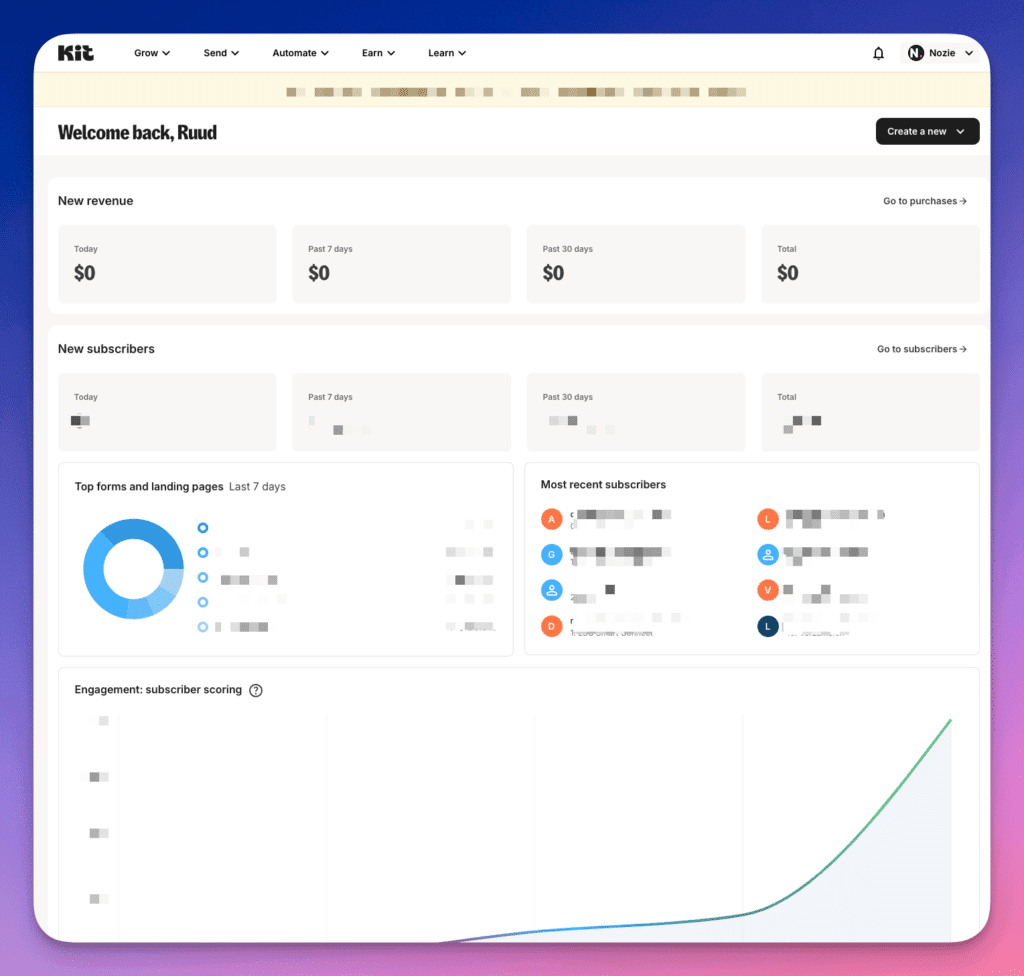
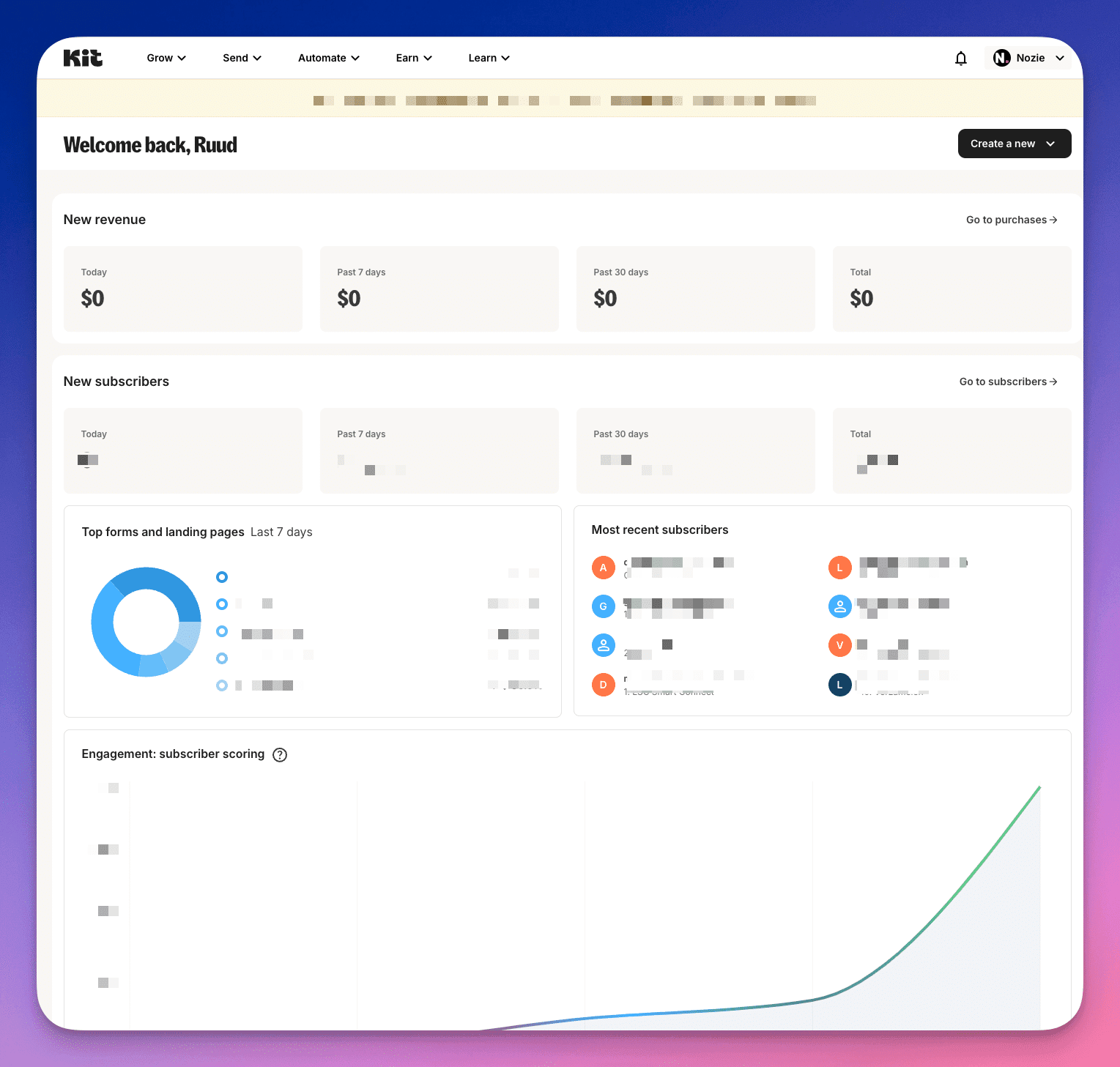
Kit dashboard from ToolGuide
The features of Kit
Below is an overview of some features you can use in Kit.
- Creating and sending newsletters – The editor is basic but effective: type your text, add images, and send directly or schedule. You can also work with different content blocks like video, products, or personal content.
- Automated emails (sequences) – Build complete email series that send automatically based on actions or time. Perfect for welcome sequences or email courses.
- Tags and segmentation – Label your subscribers based on their interests or behavior, and then send specific content to different groups. That way, everyone only sees what’s relevant to them.
- Forms and landing pages – Quickly create signup forms and landing pages with the drag & drop builder. You can host them on your own domain and they work great on mobile too.
- A/B testing of subject lines – Test two different subject lines against each other to see which one works better. Kit automatically tracks which variant gets the most opens.
- RSS integration for blogs – Connect your blog and have Kit automatically send newsletters when there’s new content. Or create a weekly digest with your latest articles.
- Creator Network for cross-pollination – Find and connect with other creators in your niche. You can recommend up to 5 creators to your readers, and they can do the same for you.
- Creator Profile – You get a mini-website where all your newsletters, products and links automatically appear. Perfect as a portfolio and archive in one.
- Paid newsletters – Put parts of your content behind a paywall and let people pay for premium content. Kit handles the payments and access.
- Sponsor Network for ads – Find brands that match you and earn money with sponsored content in your newsletter. I want to share more about this later.
Creating newsletters
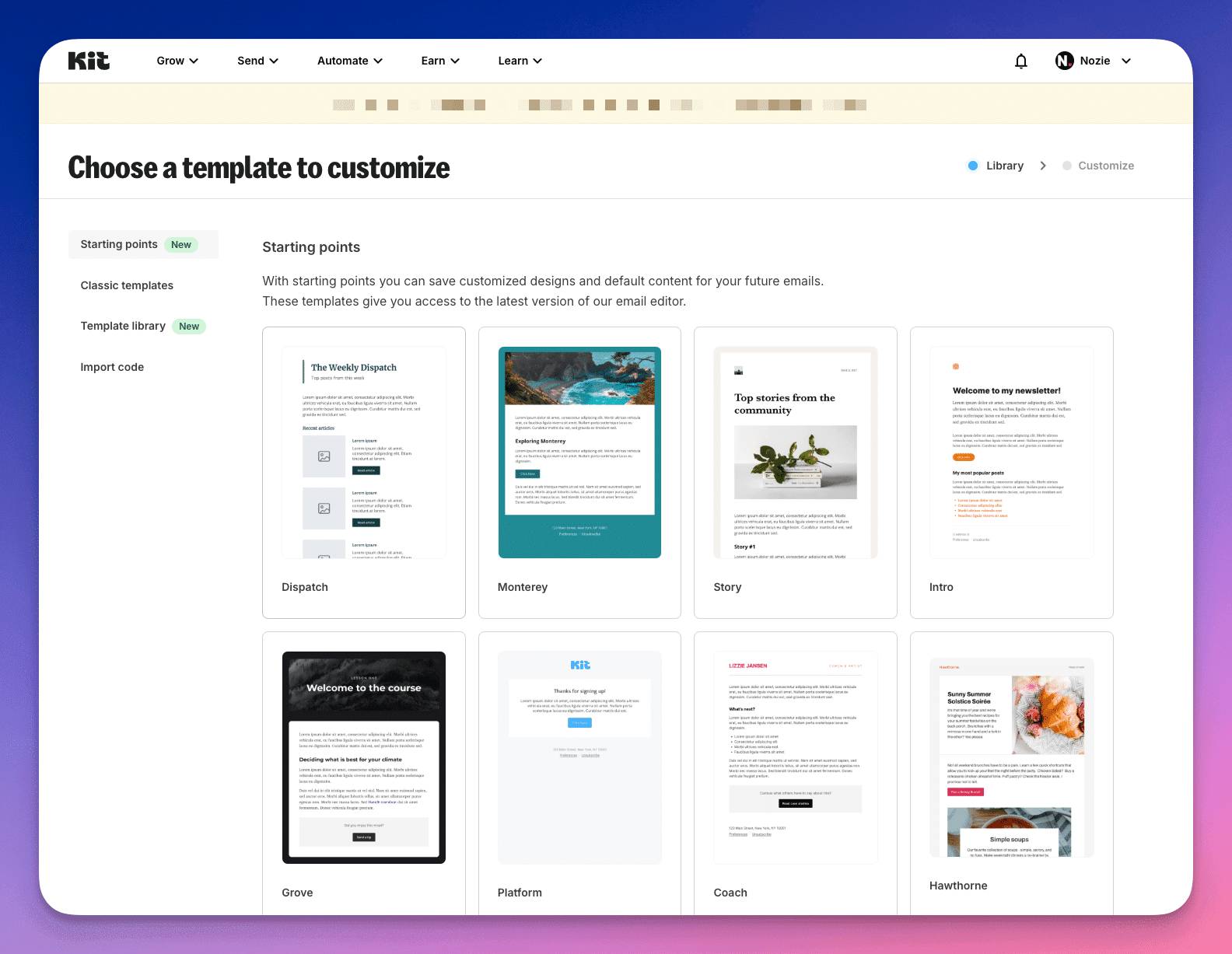
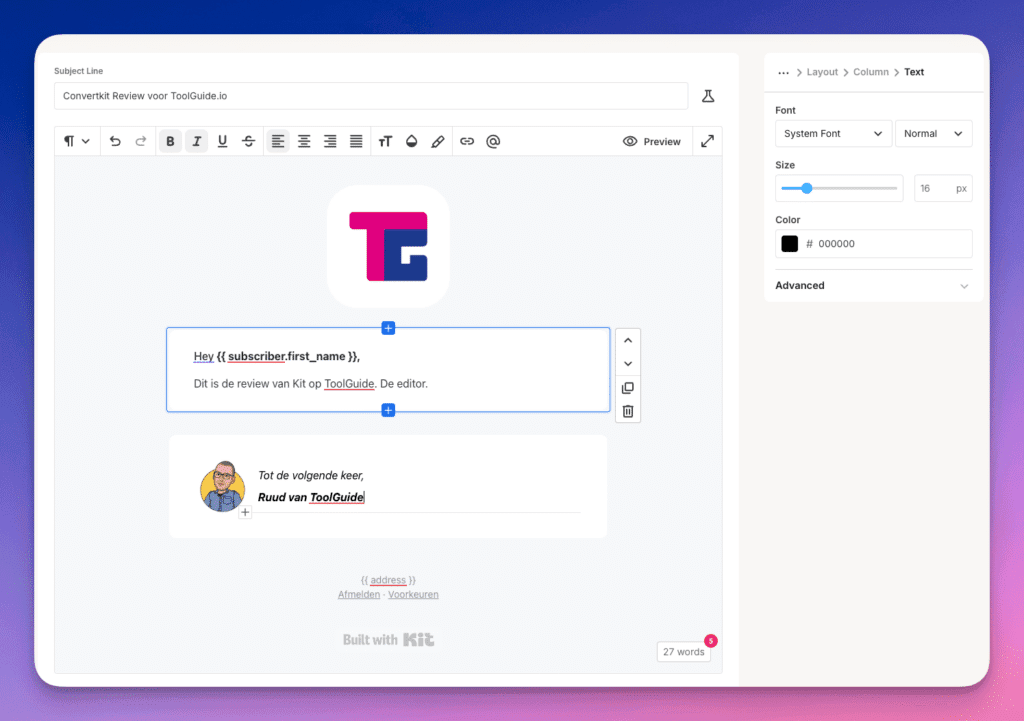
Kit’s editor may not be the prettiest on the market, but does exactly what you need. It’s a nice mix between simplicity and functionality. You type your text, add some images, and can get started with different content blocks like videos, products, or personalized content.
Also handy: you can work with ‘snippets’ – these are pre-made pieces of content that you can easily reuse in different emails. Useful for showing a current offer, for example, or another CTA that keeps coming back. Or one that you want to change globally every time.
The only thing you sometimes have to deal with: adding blocks in exactly the right place can be a bit fiddly. And real-time collaboration with your team (like in Google Docs) unfortunately isn’t included. But honestly: for most creators who work alone, this isn’t a problem. The editor just does its job, and it does it well.
Sequences and Automations
Kit really excels at automating your emails. You have two options: Sequences for simple series, and Visual Automations for more complex flows.
Sequences are perfect for things like a welcome series or a mini-course. You create a series of emails and determine when they’re sent – for example, day 1, day 3, and day 7 after signup. Simple but effective: you set it up once and then it runs automatically.
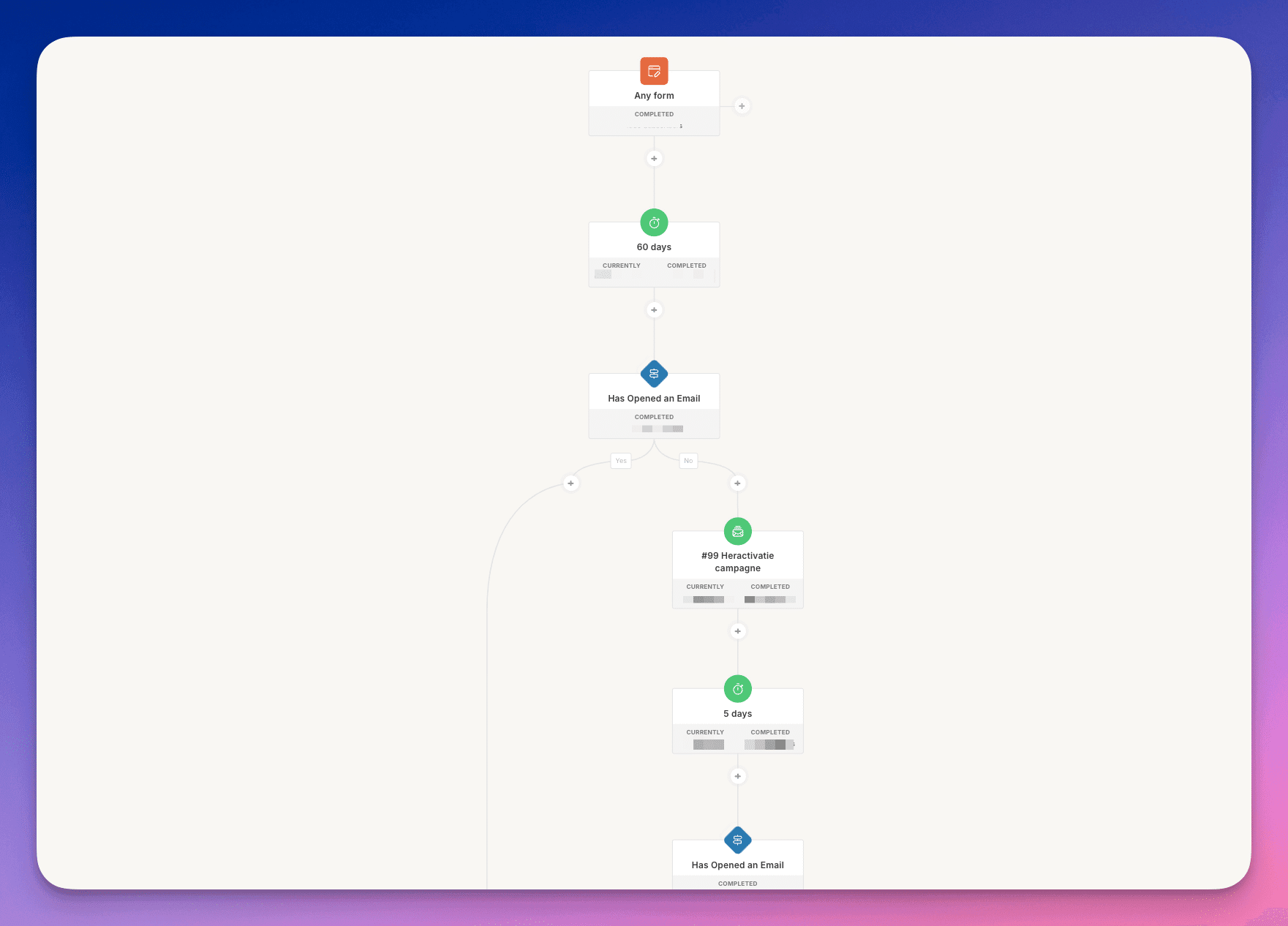
Automations, this is where Kit gets really smart. With the visual builder, you create more complex flows based on what your readers do. For example: if someone clicks link A, they get email X, but with link B they get email Y. It looks like a kind of flowchart, and that makes it clear. You can see at a glance how your flow is structured.
Practical examples:
- Welcome series for new subscribers
- Automatic follow-up after a purchase
- Different content for different interests
- Reactivation of inactive subscribers
- Onboarding for new customers
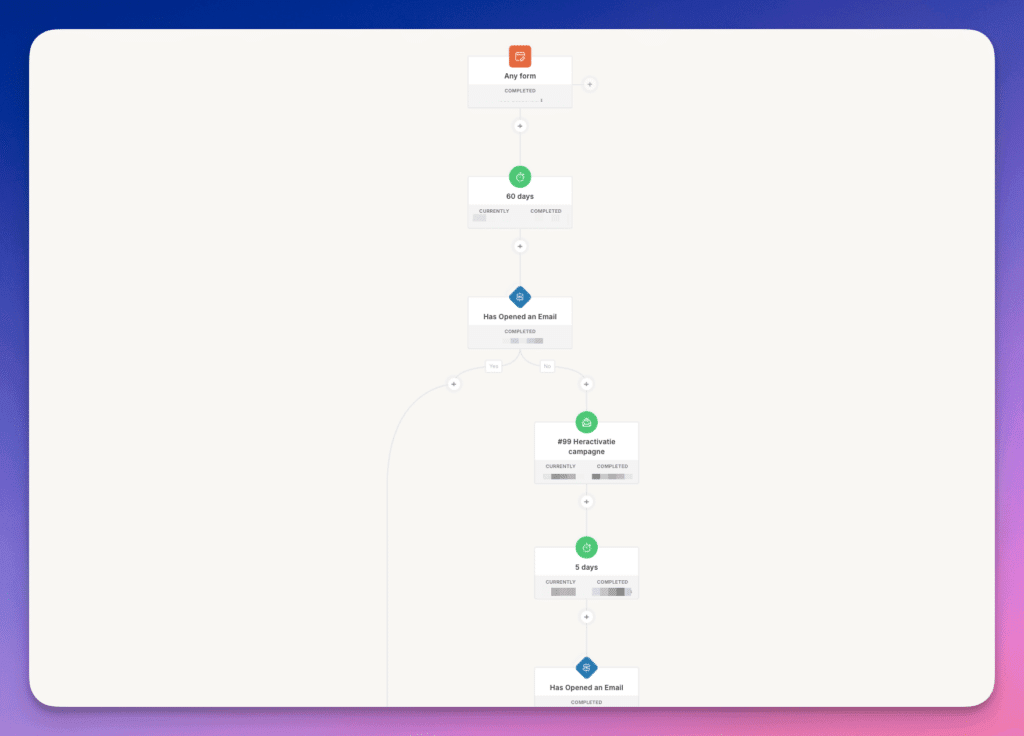
Visual Automations in Kit – This is a reactivation campaign for inactive subscribers
Growing with the Creator Network
Kit’s Creator Network is a smart system for growing together with other creators. It works like this: you recommend other newsletters to your readers, and other creators do the same for you. You can recommend up to 5 creators at a time. They do this by showing an additional pop-up after the signup form. So when people have already signed up for your newsletter, another screen appears where people can also sign up for others.
Since Kit acquired Sparkloop, there are also paid options. You can also earn money by including sponsored recommendations. The system automatically tracks how many new subscribers each recommendation generates. I’ve earned a few hundred dollars with this in recent months.
The great thing is: you’re not only building your own list, but also helping other creators grow. And because you choose who you recommend yourself, it stays relevant to your readers.
Making money with Kit
Kit’s calculator promises decent earnings through their Sponsor Network, but for Dutch creators this is a bit disappointing. Let’s be honest: you need at least 10,000 subscribers to even participate. And even then, the earnings are minimal.
Just a simple example: say you have 10,000 subscribers with an open rate of 50% (which is pretty good). Kit charges per thousand opened emails (CPM) and pays about € 3 per 1000 opens. In this example, that means:
- 10.000 subscribers
- 5.000 open your email (50%)
- 5 x € 3 = € 15 per ad
Forms and landing pages
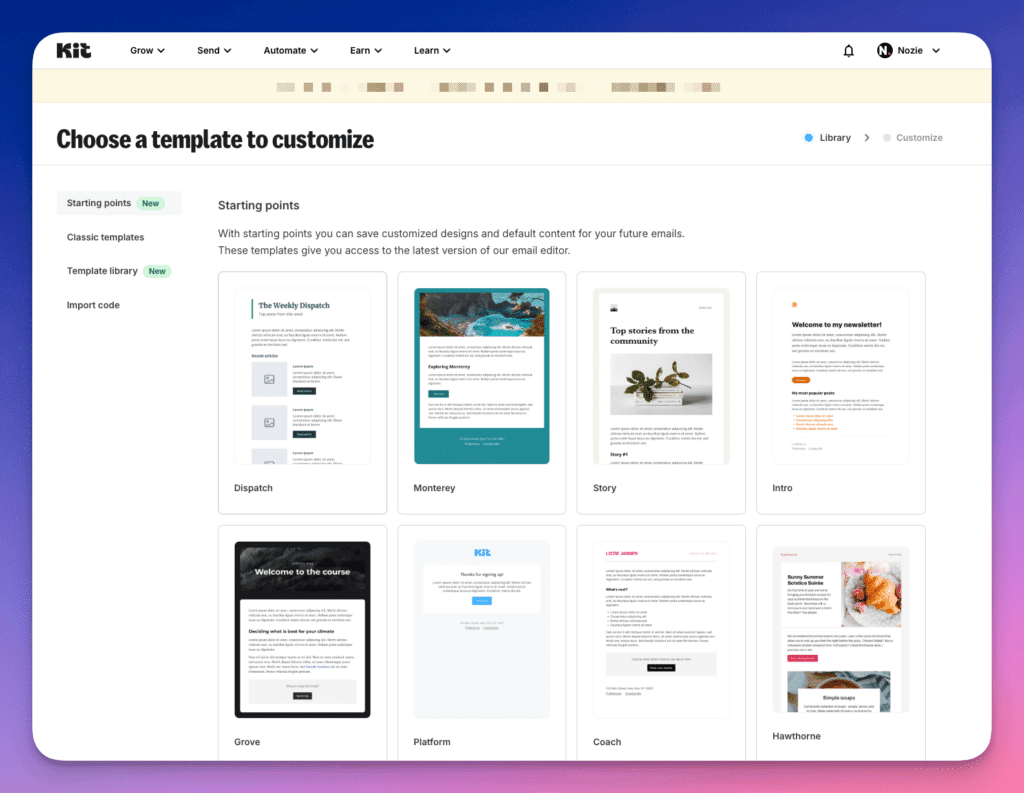
Kit’s form and landing page builder is surprisingly comprehensive. You have a choice of more than 50 templates – from simple pop-ups to complete landing pages. It all works with drag & drop, so without technical knowledge you can quickly create something nice.
For forms you have different options:
- Embedded forms (that you paste into your site)
- Pop-ups that appear after x seconds
- Slide-in forms that subtly come into view
- Sticky bars that stay at the top of your site
The landing page builder is basic but effective. You choose a template, adjust the text and colors, and you’re done. The nice thing is: you can host them on your own domain (even in the free plan). That looks a lot more professional than a random kit.com/xyz URL.
But there are also limitations:
- The templates are pretty standard and you can only customize them to a limited extent
- The mobile editor is somewhat limited
- Advanced design options are missing
- Sometimes a bit slow with loading
- To get everything right, you do need some custom CSS (but that’s an option, use ChatGPT or Claude for this for example)
API and integrations
Kit makes it easy for you to connect with other tools. Through Zapier and Make (formerly Integromat), you connect Kit to hundreds of other apps. And the special thing: even with a free account you get access to the API – something that with other tools is often only available to paying users.
The possibilities are extensive. You can add subscribers from other tools, automatically update tags, and even create and update custom fields. Synchronizing data with your CRM or automatically processing registrations is also easily arranged.
Kit has an impressive number of ready-made integrations. From popular tools like WordPress and Shopify to specific creator tools – the list is long. And recently there’s also an App Store, where more and more new integrations are being added. Combine this with the API capabilities, and you can make Kit work with virtually any tool. Minor downside: you can’t send emails via the API, that’s only possible with a paid account. But for most basic automations and integrations, the free API is more than sufficient.
Selling through Kit
With Kit, you can monetize your content in various ways. The tool has a built-in shop where you can sell digital products: from e-books and online courses to paid newsletters.
The system is simple: you create a product, add a description and price, and Kit takes care of the rest. For paid newsletters, you can even set up different membership levels.
💡Unfortunately no iDeal to sell products
An important note for Dutch creators: payments only go through credit card or PayPal – iDeal is unfortunately not available. Kit charges transaction fees of 3.5% + € 0,30 per sale, which is fairly standard in the market.
Kit alternatives
If you’re looking for a Kit alternative, you have more than enough to choose from. Below is a list of the best options.
- Beehiiv – Modern platform specifically for creators with strong analytics and built-in monetization models. The boost feature is unique, allowing you to promote other newsletters for a fee.
- Substack – The tool for writers and journalists who want to earn money with a paid newsletter. The platform has its own discovery network and takes 10% commission on your earnings, but is limited in features like automations and integrations.
- Flodesk – Design-focused newsletter tool with beautiful templates and a fixed price regardless of number of subscribers. Perfect for visual creators, but lacks advanced features like extensive automations and has limited integration options.
- MailerLite – User-friendly and affordable alternative with all the important features on board. Offers a good balance between functionality and simplicity, but lacks specific creator features like a built-in monetization model.
Conclusion Kit review
Kit is a powerful tool that particularly excels in its focus on creators. The platform has everything on board that you need: a great editor, smart automations, and strong capabilities to monetize your newsletter. The acquisition of Sparkloop has made the Creator Network extra interesting, and the extensive integration possibilities make Kit a serious player.
Where Kit really excels is the complete package. You don’t just get a tool to send newsletters, but a complete platform to run your creator business. The free version is surprisingly complete and even the API is available without paying. If you do pay, you get access to advanced features that really help you grow.