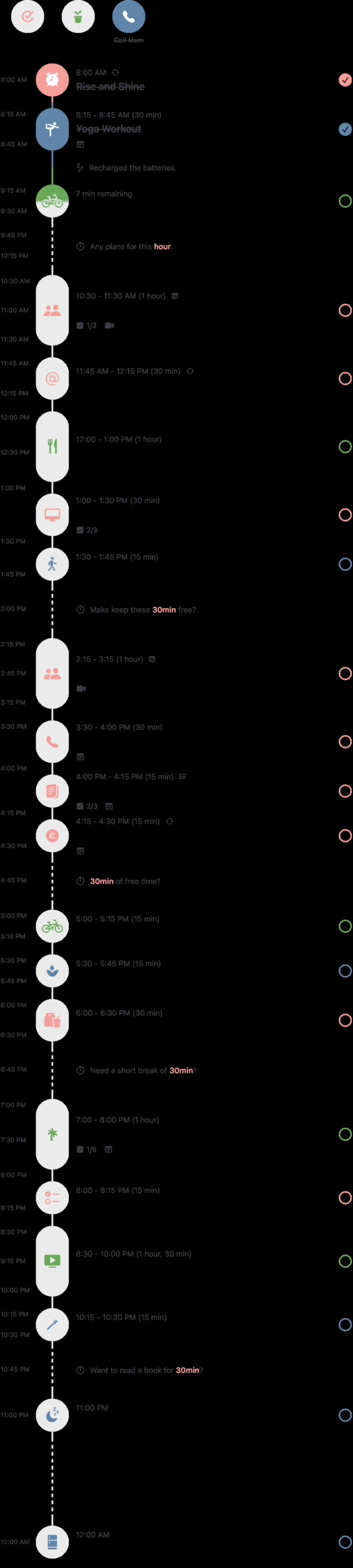
Your calendar is full, your to-do list is endless, and every day you wonder: where do I start? You know you need to work in a structured way, but traditional calendars and task lists feel so… boring and cluttered. What if you could see your entire day in one visual timeline, where tasks and appointments come together seamlessly?
That’s where Structured comes in. This app combines your calendar and to-do list into one comprehensive daily planner. People with ADHD or a preference for visual planning are especially enthusiastic about it. But is it right for you too? And what are the pitfalls?
Structured: the company
Structured is developed by a small, independent team focused on personal productivity. The app was born from the need for a visual way to plan your day, without the complexity of project management tools or the dullness of standard calendars.
The focus is on individual use and daily planning. The company actively continues to build the app and regularly adds new features, such as the recent AI assistant and improved synchronization options. The app is especially popular in the iOS community, although versions for Android, macOS, and web are now also available.
Who is Structured for?
Structured is particularly suitable for people who are visually oriented. If you like to see your day at a glance, instead of scrolling through endless lists, this is your thing.
The app is often recommended for people with ADHD. The visual timeline helps bring structure to a chaotic day, and the interface is intentionally kept simple to prevent overwhelm. You see exactly what you need to do when, without distraction.
Even if you simply love minimalism and overview, Structured is a godsend. Students use it to plan classes and study sessions. Freelancers use it to divide their day into blocks. Parents use it to keep track of family routines.
Where Structured is less suitable: teamwork and complex projects. The app is purely personal. There are no collaboration features, no project hierarchies, no tasks assigned to others. If you’re looking for a tool for your entire team, you need to look elsewhere.
What can Structured do?
Structured revolves around one core idea: visualizing your entire day on a timeline. But there’s naturally more to it than that. These are the key features:
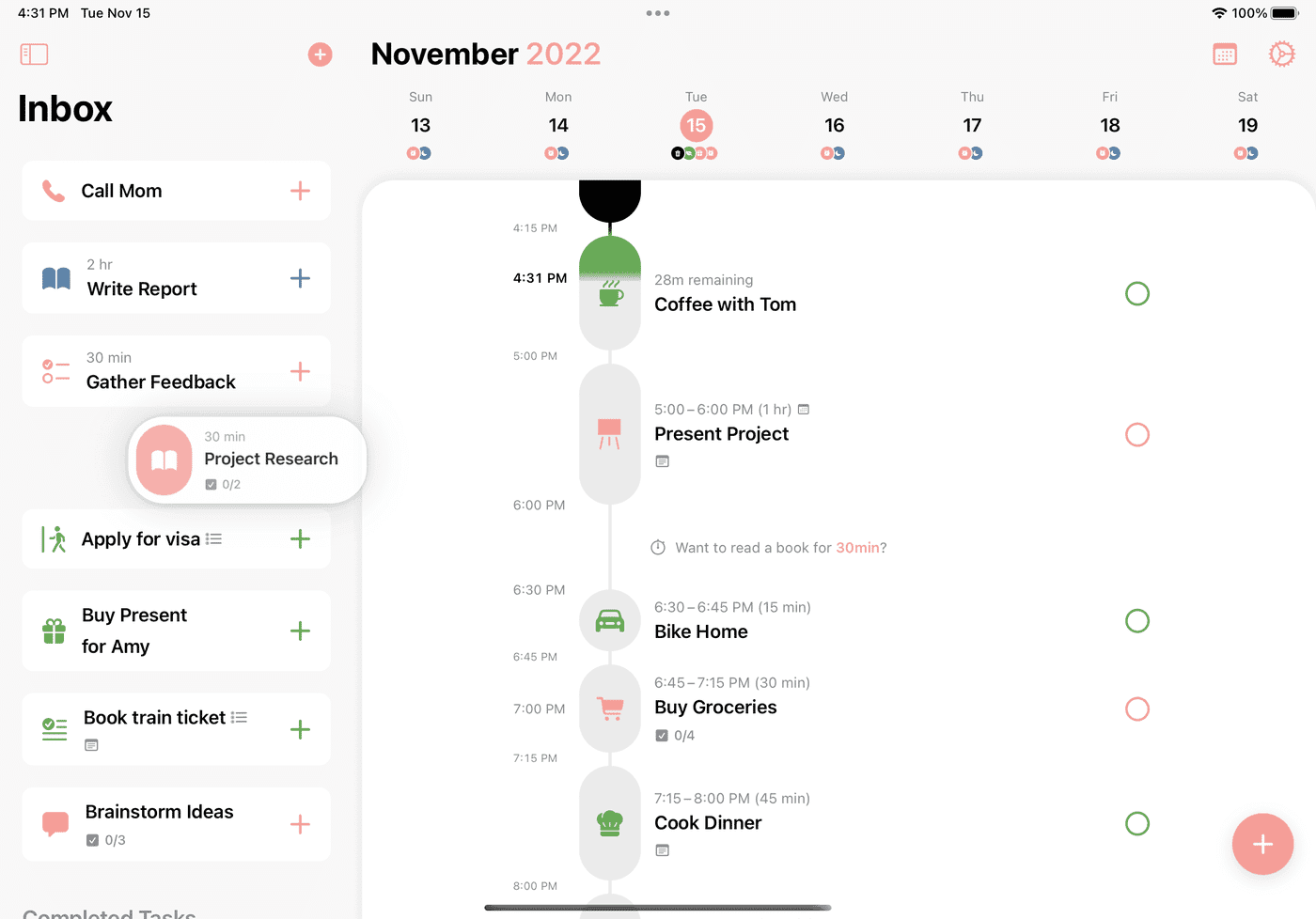
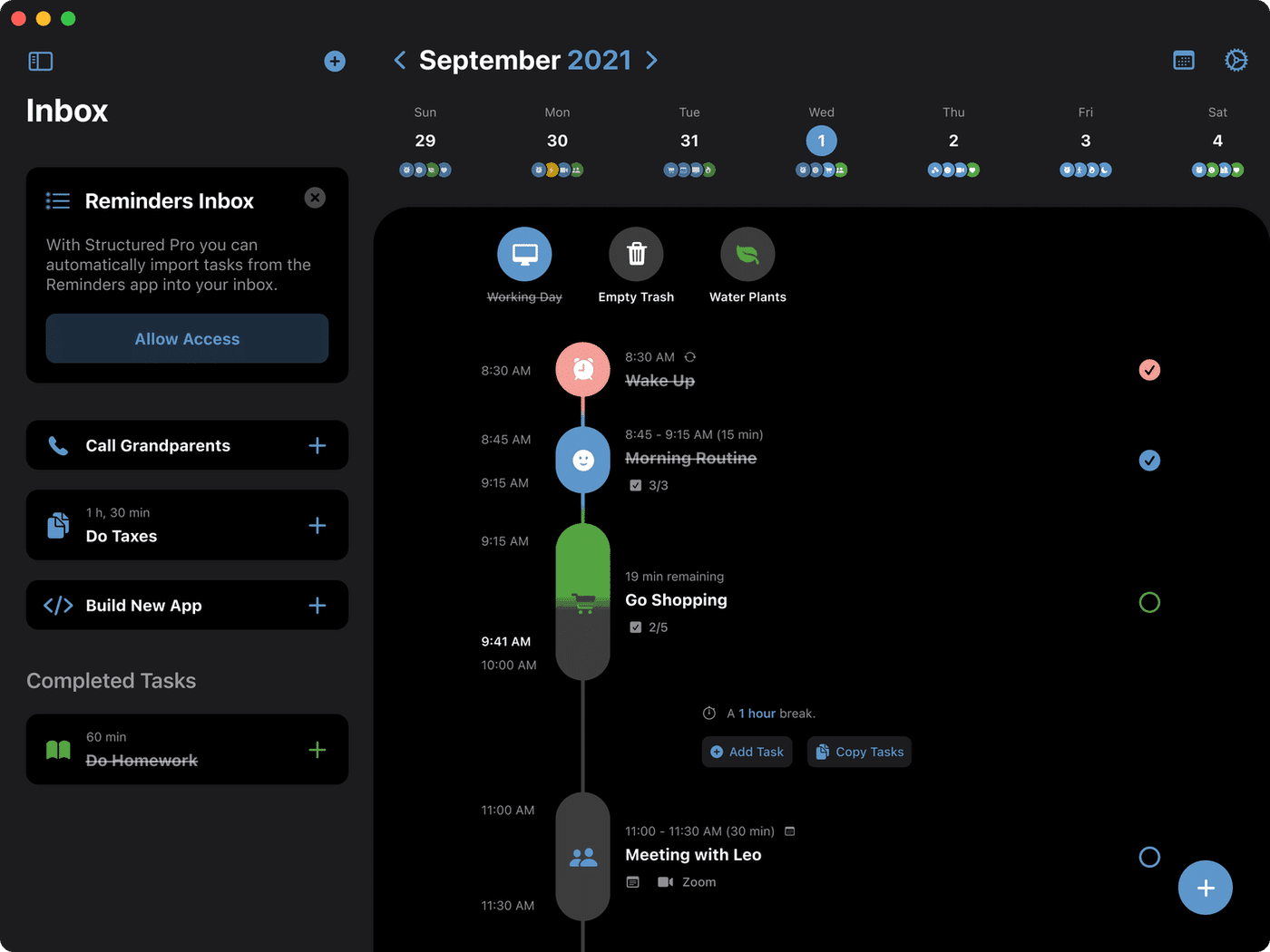
- Visual Timeline – You see your day as a vertical timeline where tasks and appointments are neatly arranged one below the other. You drag things around to adjust your schedule. It immediately provides overview and calm.
- Calendar & Reminders Import – In the Pro version, you can sync your Google Calendar, Apple Calendar, or Outlook. Your reminders from Apple Reminders also come in. Everything in one place.
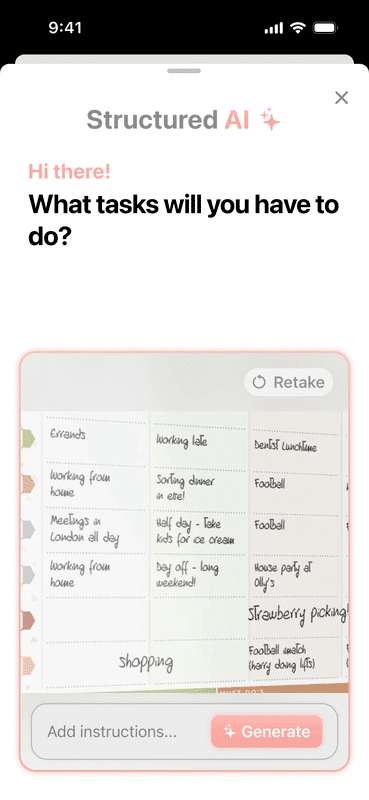
- AI Assistant – The AI helps you with planning tasks. You can type in natural language what you want to do, and the assistant turns it into a structured task with time and date.
- Recurring Tasks – For recurring tasks like exercising, taking medication, or weekly meetings. Set it up once and it repeats automatically.
- Custom Notifications – You decide when you get notifications. Not just at the moment itself, but also in advance as preparation.
- Focus Timer – A built-in timer to work focused on a task. Useful for the Pomodoro technique or just to stay on track.
- Subtasks & Notes – Each task can contain subtasks and notes. This way you keep details without cluttering your main overview.
- Cross-device Sync – Your schedule syncs between your iPhone, iPad, Mac, and the web version. At least, that’s the intention. We’ll come back to this later.
The app also has a handy inbox feature. Thoughts you want to capture quickly you toss into the inbox, and later you schedule them on your timeline. That way you don’t have to immediately decide when you’re going to do something.
What does Structured cost?
Structured has a free version, but it’s quite limited. You can create tasks and use the visual timeline, but you miss most of the powerful features.
In the free version, you can’t import external calendars or reminders. Recurring tasks, the AI assistant, and the ‘Replan’ feature (which automatically reschedules your day) are also unavailable. You get limited notifications and synchronization isn’t complete either.
For the full experience, you need Structured Pro. That costs $ 6.49 per month if you pay monthly. If you go for an annual subscription, you pay $ 19.99 per year, which comes down to $ 1.67 per month. That’s a lot cheaper.
There’s also a lifetime option for $ 64.99. Pay once and you’re done. If you use the app daily and want it for the long term, that’s a good deal. After three years, you’re already cheaper off than with an annual subscription.
New users get a free 3-day trial to try out Pro. That’s on the short side, but enough to feel if the app suits you.
What should you watch out for?
Structured sounds great, but there are a few things you need to know before diving in.
The biggest problem is the synchronization issues. Users regularly complain that tasks don’t sync properly between devices. You plan something on your iPhone, but it doesn’t appear on your Mac. Or vice versa. The app uses iCloud for synchronization, and that doesn’t always work reliably. This is frustrating if you want to work across multiple devices.
Another pain point is the difference between platforms. The iOS version is by far the most developed and gets new features first. The Android version lags behind and is missing important features. The web version is even more limited. If you’re not in the Apple ecosystem, you get an inferior experience.
The app is also purely personal. There are no collaboration features, no shared calendars, no ability to assign tasks to others. For families or teams, that’s a dealbreaker. You can’t use Structured to plan with your partner or colleagues.
Some users find the interface sometimes slow or buggy. Moving tasks can stutter, the app can crash, or things don’t load immediately. These aren’t structural problems, but they happen often enough to be annoying.
Finally, the free version is really quite limited. You can try out the app, but for a fair test you really need Pro. And with only a 3-day trial period, that’s a short introduction.
What do others think?
The general sentiment about Structured is positive, especially from people who plan visually and have ADHD. They praise the beautiful, intuitive design and the calm that the timeline brings.
On YouTube, Elesha Jacobs made a review in which she mentions the seamless Apple integration. She thinks it’s great that your calendar and reminders come in automatically, but does note that this is a Pro feature. For her, the visual timeline is a game changer in her daily routine.
Keep Productive, a popular productivity channel, says that Structured is beautiful for focus and minimalists. But the reviewer also warns: for complex projects or teamwork, the app is too limited. It’s really a personal daily planner, nothing more and nothing less.
In app stores and forums, you keep encountering the same complaints. Synchronization via iCloud often falters. The Android and web versions lag far behind iOS. And the interface sometimes responds slowly or buggy. These aren’t dealbreakers for everyone, but they happen often enough to take seriously.
On the other hand, there’s also a lot of praise. Users with ADHD say that the visual timeline really helps them get a grip on their day. The simplicity and aesthetically pleasing design are mentioned time and again as strong points. People feel less overwhelmed and more in control.
Structured alternatives
Doesn’t Structured quite fit what you’re looking for? These are the best alternatives:
- Tiimo – Also a visual planner, but specifically designed for neurodiversity. Tiimo puts even more emphasis on routines and visual aids. Choose Tiimo if you have ADHD and need extra support in building fixed routines.
- Google Calendar – The standard free option. No fancy visual timeline or task integration like Structured, but reliable and available everywhere. Choose Google Calendar if you want a simple, free calendar without frills.
- Motion – Uses advanced AI to automatically schedule your tasks and shift them when your schedule changes. Structured is more manual, Motion does the work for you. Choose Motion if you want AI to automatically manage your day and you don’t want to drag tasks around yourself.
Each of these alternatives has a different focus. Tiimo is for neurodiversity, Google Calendar is the reliable foundation, and Motion is the AI-driven future. See what fits your way of working.
Frequently asked questions
Is Structured free to use?
Yes, there is a free version that lets you create tasks and use the visual timeline. But for advanced features like calendar import, recurring tasks, and the AI assistant, you need a Pro subscription.
Is there a Structured app for Windows?
No, there is no native Windows application. You can use Structured through the web version in your browser, but it has fewer features than the iOS and macOS apps.
Does Structured sync with Google Calendar?
Yes, the Pro version lets you import and sync external calendars, including Google Calendar, Apple Calendar, and Outlook. You’ll see all your appointments in the Structured timeline.
Conclusion
Structured is a powerful day planner for people who want to plan visually. The timeline provides overview and calm, and the integration with your calendar and reminders makes it complete. Especially if you have ADHD or just love minimalism, this app can make a difference in how you experience your day.
But it’s not perfect. Sync issues, the difference between platforms, and the lack of collaboration features are real limitations. The free version is too limited to really evaluate, so you basically have to invest in Pro right away to fairly test the app.
If you’re in the Apple ecosystem and looking for a personal, visual day planner, Structured is definitely worth trying. With the annual subscription of $ 19,99 or the lifetime option of $ 64,99, it’s also not overly expensive. But if you need collaboration, or if you primarily work on Android or Windows, there are better alternatives.