You have tasks in Gmail, Slack pings you still need to pick up, a Notion database full of projects, and somewhere in Asana there’s more stuff. Meanwhile, you’re trying to keep up with your calendar and wondering why productivity feels so exhausting. Sound familiar?
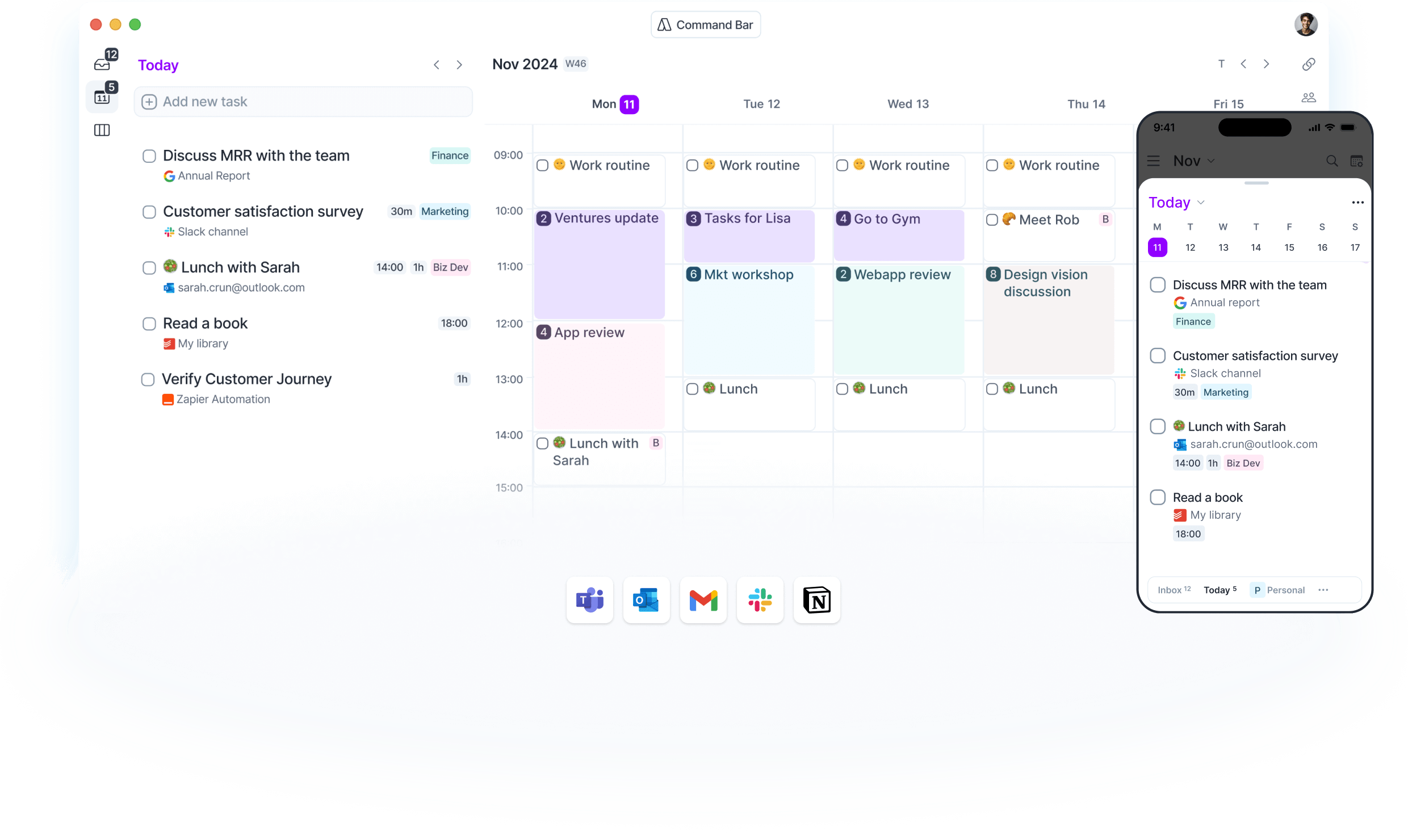
Akiflow tries to solve this problem by bringing everything together in one interface. It combines your tasks, calendar, and all inputs from different apps into one timeline. Sounds good, but does it actually work? And is it worth the price?
I dove into the tool, read reviews, and looked at what users think of it. This is what you need to know.
Akiflow: the company
Akiflow is built for people who struggle with fragmented productivity. The company specifically targets professionals who work with many different tools and constantly have to switch between apps.
The tool is relatively new compared to established names like Todoist or Things, but has quickly built a loyal user base. Especially among people who like to organize their work visually and are fans of time-blocking.
The company invests heavily in integrations and tries to bridge the gap between task management and calendar management. Not as two separate things, but as one system.
Who is Akiflow for?
Akiflow is built for a specific type of user. If you only need a simple task list, this is overkill. But if you recognize that your day consists of tasks from five different apps and your calendar is always full, then Akiflow might be interesting.
The tool is a good fit for:
- Professionals who work with multiple tools and need to constantly switch
- People who love time-blocking and want to visually plan their day
- Power users who appreciate keyboard shortcuts and want to work fast
- Teams already investing in tools like Notion, Asana, or ClickUp and want to consolidate tasks from them
It’s less suitable if you:
- Mainly work on your phone (the mobile app isn’t great yet)
- Are looking for a simple task list without frills
- Are not willing to invest in a relatively expensive subscription
- Find offline access important
What can Akiflow do?
Akiflow is packed with features that all revolve around one thing: merging tasks and time. These are the main capabilities:
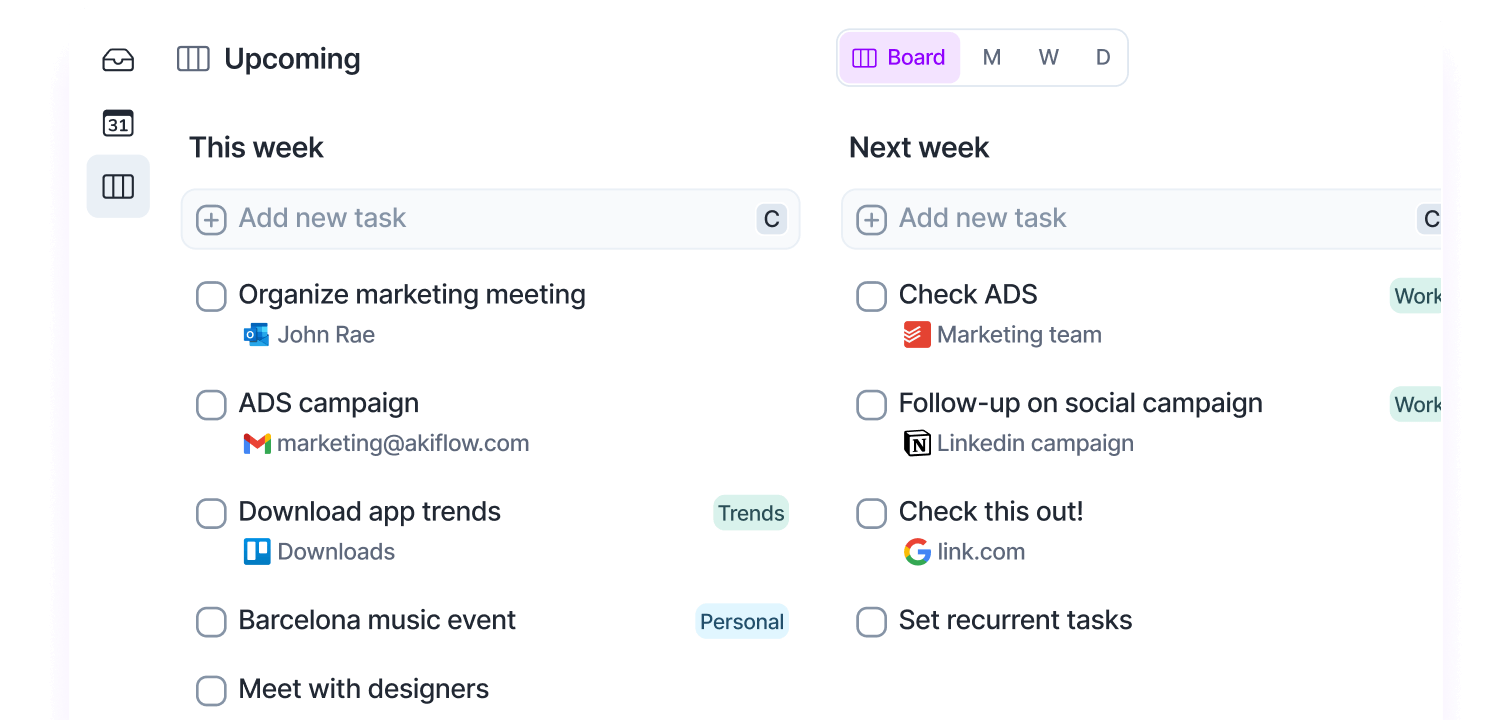
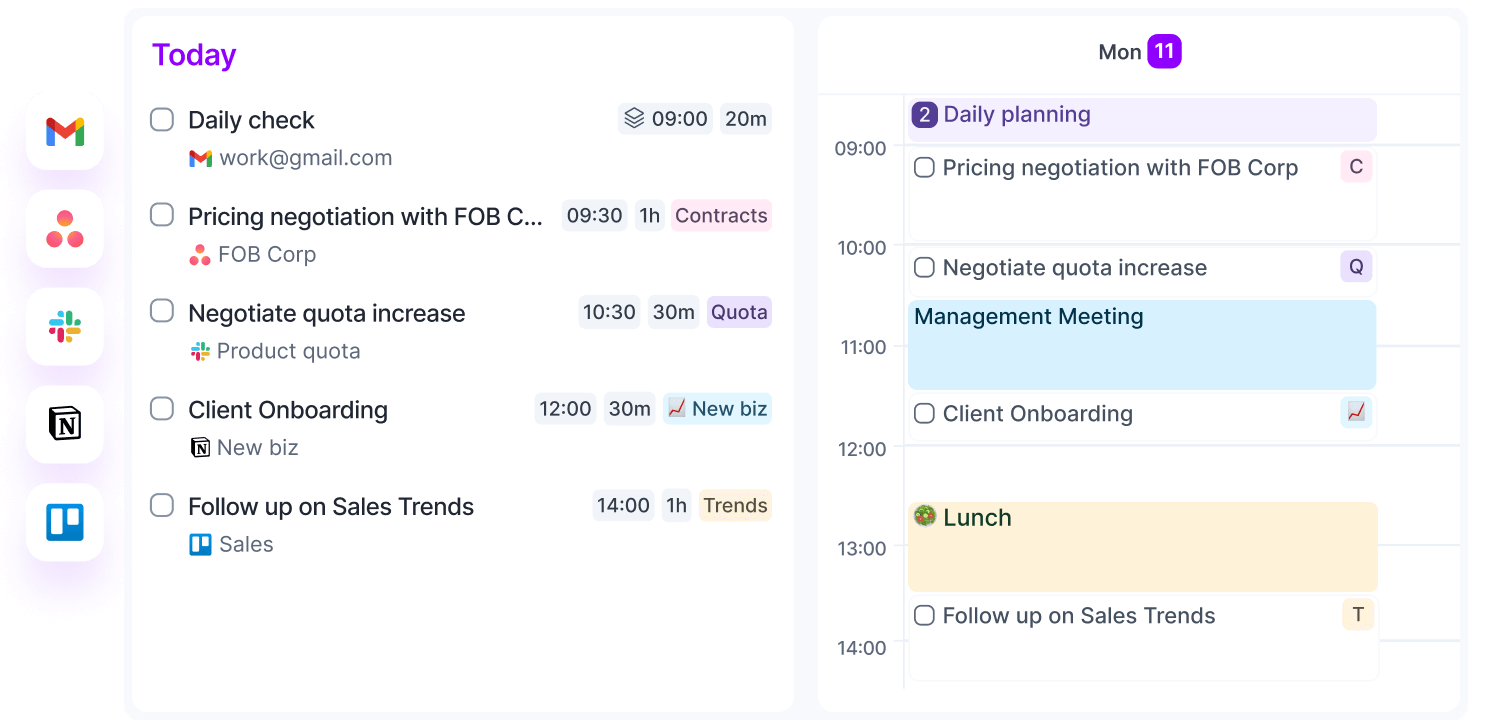
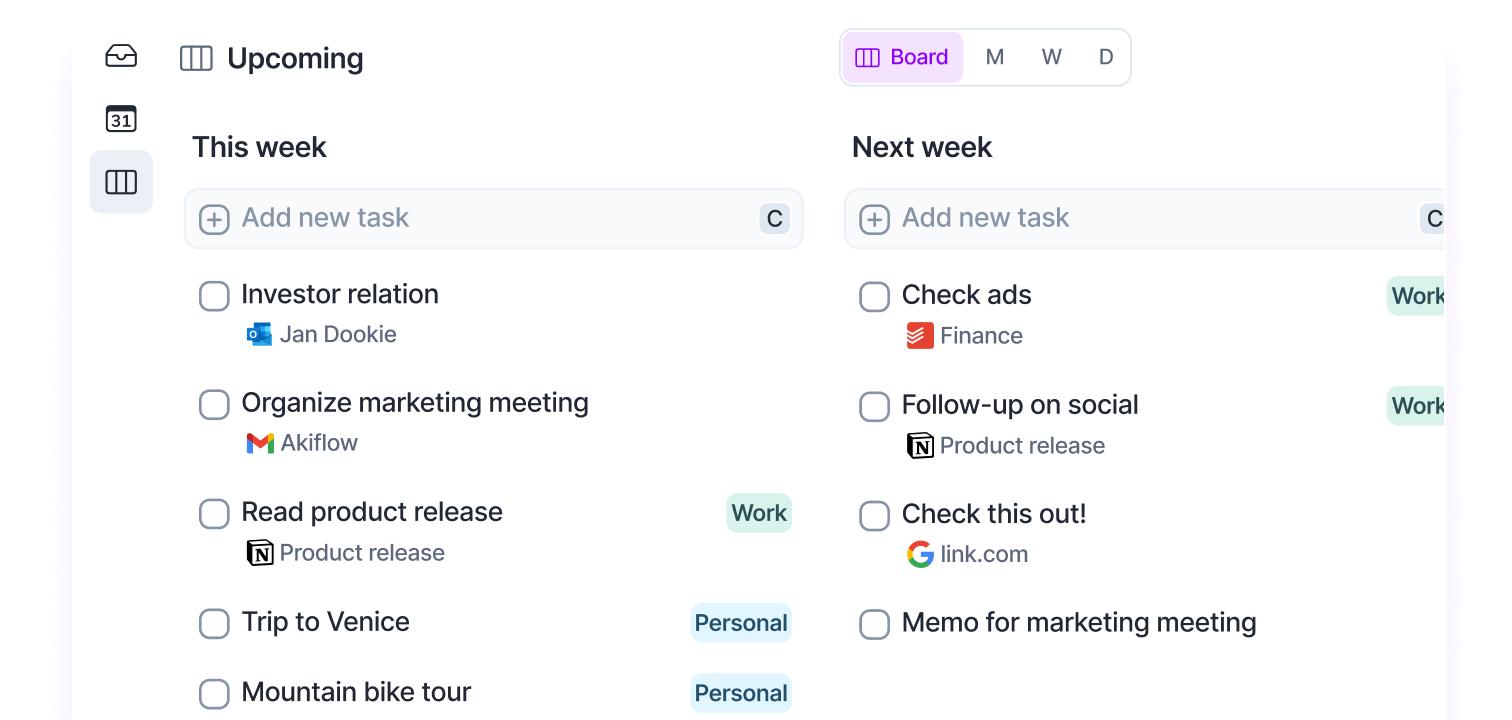
- Universal Inbox – All tasks from different apps come together in one inbox. Gmail, Slack, Notion, Asana, Trello, you name it. Everything in one place without having to constantly switch.
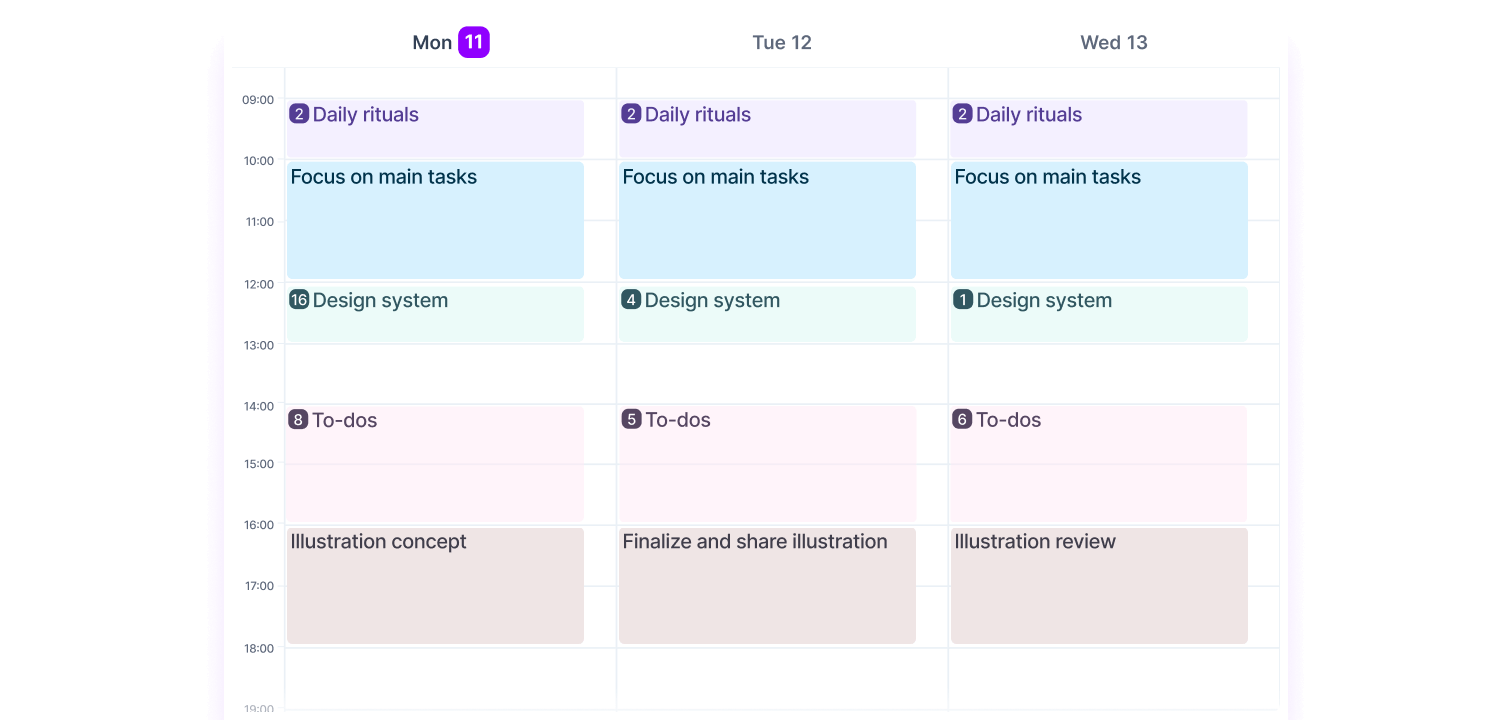
- Time-blocking calendar – Drag tasks directly to your calendar and block time for them. You see at a glance what you’re going to do when. The calendar synchronizes bidirectionally with Google Calendar and Outlook.
- Command Bar – A keyboard shortcut system that lets you navigate through the app super fast. Add new task, switch project, assign tag, everything via the keyboard.
- Daily Rituals – Structured moments at the beginning and end of your day to plan and close out your work. Helps you work intentionally instead of reactively.
- Time Slots – Group multiple tasks in one time block. Useful if you want to handle all emails at once, for example, or do a whole list of small tasks in a row.
- Share Availability – Share your availability with others via a link, so people can schedule an appointment directly without endless back-and-forth emailing.
- Focus Mode – Pin specific tasks and hide the rest. Helps you focus on what’s important now without being distracted by your entire task list.
- Integrations – Connect Gmail, Slack, Notion, Asana, Trello, Todoist, ClickUp, and more. Changes you make in Akiflow are written back to the original app.
- AI assistant – Learns from your behavior and automatically suggests projects and tags based on how you’ve previously organized tasks.
What stands out is that Akiflow doesn’t try to be a full project management system. It’s really built around the question: what am I going to do today and when? The focus is on the now, not on complex project structures.
How much does Akiflow cost?
Akiflow doesn’t have a free plan. You can try it free for 7 days, but after that you have to pay.
There is one paid plan with two payment options:
- Monthly – $ 34 per month
- Yearly – $ 19 per month (so $ 228 per year)
The difference is substantial. If you pay monthly, you pay almost twice as much. The annual plan is clearly the better deal, but does require a larger upfront investment.
Compared to competitors, Akiflow is on the expensive side. Todoist, for example, costs $ 4 per month, Things is a one-time purchase of € 50, and even Sunsama (also a premium option) is at $ 20 per month with annual payment.
The question is whether the consolidation of all your apps and the time-blocking functionality justify that price. For some people yes, for others no.
What should you watch out for?
Akiflow has strong points, but there are also clear disadvantages you need to take into account.
The price is high. Especially if you pay monthly. For $ 34 per month you could also subscribe to multiple other tools. It’s only worth it if you really suffer from switching between apps and time-blocking is central to your workflow.
The mobile app isn’t great yet. Multiple reviewers mention bugs and limited functionality on phone. If you work on the go a lot, that’s a problem. The desktop and web app are strong, but mobile lags behind.
No offline mode. You need an internet connection to work with Akiflow. Not a dealbreaker for most people, but if you often work offline, this is inconvenient.
Limited project management features. Akiflow is not a replacement for tools like Asana or ClickUp. You can create projects, but there are no subtasks, no headings, no complex hierarchies. It’s really built for individual task execution, not for team project management.
Strict refund policy. Multiple users complain about the “no refund” policy on automatic renewals. If you forget to cancel on time, you won’t get your money back. That doesn’t feel customer-friendly.
Learning curve. The Command Bar and all keyboard shortcuts are powerful, but it takes a while before you master them. The first few days you’ll probably feel slower than in your old system.
Sync issues. Some users report problems with specific integrations, especially Outlook. Most integrations work well, but it’s not always flawless.
Akiflow reviews
I’ve looked at and read a number of Akiflow reviews and there are some I’d like to share with you.
1. Healthnews
Healthnews tests Akiflow as a solution for the eternal problem of fragmented tasks across Gmail, Slack, Notion and other tools. The reviewer is positive about how Akiflow functions as a central hub that brings together all your tasks and calendars, so you don’t have to constantly switch between different apps.
The review especially emphasizes the power of task consolidation and the bidirectional sync: if you check off a task in Akiflow, this is also updated in the original app like Notion or Trello. The time blocking feature and the command bar with keyboard shortcuts get a lot of attention, although the reviewer admits there is a learning curve. The pricing model is seen as on the pricey side for monthly payers, but the annual option is much better value according to them.
Pros
- Excellent integrations with tools like Gmail, Notion, ClickUp, Trello, and Slack
- Bidirectional sync: changes in Akiflow are applied in the original apps
- Visually appealing interface that stays clear, even with many integrations
- Good onboarding with one-on-one sessions and dedicated support
- AI assistant that automatically assigns projects and tags based on your habits
Cons
- No full offline mode – you need an internet connection
- Monthly price is on the high side
- Learning curve for the command bar and all keyboard shortcuts
2. Toolfinder
Francesco D’Alessio from Toolfinder takes you through Akiflow with focus on three core components: calendar management, task management and consolidation. He emphasizes that Akiflow is especially suitable for visually oriented people who like to see their productivity in a linear, calendar-based view.
The review places a lot of emphasis on the time blocking functionality where you can simply drag tasks to your calendar. Toolfinder shows how you can create projects to organize tasks and how the inbox works for processing incoming tasks. The calendar synchronizes with Google Calendar and Outlook, and you can also share your availability with external parties without endless back-and-forth emailing.
Pros
- Intuitive time blocking by dragging tasks to your calendar
- Good integration with Google Calendar and Outlook
- Handy inbox for processing new tasks
- Ability to share availability with others
Cons
- Pricing structure of $ 19/month (annually) or $ 34/month may be high for some
- Video is quite short and superficial, lacks depth on some features
3. Peter Akkies
Peter Akkies makes an extensive comparison between Akiflow and Things 3, exposing a fundamental difference: traditional task management apps focus on “what” you need to do, while Akiflow focuses on “when” you’re going to do it. He tests both apps based on five phases: capture, organize, plan, execute and review.
The review shows that Akiflow goes much further than a simple task list. The core difference lies in the organization: where Things organizes tasks by project or area, Akiflow organizes primarily by time. Peter is especially enthusiastic about the daily planning ritual, time slots in which you can group multiple tasks, and the ability to drag entire projects to your calendar for time blocking. The web app gets a compliment, as well as the many integrations with tools like Gmail, Todoist and ClickUp. However, he finds the mobile app still underdeveloped and misses functionality around deadlines.
Pros
- Fully functional web app that works on any device
- Daily planning and daily shutdown rituals help you work intentionally
- Time slots that allow you to group tasks and time-block entire projects
- Excellent integrations with Gmail, Slack, Todoist, ClickUp and other tools
- Ability to add links to tasks (for example to Notion pages)
- Focus mode and pin feature to concentrate on specific tasks
Cons
- Mobile app is not yet well developed and difficult to use
- Deadlines feature doesn’t do much yet – tasks don’t automatically appear on your list
- No support for attachments and location-based reminders
- Limited options for custom repeat schedules
Akiflow alternatives
Akiflow not quite right for you? These are the best alternatives:
- Motion – Choose Motion if you want AI to fully automate your daily schedule. Motion automatically plans and replans tasks based on deadlines and priorities. Akiflow gives you more manual control, Motion takes the wheel.
- Sunsama – Choose Sunsama if you’re looking for a calmer, guided planning experience with a focus on intention. Sunsama focuses more on mindful planning and daily reflection, while Akiflow is more focused on speed and efficiency for power users.
- Todoist – Choose Todoist if you only need a simple task list without time-blocking functionality. Todoist is much cheaper and does one thing very well: organizing tasks. But it doesn’t have deep calendar integration like Akiflow.
Frequently asked questions
Does Akiflow have a free plan?
No, Akiflow does not have a permanent free plan. However, there is a 7-day free trial available to test all features.
Does Akiflow work with Outlook and Google Calendar?
Yes, Akiflow offers 2-way synchronization with both Google Calendar and Outlook Calendar, so your calendar is always up-to-date.
Can I import tasks from other apps?
Yes, Akiflow integrates with tools like Notion, Slack, Asana, Trello, Todoist, and Gmail to automatically collect tasks in your universal inbox.
Conclusion
Akiflow solves a real problem: the constant switching between apps and the feeling that you never have overview. If you work with multiple tools and time-blocking is important in your workflow, Akiflow can be a game changer.
The strengths are clear. The consolidation works well, the bidirectional sync means you can really work from one place, and the visual time-blocking is intuitive. The Command Bar and keyboard shortcuts make you fast once you get the hang of them.
But the price is high, the mobile app isn’t great yet, and you don’t have offline access. For some people, those are dealbreakers.
The question you need to ask yourself: how much time am I losing now by switching between apps? And how much is it worth to solve that problem? If the answer is “a lot,” try the 7-day trial. If you mainly work on your phone or are looking for a simple task list, look at alternatives.
Akiflow isn’t for everyone, but for the right person it can be exactly what was missing.