
You’ve already tried five different to-do apps this year. Todoist felt too simple. Notion too overwhelming. And your mind? It stays full of tasks you just can’t complete. I’ve used Amazing Marvin for three months and can tell you exactly whether this is finally the app that fits you.
Amazing Marvin: the company
Amazing Marvin was founded by Christina Willner, a software developer who herself struggled with productivity and ADHD. She wanted a tool that adapts to how you work, not the other way around. No one-size-fits-all solution, but a system that bends with you.
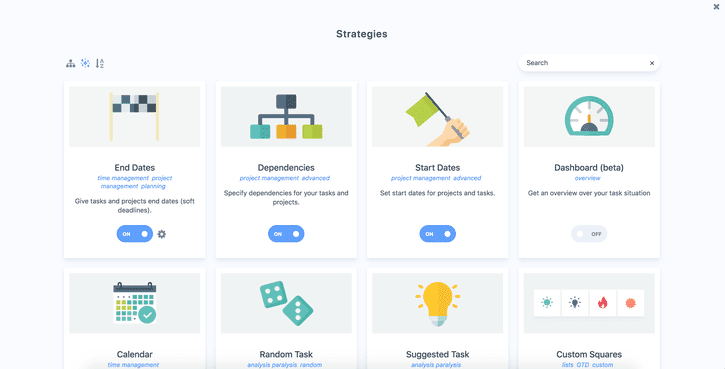
The company is completely self-funded. No investors putting pressure. No exit strategy. Just a small team building a tool for people who really struggle with focus and procrastination. You notice that in how the app works: there are more than 94 different features you can turn on or off.
What makes Amazing Marvin different? They call it a “strategy-based” approach. You don’t choose between predetermined templates, but build your own system with modules. Want GTD? You can. Time blocking? Also. A mix of both with a touch of gamification? Go for it.
Who is Amazing Marvin really for?
This tool isn’t for everyone. Really not.
Amazing Marvin is perfect if you have ADHD or just struggle with focus. The app is specifically designed with gamification, timers and visual rewards that help you keep moving. Many users call it “the only app that finally works” for their brain.
Also ideal if you’ve already tried different productivity systems but nothing fit. Are you someone who likes to experiment with workflows? Who wants to combine GTD with time blocking and habit tracking? Then you’ll be happy here.
But do NOT choose Amazing Marvin if you just want a simple to-do list. Someone who has five tasks per day and wants to check them off quickly? They’ll go crazy from all the options. Then Todoist is a better choice.
Also not suitable if you mainly work on your phone. The mobile app is slow and lacks functionality. This is really a desktop-first tool you need to invest time in to configure.
Amazing Marvin features
This is where it gets interesting. Because Amazing Marvin doesn’t just have a list of features – you decide which ones you use.
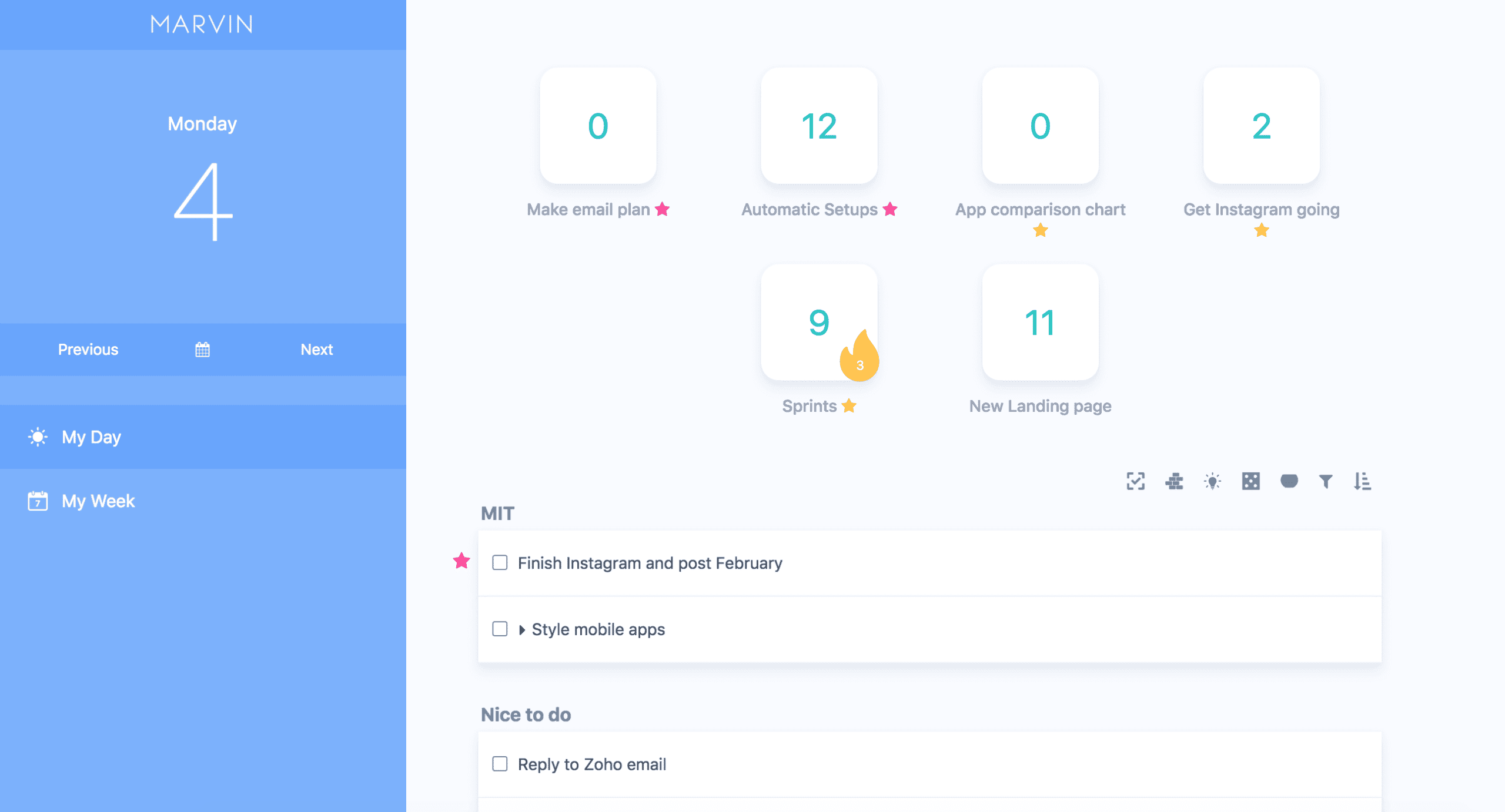
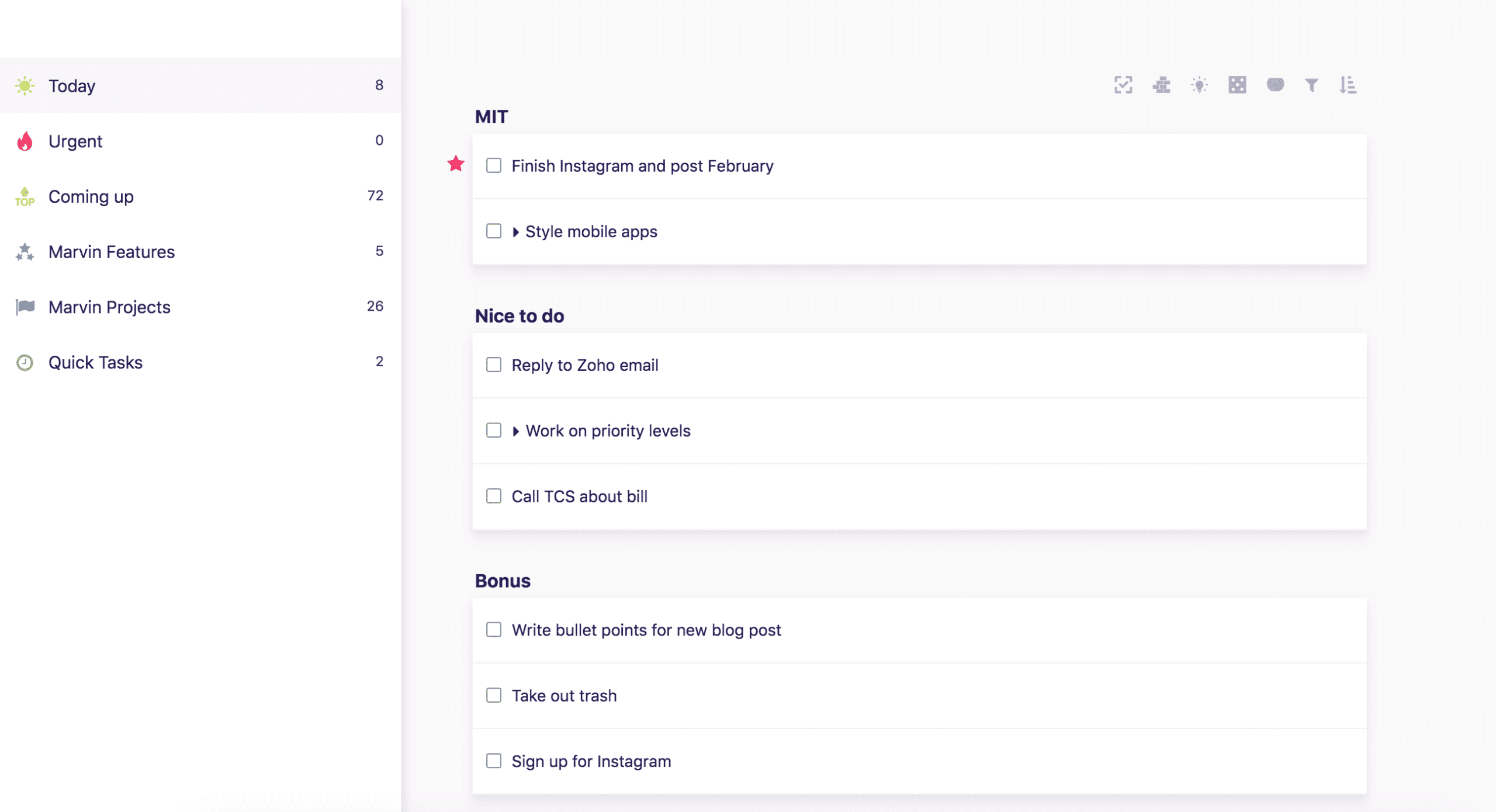
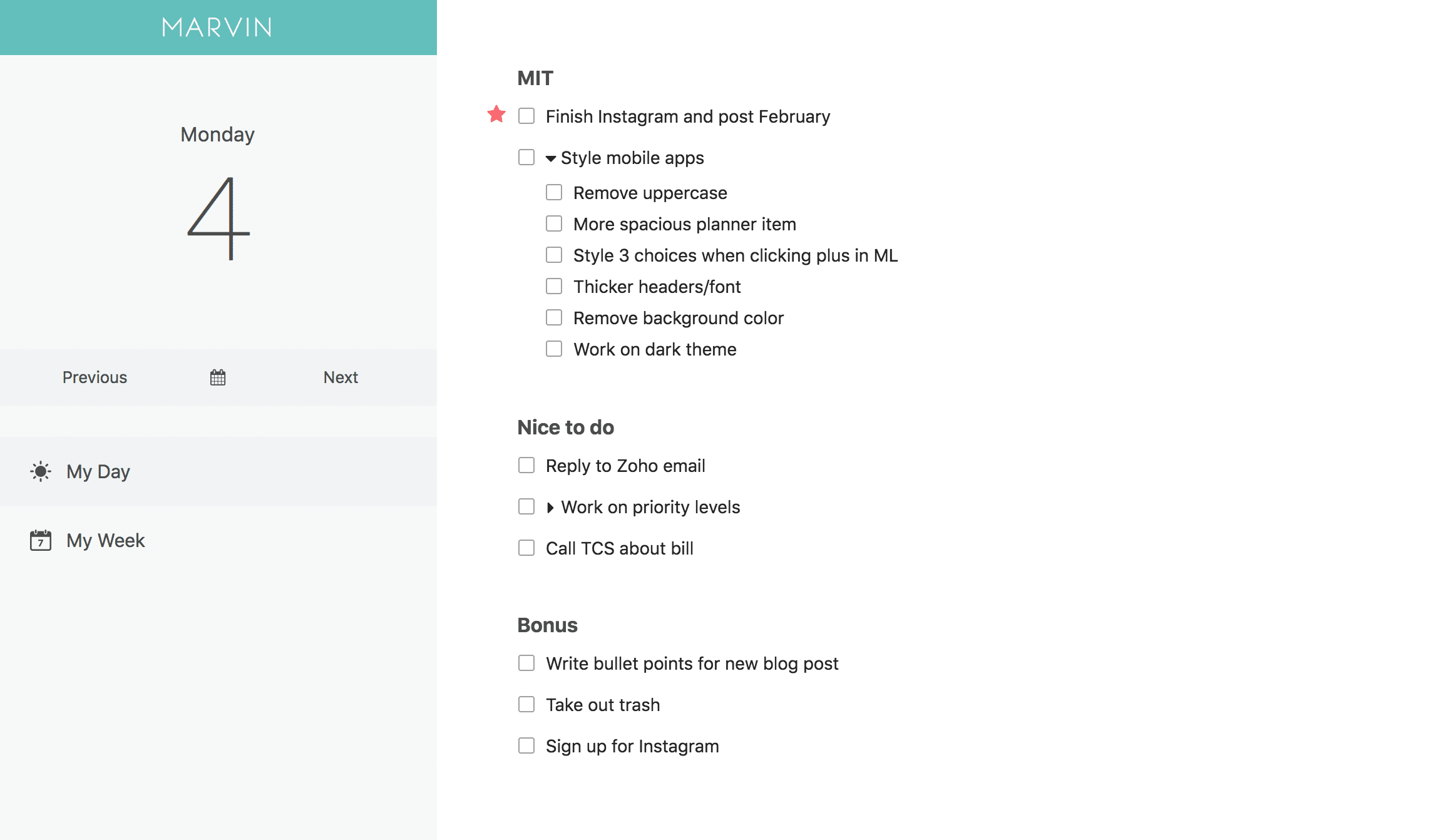
- Workflow Customization – This is the heart of the app. You can turn more than 94 “strategies” on and off. Want a daily planning section? Turn it on. Prefer a Kanban board? Also possible. You literally build your own app within the app. It feels like Lego for productivity.
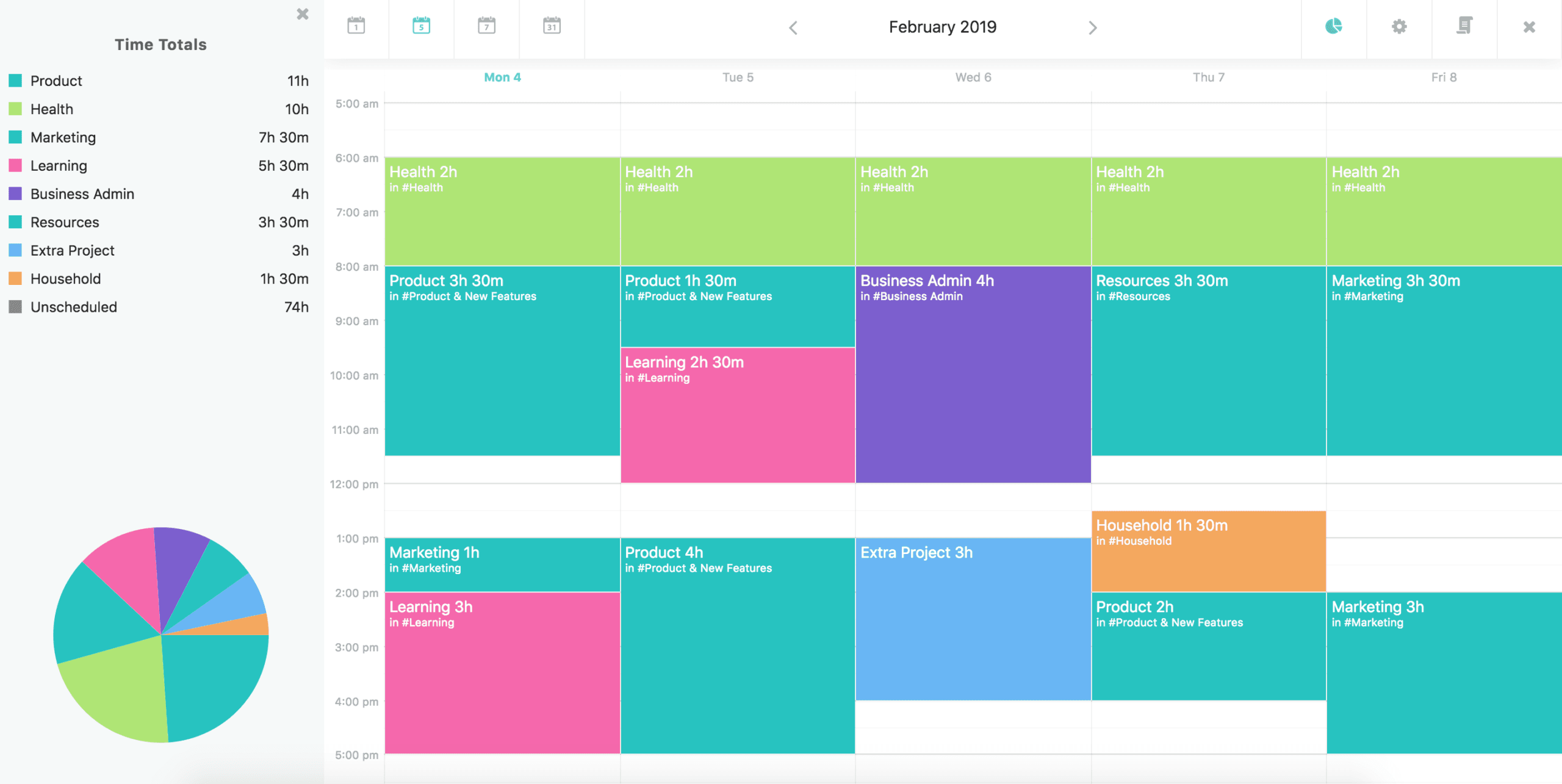
- Time Tracking – You can track every task. How much time does that emailing really take? Now you know. The system tracks where your time goes and shows it in clear graphs. Handy for not fooling yourself anymore about “just quickly doing something”.
- Calendar Integration – Connect your Google Calendar and see your appointments next to your tasks. This way you plan realistically: you immediately see that you’re not going to manage those three hours of work between two meetings. The integration works smoothly and syncs both ways.
- Habit Tracker – Daily routines like exercise or meditation get their own place. You see streaks build up and get visual feedback. It’s not as extensive as a dedicated habit app, but for the basics it works fine.
- Focus Mode – All distractions gone. One task on your screen. Nothing else. This is brilliant when your head is full and you don’t know where to start. The app forces you to focus on that one thing.
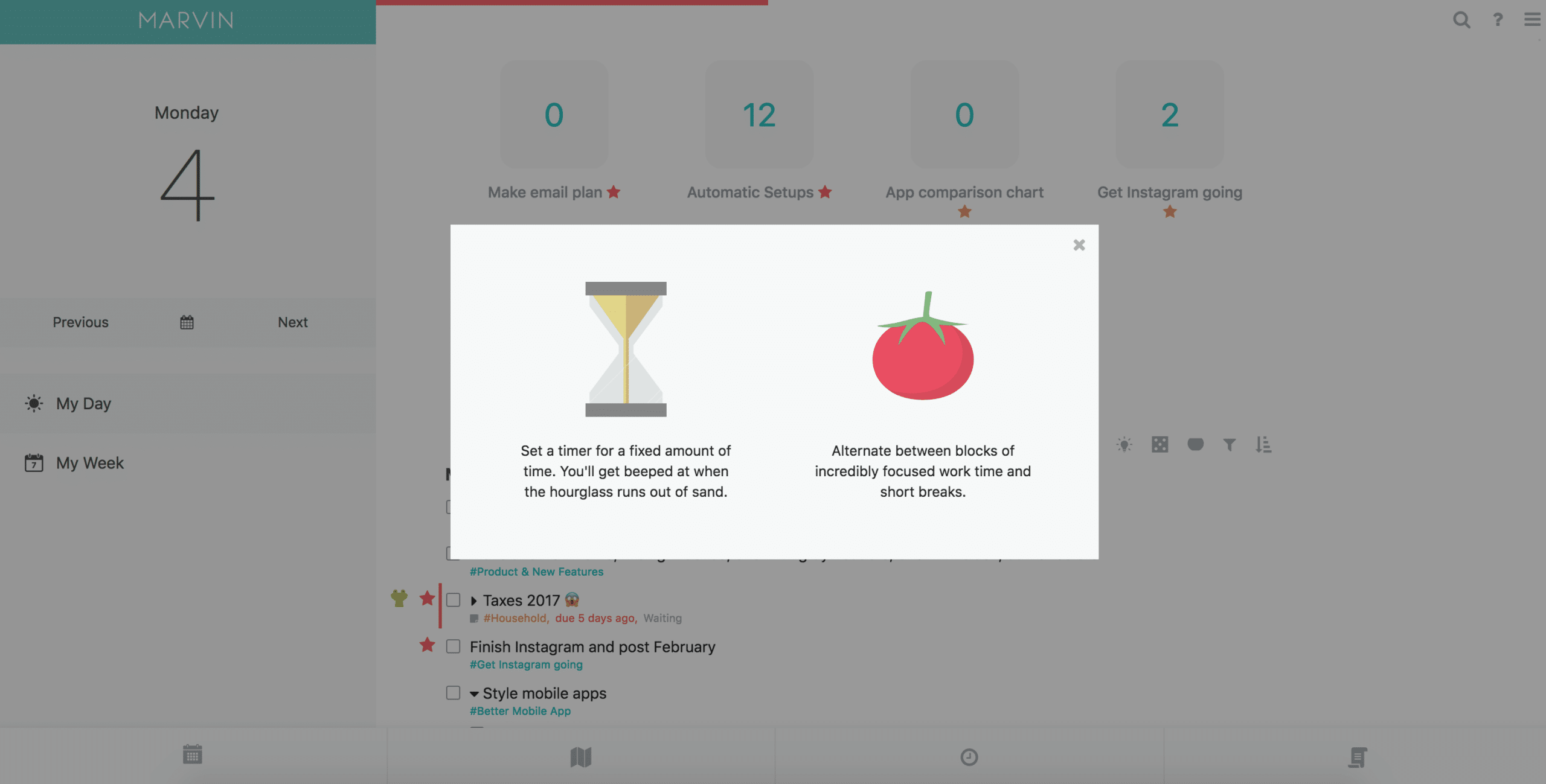
- Pomodoro Timer – Built-in timer for the Pomodoro technique. 25 minutes work, 5 minutes break. What’s special: the timer adapts to your workflow. You can set custom lengths and the app automatically pauses your time tracking.
- Gamification – Earn points for checked-off tasks. Unlock rewards. Achieve achievements. Sounds childish, but for ADHD brains this really works. That little dopamine kick from a level-up helps to keep going.
- Recurring Tasks – Set up recurring tasks with complex patterns. Not just “every Monday”, but also “the first workday of the month” or “every three days except on weekends”. The flexibility is enormous.
What I especially appreciate is the monthly planner strategy. You see your entire month in one overview and can drag tasks to specific days. This way you plan projects weeks ahead without drowning in details. It provides overview without being overwhelming.
And then the task types. You can create custom categories with their own colors and behavior. My “Deep Work” tasks automatically get a longer time estimate and are only scheduled for mornings. That kind of smart automation builds up as you use the app.
Amazing Marvin pricing
Okay, this is where it hurts. Amazing Marvin costs $ 12 per month. Or you choose the annual subscription: $ 96 per year, which comes down to $ 8 per month. There is no free version.
For a to-do app, that’s on the high side. Todoist costs $ 4 per month. TickTick has a fine free version. Notion is free for personal use. So why would you pay $ 96 per year?
The answer: because this isn’t just another to-do app. It’s a fully customizable productivity system. You get time tracking, habit tracking, calendar integration, gamification, and dozens of other features in one package. If you were to buy all of those separately, you’d pay more.
There is a 14-day trial period. No credit card required. That’s nice. And students get 50% off if they contact support. Then it suddenly becomes $ 48 per year, which is a lot more digestible.
Still, it remains an investment. Especially if you’re not sure whether you’ll use the app. My advice: really use that trial to set up the app. Take your time. Because if it clicks, it’s worth every penny. But if after a week you’re still lost in the settings? Then this isn’t your tool.
What should you watch out for?
The mobile app is the biggest problem. It’s slow. Features that work great on desktop are absent or clunky on mobile. If you want to quickly add a task on the go, you feel the frustration. The app loads slowly, synchronization sometimes takes too long, and the interface doesn’t feel native.
Then that learning curve. Holy shit, it’s steep. You open the app for the first time and are greeted by dozens of options. Which strategies should you turn on? How do you build a workflow? The documentation is extensive, but also overwhelming. Expect to spend the first week mainly experimenting instead of being productive.
Synchronization between devices can be glitchy. Not always, but often enough to be annoying. You check off a task on your laptop, but on your phone it’s still open ten minutes later. For an app that costs $ 96 per year, this simply should be better.
And then that price of course. $ 8 per month sounds okay, but it is a recurring expense. No free version to fall back on. No lifetime deal anymore (there once was one for $ 300, but it’s gone now). You’re committed to a subscription.
Last point: the app can remain overwhelming, even after weeks of use. Some people find that great – finally all the options they want. Others get tired of it and long for the simplicity of a simple checklist. Know yourself in this.
What do others think?
The sentiment around Amazing Marvin is overwhelmingly positive, but with clear caveats. People who use the app are often fanatical. They call it “the only app that finally works” and praise the enormous customizability.
Especially the ADHD community is enthusiastic. The gamification, focus tools, and visual feedback help people who otherwise get stuck. A frequently heard quote: “I’ve spent ten years looking for a system that fits my brain. This is it.”
The responsiveness of the developers is also constantly mentioned. Feature requests are taken seriously. Bugs are fixed quickly. It feels like a tool that’s truly being built for the users, not for investors.
But that mobile app remains a pain point in almost every review. “Great on desktop, worthless on mobile” is a recurring theme. People who work a lot on the go drop out. The synchronization problems are also mentioned regularly.
And then the price. Many reviews start with “it’s expensive, but…” and end with why it’s still worth it. But that “but” says enough. For many people, $ 96 per year is simply too much for a to-do app, no matter how good.
New users often feel lost. The first impression is: too many options, where do I start? Some persevere and discover a great tool. Others give up after a few days and go back to their old system.
Amazing Marvin alternatives
Doesn’t this quite fit what you’re looking for? Then check out these options:
- Todoist – Simpler and faster to use. Choose this if you’re looking for a simple, streamlined to-do list without complex settings. No fuss with strategies or workflows, just add tasks and check them off.
- TickTick – Cheaper and includes a free version. Choose this if you’re looking for an all-in-one app with calendar and habits for a lower price. You get a lot of functionality without the overwhelming customization of Marvin.
- ClickUp – Focused on teams and collaboration. Choose this if you need to manage projects with a team instead of just personal tasks. The collaboration features are much stronger than Marvin’s.
Frequently asked questions
Is there a free version of Amazing Marvin?
No, there is no permanent free plan. Amazing Marvin is completely self-funded and only offers a paid subscription to ensure development. You do get a 14-day free trial to try out the app, without having to enter a credit card.
Do you offer student discounts?
Yes, students can get 50% off both the monthly and annual subscription. You do need to contact support to arrange this. Send them a message with proof that you’re a student and they’ll help you out.
Can I use Amazing Marvin offline?
Yes, the desktop applications for Windows, macOS and Linux support offline use. You can just keep working without an internet connection and everything syncs as soon as you’re back online. The web and mobile versions do require an internet connection.
Conclusion
Amazing Marvin isn’t a tool for everyone. But for the right person, it’s a gamechanger. If you have ADHD, have tried ten systems already, and like experimenting with workflows? Then this is probably your final destination.
The customization is unparalleled. No other app lets you determine so precisely how you want to work. That freedom is both the strength and the pitfall. You have to invest time in it. A lot of time. And that’s not for everyone.
The price is steep, but defensible if you use all the features. $ 1 per month for a complete productivity system is actually reasonable. But only if you actually use it. If the app still doesn’t feel right after a month, you’re throwing money away.
My advice: try that 14-day trial. Take the time to set up the app. Watch YouTube tutorials. Experiment with strategies. And be honest with yourself: do you feel at home in this complexity, or do you long to go back to something simpler?
For me it works. That monthly planner, the time tracking, the focus mode – it fits how my brain works. But I know plenty of people who were back to Todoist after a week. And that’s fine too. Productivity is personal. Amazing Marvin understands that better than any other app.