Your task list is overflowing, your calendar is full and you still keep forgetting that one item. Any.do wants to bundle all that chaos into one clear app. It combines tasks, calendars and reminders in an interface that looks simple, but the question is: does it really work as well as it looks?
Who is behind Any.do?
Any.do was developed by the company of the same name Any.do Ltd., founded in 2011 in Tel Aviv, Israel. From the start, the company focused on creating productivity tools that are not only functional, but also feel pleasant. The core idea: task management doesn’t have to be complicated. Where many competitors choose extensive features and complex systems, Any.do deliberately chooses simplicity. The app grew into a popular choice for people who want to plan their day without spending hours learning a new system.
Who is Any.do for?
Any.do is primarily aimed at individuals, families and small teams looking for an accessible way to organize their tasks and appointments. The app works well for people who don’t want to dive too deep into project management, but do want to see everything in one place. Think of students who need to keep track of their classes and deadlines, families sharing shopping lists, or small teams coordinating simple projects.
But the app isn’t suitable for everyone. Linux users are left disappointed, because there is no native app available. Also, large organizations with complex project management requirements are better off looking elsewhere. Any.do is built for overview and simplicity, not for extensive workflows with dependencies and advanced reporting.
What can Any.do do?
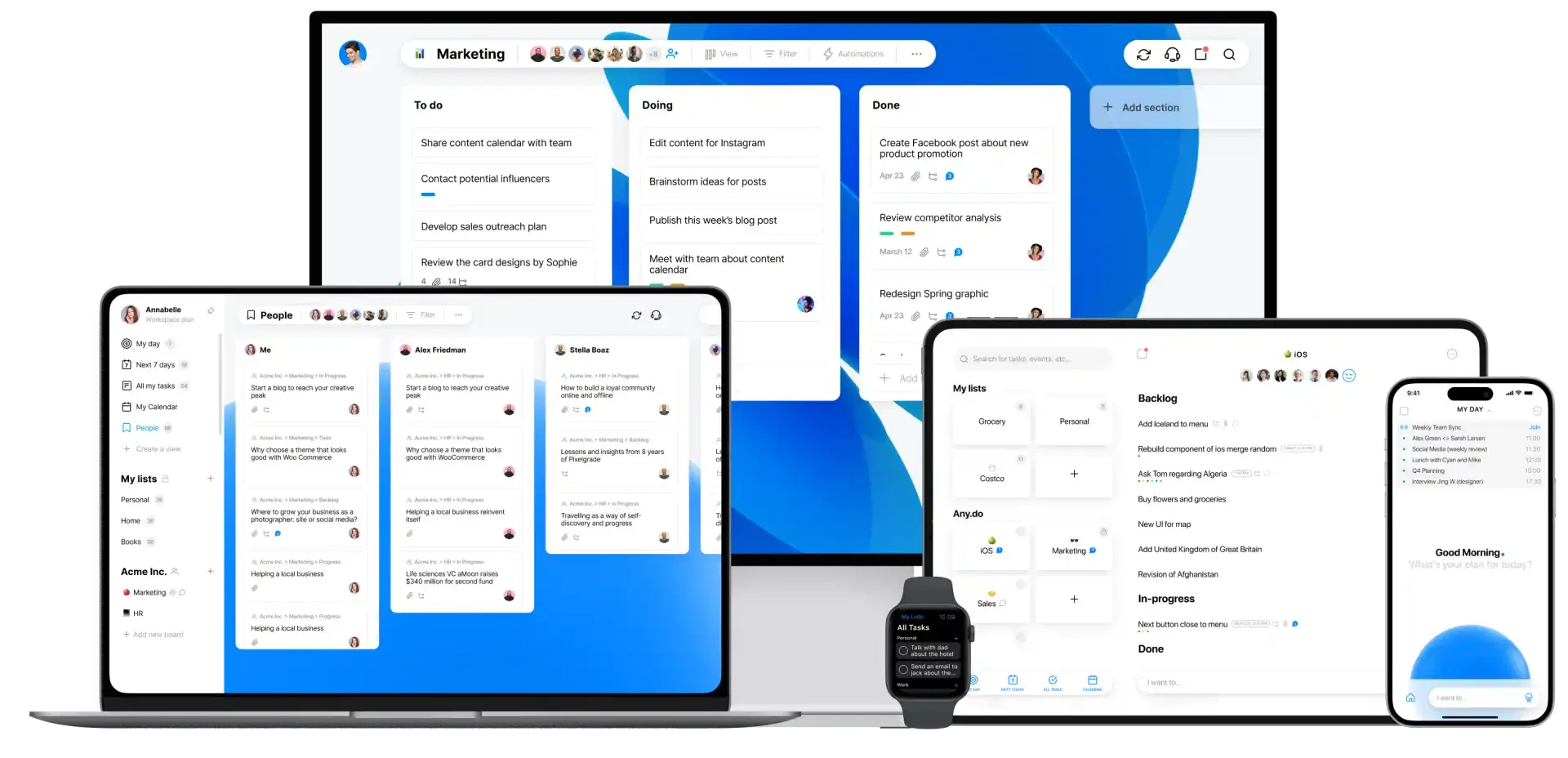
Any.do offers a wide range of features that help you get a grip on your day. The strength lies in the combination of tasks and calendar, so you no longer have to switch between different apps. Here are the main capabilities:
- Integrated calendar and task list – You see your appointments and tasks in one overview. Any.do syncs with Google Calendar, iCloud, and Outlook, so everything automatically comes together. Convenient if you don’t want to constantly switch between apps.
- Daily planner (My Day) – Every morning you get an overview of your scheduled tasks. You can directly confirm, move, or adjust them. This feature is often mentioned as one of Any.do’s strongest points, because it forces you to consciously think about what you really want to do that day.
- WhatsApp reminders – A notable feature that you only find in the Premium version. You receive reminders via WhatsApp, which is convenient if you’re in that app all day anyway. It feels more natural than a standard notification.
- Smart grocery list – The app automatically sorts your groceries by category. Vegetables with vegetables, dairy with dairy. Sounds simple, but it saves time at the supermarket. You can also share lists with housemates or family.
- Collaboration and shared lists – You can share tasks and lists with others. Everyone sees updates in real-time, and you can chat per task. This makes it suitable for small teams or families working on projects together.
- Location-based reminders – Set a reminder that goes off when you arrive at a specific place. Convenient if you need to do something at the supermarket or at the office. Note: this feature is only in the paid versions.
Additionally, Any.do supports voice-controlled input, which according to users works well. You can speak tasks instead of typing, which works especially well on mobile. The app is available on web, iOS, Android, Windows and macOS, including widgets and smartwatch integrations.
What does Any.do cost?
Any.do has a free version called Personal. You get unlimited tasks and lists, which is sufficient for many people. But the free version does miss important features. For example, you can’t set up advanced recurring tasks (only basic repetition), receive no WhatsApp reminders, and you’re limited to 1.5MB for files. Color labels and themes are also limited.
For the paid versions you have three options. Premium costs 7,99 dollar per month, or 4,99 dollar per month if you pay annually (59,88 dollar total). Teams has the same prices and is designed for small workgroups. Family costs 9,99 dollar per month, or 8,33 dollar per month with an annual subscription (99,96 dollar total). This version is suitable for families who want to share lists and tasks together.
New users can try all paid features free for 7 days. That gives you enough time to see if the Premium features are worth it. There are no lifetime deals available, so you always pay per month or per year.
What should you watch out for?
Any.do looks beautiful and works intuitively, but there are a few things you should know before making the switch. Users regularly report frustrations that you can anticipate in advance.
The biggest pain point is that recurring tasks are behind the paywall. You can set up simple repetitions in the free version, but for advanced patterns (like every first Monday of the month) you need Premium. For many people this is a basic feature they expect in a task app, so it feels like a missed opportunity.
Synchronization between devices doesn’t always run smoothly. Multiple users complain about delays, especially between the mobile app and the desktop version. You add a task on your phone, but it takes a while before it appears on your computer. Not dramatic, but annoying if you work quickly.
The desktop app, especially on Windows, is often experienced as slow and buggy. Some users therefore choose the web version, which seems to work more stable. The mobile apps receive a lot of praise, so the difference in quality between platforms is noticeable.
Customer service is another weak point. Multiple reviews mention that it’s difficult to get help and that responses take a long time. If you have a problem, you can’t count on quick support.
Finally, the free version is very limited. You can create tasks and keep lists, but as soon as you want something more (location reminders, color labels, recurring tasks), you run into the limits. It feels like the free version is mainly intended to entice you to Premium.
Any.do alternatives
Any.do is not the only player in this field. Depending on what you’re looking for, there are alternatives that might suit you better.
- Todoist – Choose Todoist if you need advanced task organization and filters. Todoist is more powerful for people who manage many projects and like to work with labels, priorities, and complex filters. The interface is a bit busier, but you get more control.
- TickTick – This app offers more features than Any.do, such as habit tracking and a built-in Pomodoro timer. If you want to track habits in addition to tasks and want to work structured with time blocks, TickTick is a better choice.
- Microsoft To Do – Completely free and simpler to use. If you’re looking for a simple solution without a paywall and you already work within the Microsoft ecosystem (Outlook, Teams), then this is a logical option. Fewer features, but also less hassle.
Frequently asked questions
Here are the questions that are asked most frequently about Any.do.
Is Any.do free to use?
Yes, the Personal version is free and offers unlimited tasks and lists. You do miss advanced features such as recurring tasks, WhatsApp reminders and location-based notifications. For basic use it’s sufficient, but power users will quickly run into the limits.
Does Any.do work on Linux?
No, there is no official native Linux app. Linux users can only use the web version, which feels less integrated than a real desktop app. If you work on Linux, this is an important disadvantage.
Can I sync my calendar with Any.do?
Yes, Any.do synchronizes with Google Calendar, iCloud, Outlook and other calendars. Your tasks and appointments come together in one overview, which is one of the app’s strongest points. The synchronization usually works well, although some users occasionally report delays.
Conclusion
Any.do is a solid choice if you’re looking for a clear app that combines tasks and calendar. The interface is pleasant, the My Day feature helps you stay focused, and the mobile apps work well. For individuals and families who don’t need complex project management, it offers enough.
But the limitations are there too. The free version is tight, synchronization doesn’t always run smoothly, and the desktop app feels heavy. If you find recurring tasks essential or work on Linux, you’re better off looking at alternatives. For those willing to pay and primarily working on mobile, Any.do is a nice tool that does what it promises without becoming overly complicated.