

You take notes during your studies, highlight important passages in your PDFs, and try to remember it all. But a few weeks later? Forgotten. I used RemNote intensively for a few months to see if this app really does what it promises: merge note-taking and learning into one system.
RemNote: the company
RemNote was born out of a concrete frustration. Founders Martin Schneider and Moritz Wallawitsch were students themselves and noticed they constantly had to switch between different apps. Notes in one app, flashcards in another, and PDFs somewhere else. Why couldn’t it all be in one tool?
That was in 2018. Since then, RemNote has developed into a serious player in the world of note-taking apps, especially among students and people who really want to learn – not just store information. The company is based in Berlin and focuses entirely on combining knowledge management with scientifically proven learning techniques.
What makes them different? Most note-taking apps think in documents. RemNote thinks in knowledge you need to remember. Every note can directly become a flashcard. Every annotation is part of your learning system. That’s quite a different way of working.
Who is RemNote actually for?
Let’s be honest: this isn’t an app for everyone.
RemNote is made for people who want to learn seriously. Think of students studying for exams, medical professionals who need to keep up with professional knowledge, or people learning a new language. If you want to not only store information but actually remember it, then this is interesting.
Also ideal for those who work a lot with PDFs. Reading scientific articles? Working through textbooks? The PDF annotation feature is really well thought out. Your highlights automatically become notes that you can convert to flashcards.
But if you just want to make quick notes for work? Or looking for a simple to-do list? Then RemNote is overkill. The learning curve is quite steep and the interface can feel overwhelming. For project management or team collaborations, there are better options. This is really a personal knowledge management tool with a focus on learning.
And one more thing: you need to be willing to invest time in setting up your system. RemNote requires discipline. If you’re not up for that, it probably won’t work out.
RemNote features
What exactly do you get when you open RemNote? Let’s go through the main features.
- Spaced Repetition – This is the core of RemNote. The system automatically determines when you need to see a flashcard again, based on how well you remembered it. Do you forget something often? Then it comes back more frequently. Is it solid in your head? Then you see it less. Exactly how your brain learns best.
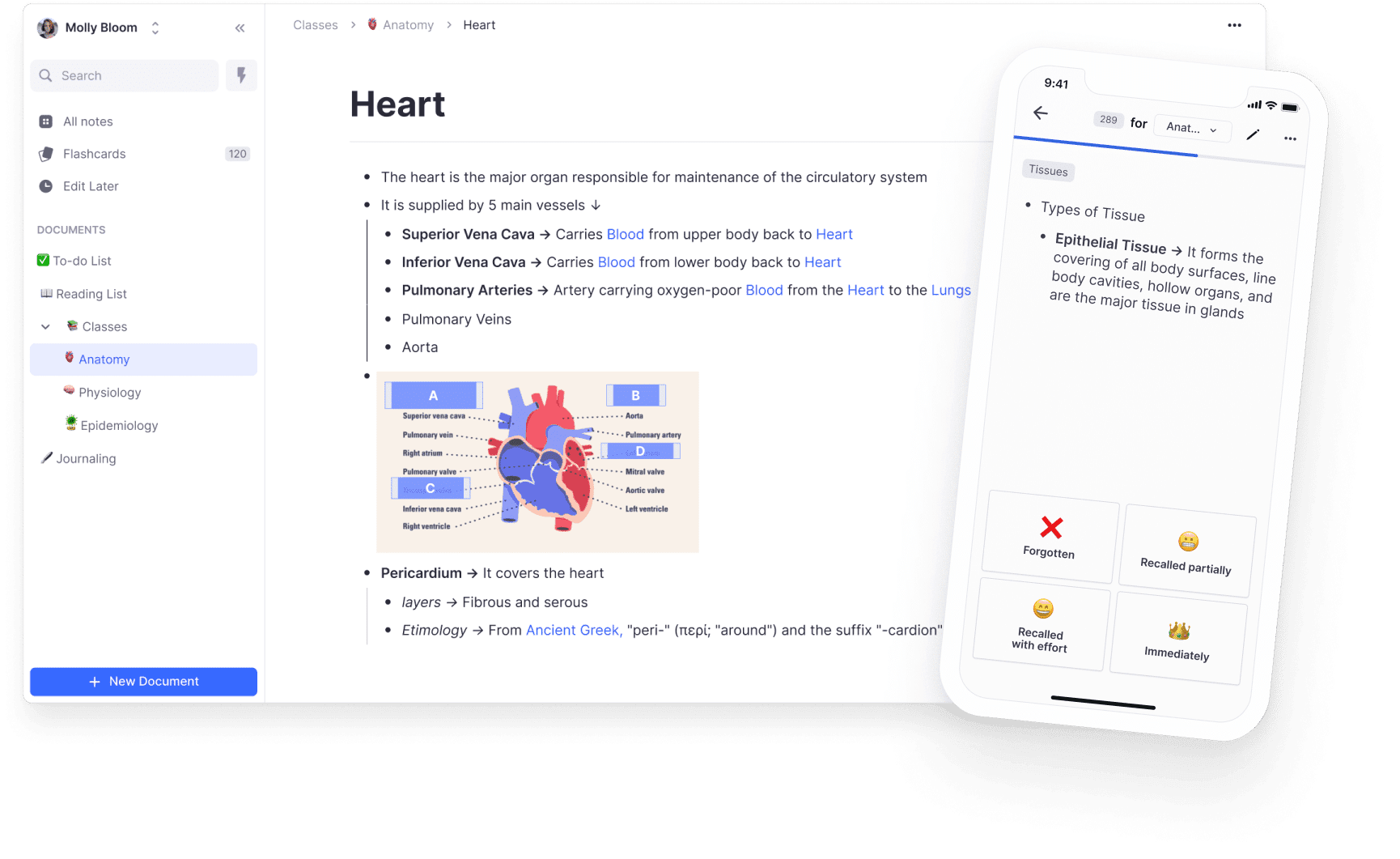
- Flashcards – This is where it gets interesting. You don’t create separate flashcards. Every note can become a flashcard by simply marking a part of your text. Type “The capital of France is ::Paris::” and you have a flashcard. That double colon creates the magic. Works surprisingly fast once you get the hang of it.
- PDF Annotation – You upload a PDF, highlight text, and those highlights become notes directly in your system. Those notes can be linked to other concepts or converted into flashcards. No hassle with exporting or copying. It just works. Downside: in the free version you can only annotate 3 PDFs.
- Bi-directional Linking – Just like Obsidian and Roam Research, you can link notes to each other. Type [[ and you can reference other notes. The difference? RemNote automatically shows where a note is mentioned. This way you build a web of knowledge without actively working on it.
- Knowledge Graph – A visual representation of how your notes are connected to each other. Honestly, I don’t use this daily, but it is useful to see how concepts relate. Especially with complex topics where you want to see the big picture.
- Image Occlusion – Upload an image, hide parts of it, and turn it into a flashcard. Perfect for anatomy, geographic maps, or diagrams. In the free version you can only create 5, which is quite limited if you’re studying medicine or biology.
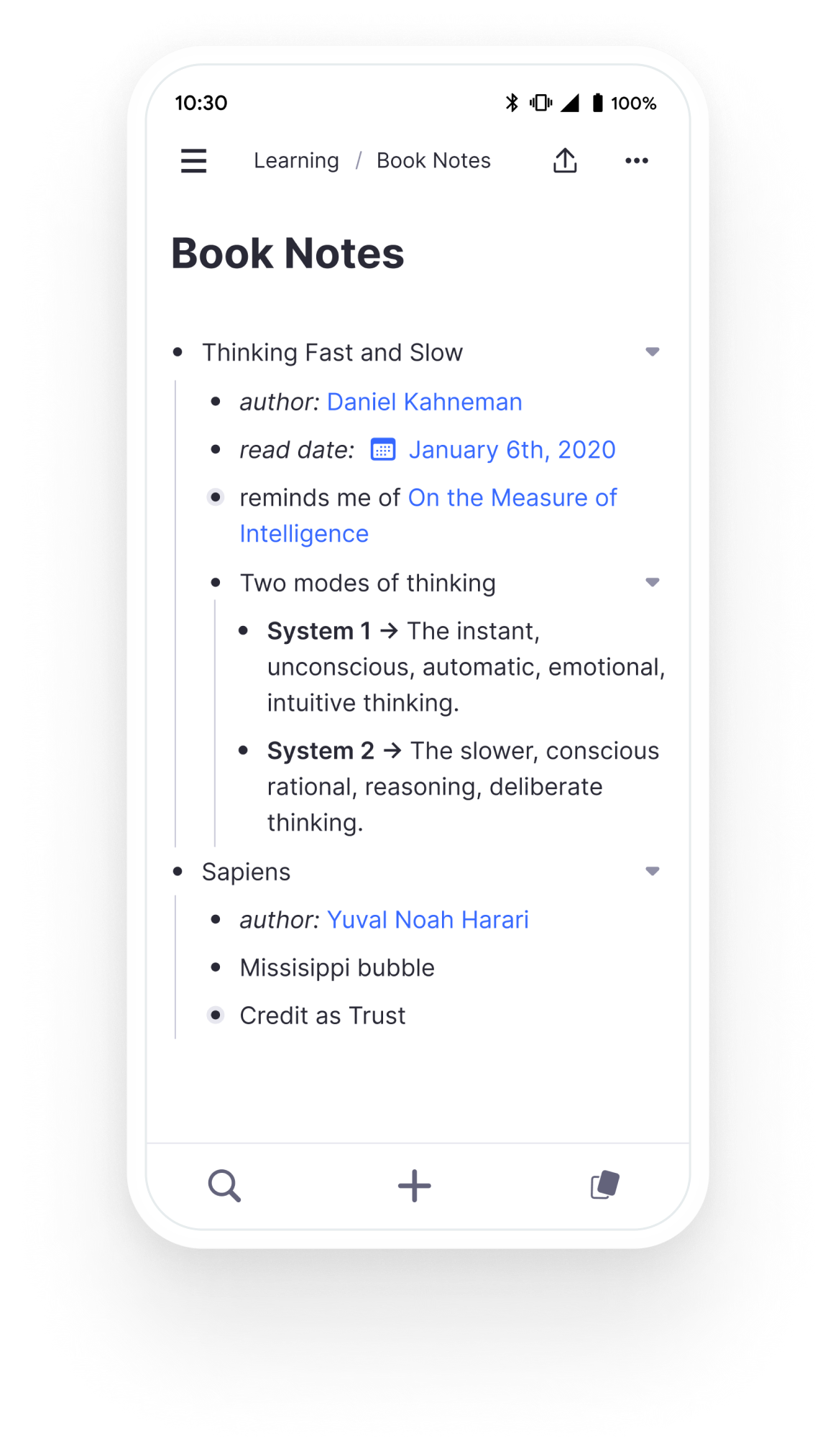
The outlining feature deserves extra attention. RemNote works with bullets, just like Roam or Logseq. Each bullet can expand and collapse. That sounds simple, but it changes how you think about structure. You’re not building documents, you’re building hierarchies of ideas. Some people swear by it, others find it confusing.
And then there are Portals. This is basically a way to display content from one note in another. Handy if, for example, you have a master list of all French verbs, and you want to show specific verbs in your note about the past tense. The portal updates automatically when you adjust the original list. Sounds niche, but once you use it you understand its value.
RemNote pricing
RemNote has a free version that is surprisingly generous. You get unlimited notes, unlimited flashcards, and access to the basic spaced repetition functionality. For many students, that’s enough to get started.
But there are clear limits. A maximum of 3 PDF annotations is really little if you work with a lot of scientific articles. And that limit of 5 image occlusion cards? For medical students, that’s used up within a week. You also miss out on the advanced AI features and you can’t upload files larger than 8MB.
The Pro plan costs $ 10 per month, or $ 8 per month if you pay a year in advance (so $ 96 per year). With that, you get unlimited PDF annotations, unlimited image occlusion, larger files, and AI features like automatic summarization and question generation.
Is it worth it? Depends on your situation. For a student who is seriously studying and works with a lot of PDFs, that $ 8 per month can be a good investment. Especially compared to the $ 27 per month that Notion Pro costs. Anki is free but much more limited in terms of notes. Obsidian is also free, but then you have to install plugins yourself for spaced repetition and that doesn’t work nearly as seamlessly.
There is no classic 14-day trial period or anything like that. RemNote works with a “usage-based trial” – you can try Pro features within the limits of the free plan. Bit of a strange system, but it does mean you can test whether the app suits you without a credit card.
Tip: if you’re a student, ask about educational discounts. They’re often available, but you have to actively ask for them with your student email address.
What should you watch out for?
Okay, time for the less fun things. Because they’re definitely there.
First of all: the learning curve. This is not an app you understand in 10 minutes. The concept of outlining, the double colons for flashcards, the different types of references – it just takes a while before you get it. I definitely needed a week before I wasn’t constantly googling how things worked. For people who are used to Word or Evernote, this feels like a completely different world.
The mobile app is disappointing. Especially on Android. It’s slow, sync doesn’t always work immediately, and creating flashcards on your phone just isn’t pleasant. RemNote is clearly designed desktop-first. If you work on the go a lot, that’s a problem. I only use the mobile app for reviewing flashcards now, not for creating new notes.
The interface is… busy. Lots of buttons, lots of options, lots of sidebars. Some people find that powerful, I often find it cluttered. Especially when you’re just starting out, you don’t know where to look. The default settings aren’t ideal either – you have to invest quite a bit of time in customizing your workspace before it works smoothly.
Sync problems occur regularly. Not daily, but often enough to be annoying. Sometimes your laptop creates a flashcard that doesn’t show up on your desktop. Or your PDF annotations don’t load properly. It usually resolves itself, but it doesn’t give you a confident feeling.
And then one more thing: RemNote pushes you toward their way of working. That can be good if you don’t have a system, but if you’ve already developed a certain workflow it can be frustrating. The app is less flexible than for example Notion or Obsidian. You have to move along a bit with how RemNote thinks you should learn.
What do others think?
The general sentiment about RemNote is positive, but with nuances. People who understand the app and have taken the time to learn it are often enthusiastic. It’s regularly mentioned as the best all-in-one tool for serious studying.
What users are especially enthusiastic about: the unique flashcard workflow. The fact that you don’t have to create flashcards separately but can pull them directly from your notes is constantly praised. The combination of everything in one app – PDFs, notes, flashcards – is also seen as a major advantage. And the spaced repetition just works well, everyone agrees on that.
But the complaints are consistent. The mobile experience is the most mentioned pain point. People want to be able to review and take notes on the go, but the app just doesn’t work smoothly enough. The complexity also keeps coming up – it’s too complicated for beginners, and the documentation doesn’t always help.
Sync issues are regularly mentioned, especially by people who work on multiple devices. And some users find the free version too limited – that 3 PDF limit is really a dealbreaker for many students who just want to try out whether the app suits them.
What’s interesting is that many reviews emphasize that RemNote takes time. It’s not an app you try out for a week. You really have to work with it and build your workflow around it. People who do that are usually happy with their choice. People who don’t give up.
RemNote alternatives
Not quite what you were looking for? These are the main alternatives.
- Obsidian – Works with local markdown files and has more plugins, but no built-in spaced repetition that works as well as RemNote. Choose this if you want complete control over your data and prefer working with local markdown files. Also better if you want to customize a lot.
- Notion – Much better for project management and databases, but less focus on learning and no good flashcard functionality. Choose this if you’re looking for a flexible workspace for collaboration and projects instead of pure study. Also nicer for teams.
- Anki – It’s free and has the most powerful spaced repetition engine there is, but it’s purely flashcards without extensive note-taking features. Choose this if you’re only looking for a powerful flashcard system and don’t need notes. The interface is from the 90s though.
Logseq is also worth mentioning. It’s similar in structure to RemNote with the outlining and bi-directional linking, but doesn’t have good spaced repetition. It is completely free and open source though. And Roam Research has comparable features but costs $ 15 per month, which is more expensive than RemNote Pro.
Frequently asked questions
Is there a free trial for the Pro plan?
No, RemNote does it differently. There’s no classic 14-day trial where you can try everything. Instead, you can test Pro features in a limited way within the free plan. For example, you can annotate PDFs, but a maximum of 3. This way you can check if the functionality suits you before you pay. Kind of a weird system, but it does mean you don’t have to enter a credit card to test.
What happens to my data if I downgrade to the free version?
You won’t lose anything. All your notes, flashcards and PDF annotations remain available. You just can’t create new Pro elements above the free limit anymore. So those 10 PDFs you already annotated? They keep working. But adding an 11th is no longer possible. The same applies to image occlusion cards and other Pro features. Your data remains yours.
Does RemNote offer student discounts?
Yes, there’s often an educational discount available. You do need to have a valid institution email address (so an address ending in .edu or the equivalent in your country). The discount is not applied automatically – you have to actively request it through their support. The percentage varies, but it can be quite substantial. Definitely worth trying if you’re a student.
Conclusion
RemNote is not an app for everyone. Let’s start with that. If you’re looking for a simple note-taking app or want to quickly jot something down, this is too much hassle. The learning curve is really steep and the interface can be overwhelming.
But if you want to learn seriously? If you don’t just want to store information but actually want to remember it? Then RemNote is one of the best options out there. The combination of notes and spaced repetition just works well. I haven’t seen another app that integrates this so seamlessly.
For students who work a lot with PDFs and really want to study (not just take notes) this is probably the best choice. For $ 8 per month you get a complete learning system. That’s cheaper than Notion and more powerful than Obsidian for this specific purpose.
But you do have to invest time in it. And you have to accept the mobile app as it is – not great. If you mainly work on the go, it becomes difficult. And if you don’t have the discipline to review your flashcards daily, there’s little point.
Personally, I still use RemNote for everything I really want to remember. For work I use Notion, but for learning I stick with RemNote. The flashcard workflow is just too good to let go. Despite the frustrations with sync and the cluttered interface, the system works. And at the end of the day, that’s what matters.





