
Your calendar is full of meetings, your to-do list is growing faster than you can keep up with, and your notes are scattered across three different apps. Sound familiar? You’re not alone. Many people struggle with keeping their work together, and that’s exactly what Routine wants to solve.
In this review, I’ll dive into what Routine does exactly, who it’s intended for, and whether it’s really worth trading in all your productivity tools for this all-in-one solution.
Routine: the company
Routine was developed by a team that became frustrated with constantly switching between different apps. Their mission is simple: put everything you need to organize your day in one place, without it becoming a clunky mess.
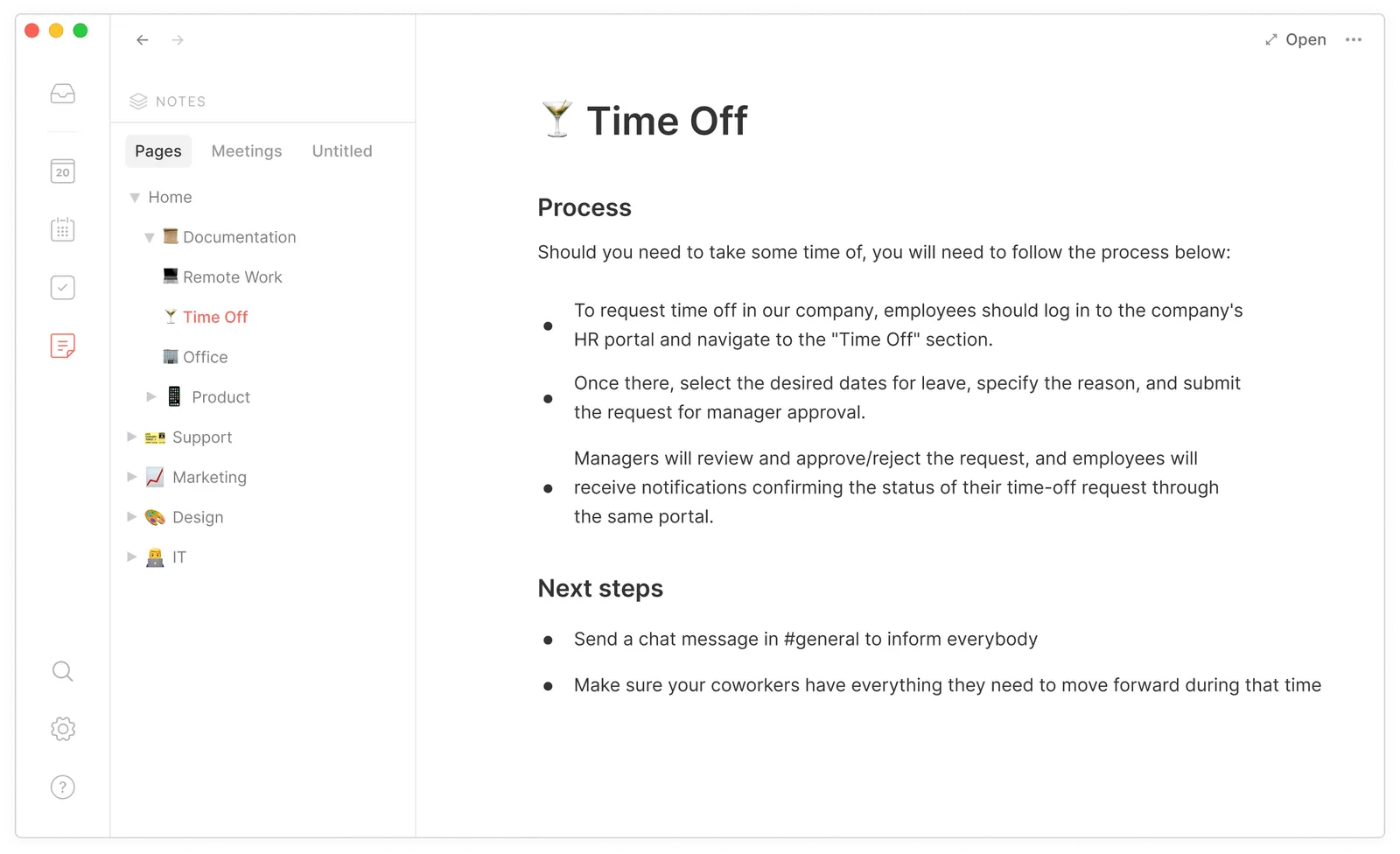
The tool combines your calendar, tasks, notes, and contacts in one interface that you primarily control via the keyboard. That makes it particularly fast once you’ve mastered the shortcuts. The company strongly focuses on an offline-first approach, which means you can keep working without an internet connection.
Routine is available on virtually every platform: web, iOS, Android, macOS, Windows, and even Linux. That’s quite unique for a relatively young productivity tool.
Who is Routine for?
Routine primarily targets people who work a lot with their keyboard and don’t want slow, mouse-driven interfaces. Think developers, product managers, consultants, and other knowledge workers who want to keep their day tightly organized.
Are you someone who likes to have everything in one place and doesn’t want to keep switching between your calendar app, to-do list, and note-taking tool? Then Routine is interesting. The tool works best if you’re willing to learn to use the console function and keyboard shortcuts.
For teams, there’s a Business plan, but Routine also works great for individual users. The free version is already quite complete, so you can properly test whether it suits you without paying immediately.
Not suitable? If you prefer visual, colorful interfaces with lots of drag-and-drop functionality, you might feel more at home with alternatives like Sunsama or Motion.
What can Routine do?
Routine is packed with features that help you structure your day. These are the most important ones:
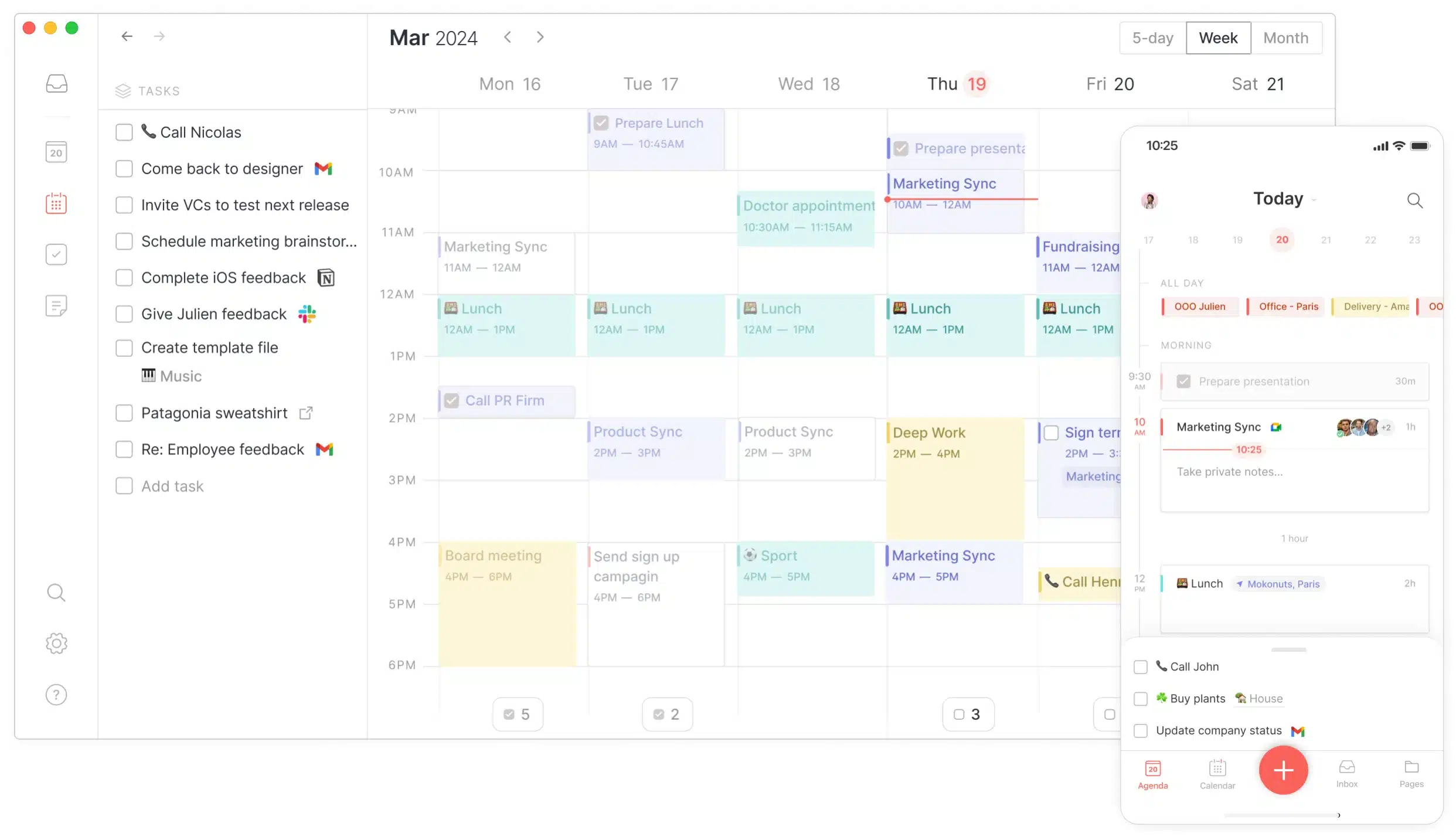
- Unified Calendar – Sync your Google Calendar, Outlook, and other calendars in one overview. You no longer have to switch between different apps to see what’s on your schedule.
- Console – This is the killer feature of Routine. With a simple keyboard shortcut you open a command bar where you can add tasks, events, and notes lightning fast. You just type what you want to capture and Routine understands what you mean through natural language processing.
- Tasks & To-do lists – Create tasks with deadlines, labels, and priorities. You can create tasks directly from the console or organize them later in your inbox.
- Time Blocking – Drag tasks to your calendar to block time for them. This helps to not only plan what you need to do, but also when you’re going to do it.
- Notes & Meeting notes – Link notes to your calendar items so all your meeting notes are automatically in the right place. Handy for searching back and preserving context.
- Dashboard – A clear home screen where you quickly see what’s on your schedule today and what you still need to complete.
- Keyboard shortcuts – You can do virtually everything in Routine with the keyboard. Once you know the shortcuts, you work much faster than with a mouse.
- Integrations – Connect Routine to tools like Notion, Slack, and Zapier to further automate your workflow.
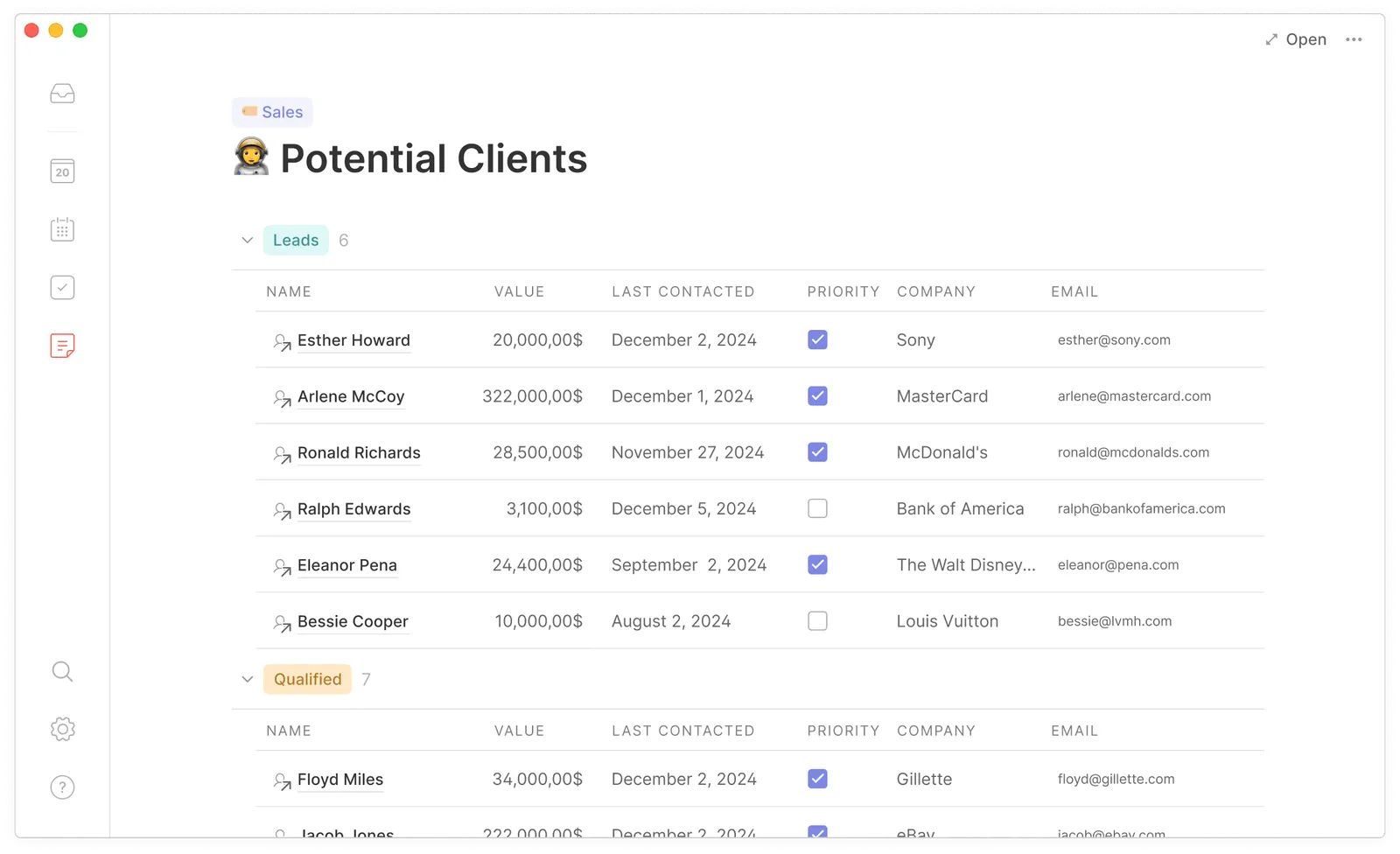
- Contact management – Save contact information and link them to tasks and meetings, so you always know who something relates to.
- Offline-first – Just keep working without internet. As soon as you’re back online, everything syncs automatically.
The combination of these features makes Routine a fairly complete solution. Especially the speed with which you can capture things via the console is a major plus.
What does Routine cost?
Routine has a free plan that already offers surprisingly much. You get access to tasks, calendars, notes, and even unlimited integrations. That’s quite generous for a free version.
However, you do miss some handy features like contextual capture, the menu bar widget, time tracking, and extensive calendar views. Your history is also limited in the free version.
The paid plans are:
- Professional – € 10 per month with annual payment (€ 12 per month with monthly payment). This gives you access to all pro features for individual use.
- Business – € 12 per month with annual payment (€ 15 per month with monthly payment). Intended for teams with additional collaboration features.
Compared to alternatives like Sunsama (which costs € 20 per month), Routine is much more affordable. There is no lifetime deal available, but the prices are fair for what you get.
A trial period is not explicitly mentioned, but with the free version you can extensively test the tool before deciding to upgrade.
What should you watch out for?
Routine is not perfect. There are a few things you need to consider before making the switch.
First, there is a learning curve. The console and keyboard shortcuts are fantastic once you master them, but at first you might feel a bit lost. The interface doesn’t always explain well how things work, so you need to invest some time to discover everything.
The calendar view can feel cluttered. Tasks appear in different places and it’s not always clear where to look for something. If you’re used to a clean, visual planning tool, this may take some getting used to.
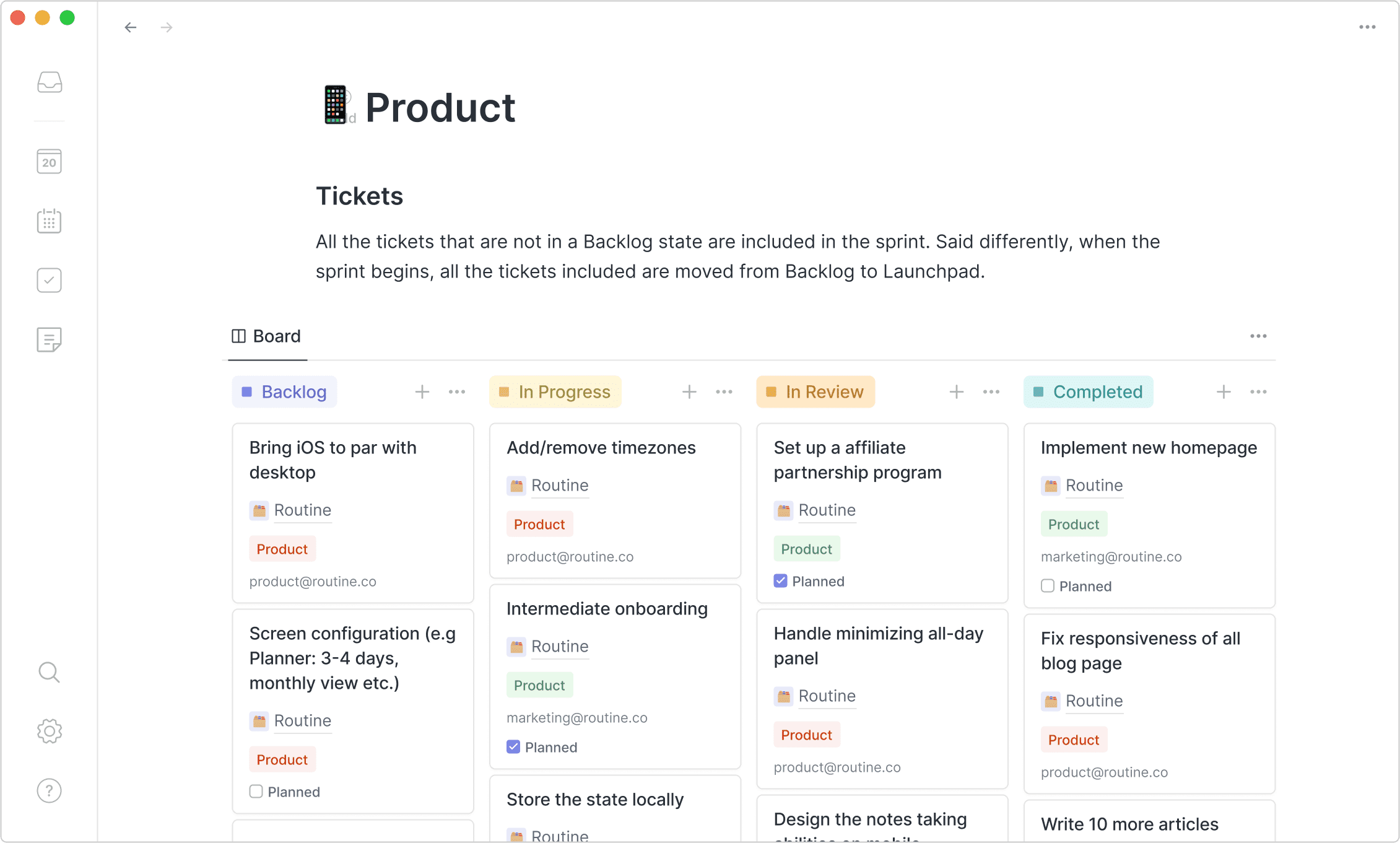
The tasks section is functional but basic. You’re missing advanced view options like kanban boards or different filters that you do have in dedicated task managers. For simple to-do lists it’s fine, but power users of tools like Todoist or Things might miss some features.
Routine is still in active development. This means updates come regularly, but also that some features are not fully developed yet. You’ll notice some rough edges here and there.
Finally, the tool is really built for keyboard-first use. If you prefer to work with your mouse and like drag-and-drop interfaces, you probably won’t feel completely at home in Routine.
Routine reviews
I’ve looked at and read a number of Routine reviews and there are a few I’d like to share with you.
1. ToolFinder
ToolFinder takes you on an extensive tour through Routine, a daily planner that wants to combine your calendar, tasks and notes in one place. The reviewer is clearly impressed by certain features, but also sees room for improvement. Routine is still in an early stage with a free version and a Believer plan of $ 10 per month that gives access to advanced features.
The reviewer especially emphasizes the console feature as a real game changer for quickly capturing tasks, events and notes. You can easily sync items from your Google Calendar and organize everything in a clear system. The ability to integrate with Notion is also positively received. However, according to the reviewer, the calendar view feels a bit cluttered, with tasks appearing scattered across different places. The tasks section is functional but would benefit from more view options.
Pros
- Minimalist and clean design that works pleasantly
- Console feature is a killer feature for quickly capturing items
- Good integration with Google Calendar, Outlook, and Notion
- Handy inbox feature to organize items later
Cons
- Calendar view feels messy and cluttered in daily use
- Task area lacks additional view options for better organization
- Some features are not well explained in the interface
Routine alternatives
Doesn’t Routine quite fit what you’re looking for? These are the best alternatives:
- Sunsama – Choose Sunsama if you like a structured daily planning ritual. This tool focuses more on mindfulness and has a guided daily shutdown routine. More expensive than Routine (€ 20 per month), but nicer if you want to consciously work on work-life balance.
- Akiflow – Similar to Routine but stronger in merging tasks from different tools. If you work with Jira, Asana, Slack, and ten other apps, then Akiflow efficiently brings everything together in one command bar. Ideal for people who need many external integrations.
- Motion – Do you want AI to automatically plan your day and shift tasks when something comes up? Then Motion is interesting. Where Routine gives you manual control, Motion takes many decisions out of your hands. Useful if you have trouble prioritizing, but less suitable if you like to stay in control yourself.
Each of these tools has its own strengths. It depends on your work style which one fits best.
Frequently asked questions
Is Routine free?
Yes, Routine has a free forever plan for individual users, students and hobbyists. You get access to tasks, calendars, notes and unlimited integrations. However, you’ll miss advanced features like contextual capture, time tracking and extensive calendar views.
Does Routine work offline?
Yes, Routine is built offline-first. You can just keep working without an internet connection and everything syncs automatically as soon as you’re back online. This makes it reliable for people who are on the go a lot.
Is Routine available on Android?
Yes, the Android app is available and you can download it. Routine runs on iOS, Android, macOS, Windows, Linux and via the web app. That makes it one of the few productivity tools that truly works everywhere.
Conclusion
Routine is a solid choice if you’re looking for a fast, keyboard-driven way to manage your calendar, tasks and notes. The console feature is truly a standout and once you get used to the shortcuts, you work much more efficiently than in traditional tools.
The free version is generous enough to test well whether it fits you. For € 10 per month you get access to all pro features, which is a fair price compared to alternatives.
Still, Routine is not for everyone. The learning curve, the sometimes messy calendar view, and the lack of advanced task management features can be off-putting. If you like visual interfaces and extensive customization, also check out Sunsama or Motion.
But are you someone who wants to work fast, loves keyboard shortcuts, and wants everything in one place? Then Routine is definitely worth trying. Download the free version and see if it clicks.