
You just want a simple system to keep track of projects. Not too complicated, but not too basic either. Trello promises exactly that: visual boards where you move tasks from left to right. I used the tool intensively for a few months for various projects, and I can tell you exactly what it’s good at — and where you’ll run into limitations.
Trello: the company
Trello was launched in 2011 by Fog Creek Software (now Glitch), founded by Joel Spolsky and Michael Pryor. The idea was simple: project management should be visual. No endless lists, but boards with cards you can move around. Inspired by the Kanban method from the Japanese automotive industry.
In 2017, Trello was acquired by Atlassian for $ 425 miljoen. That is the company behind Jira and Confluence. That acquisition has been good for Trello – more resources, better integrations, but thankfully without losing the simplicity. Meanwhile, more than 50 million people worldwide use the tool.
What makes Trello different? They have stayed true to their core idea. While other tools keep adding more features until you can’t see the forest for the trees anymore, Trello sticks to those visual boards. Simple. Effective.
Who is Trello actually for?
Trello is perfect for small teams and individuals who work visually. Think of content creators who keep track of their publishing schedule, freelancers who manage multiple client projects, or marketing teams that plan campaigns. The tool shines with workflows that you can divide into stages: to do, in progress, done.
Also ideal if you’re just getting started with project management. The learning curve is ridiculously low. You understand the system within five minutes. No extensive manuals needed, no mandatory onboarding. You create a board, add some cards, and off you go.
But Trello is not suitable for complex projects with many dependencies. Are you building software with dozens of tasks that depend on each other? Then you will quickly run into limitations. Also for teams that need extensive reporting, Trello is too limited. And if you want native time tracking? Forget it.
Features of Trello
Let’s look at what you get. Trello revolves around a few core features that are surprisingly powerful when you use them well.
- Kanban boards, lists and cards – This is the foundation. You create a board (for example “Website redesign”), add lists (“Ideas”, “In progress”, “Review”, “Done”), and fill them with cards. Each card is a task. Drag them from left to right as they progress. It’s so visual that you can see at a glance where everything stands.
- Advanced Checklists – Within a card, you can create checklists. Useful for tasks with multiple steps. You see a progress bar that updates automatically. Example: a card “Write blog post” with checklist items like “do research”, “create outline”, “first draft”, “add visuals”, “SEO check”.
- Custom Fields – Add extra information to cards. Think dropdown menus, checkboxes, dates, or numbers. For example, you can add a “Priority” field (Low/Medium/High) or a “Budget” field with an amount. This makes Trello much more flexible than it appears at first glance.
- Butler automation – This is secretly the most powerful feature. Butler automates repetitive tasks. Without code. You can create rules like: “If a card is moved to the ‘Done’ list, automatically add a green label and send a notification to the team.” Or: “Create a new card every Monday at 9:00 in the ‘To do’ list with the title ‘Weekly planning’.” It really saves a lot of manual work.
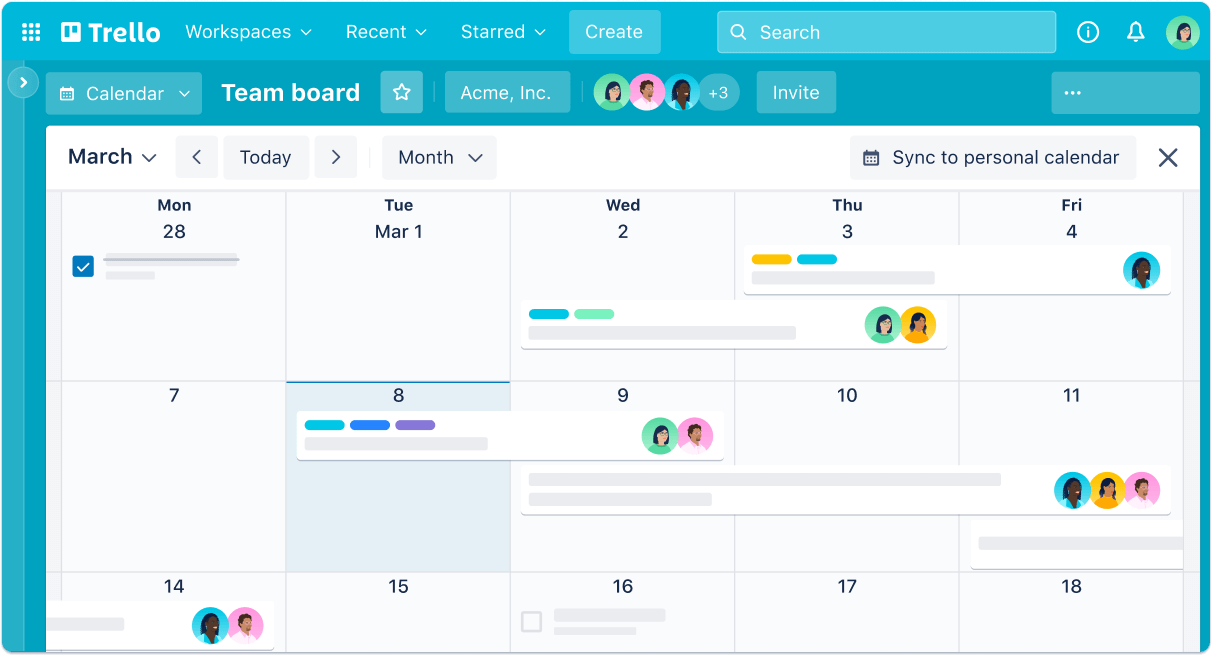
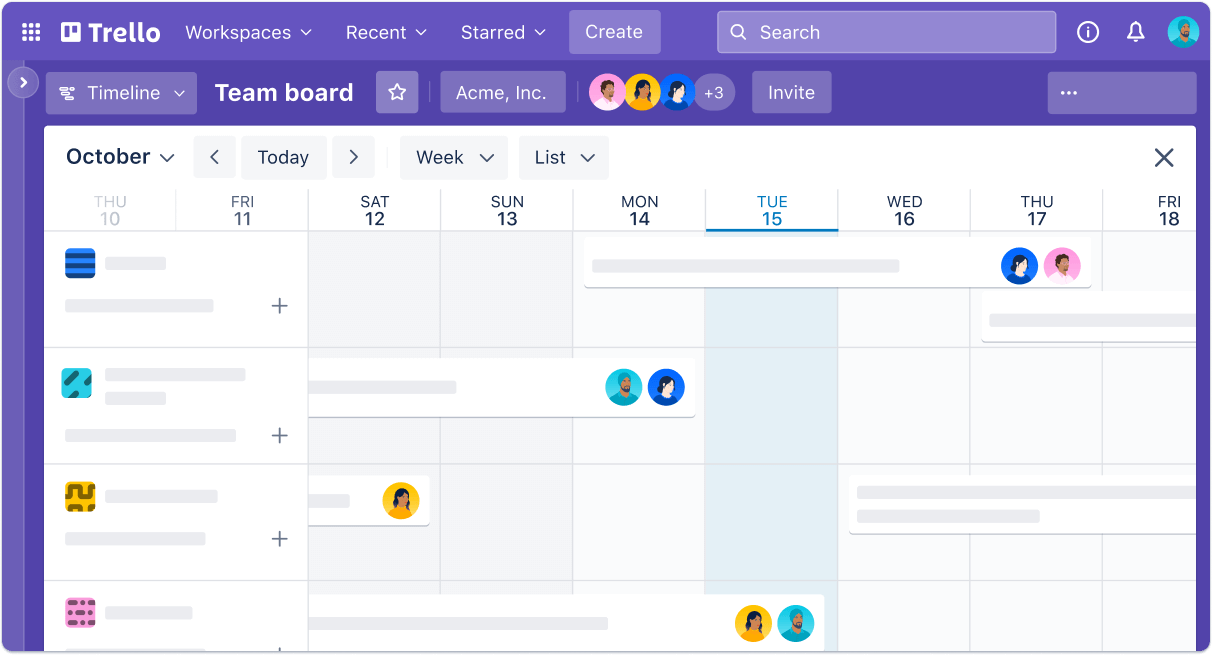
- Different views – In addition to the standard board view, you also get a timeline view (a kind of Gantt chart), table view (spreadsheet style), calendar view, dashboard with charts, and map view. Not all views are available in the free plan, but they do give different perspectives on your data.
- Power-Ups (Integrations) – These are apps you can add to your board. Think of Slack, Google Drive, Salesforce, GitHub. There are hundreds available. In the free plan you can use one Power-Up per board, which is quite limited. Paid plans give you unlimited Power-Ups.
The Butler automation deserves some extra attention. It’s not a gimmick. You can build workflows that normally take a lot of time manually. Suppose your team works with a fixed structure where every new client goes through the same phases. Create a template board, let Butler automatically create cards with checklists, assign deadlines, and tag team members. It feels like you have a personal assistant.
What also works well: the mobile apps. They’re not just a slimmed-down version of the web app, but actually very usable. While on the go, you can quickly add cards, post comments, or update the status. Ideal if you want to quickly check between meetings where everything stands.
Trello pricing
Trello has a free plan that’s quite generous. You get unlimited cards and members, but a maximum of 10 boards per workspace and 10 collaborators per workspace. You’re also limited to 250 automation commands per month and 10MB per file attachment. For small teams or personal use, that’s often enough.
Then the paid plans. Standard costs $ 6 per month (or $ 5 per month when paid annually, so $ 60 per year). With this, you get unlimited boards, advanced checklists, custom fields, and more automation commands (1,000 per month). You also get unlimited Power-Ups and larger file attachments (250MB).
Premium is $ 12,50 per month ($ 10 per month with annual billing, totaling $ 120 per year). This plan adds extra views (timeline, calendar, table, dashboard), even more automation (unlimited), workspace-level templates, and priority support. For teams that use Trello intensively, this is often the best choice.
Enterprise costs $ 17,50 per month with annual billing ($ 210 per year). This is for large organizations that need extra security, compliance features, and dedicated support. Honestly, it’s overkill for most users.
All paid plans have a free 14-day trial. No credit card needed to start, which is nice.
Is it worth the price? That depends on your usage. The free plan is generous enough for many situations. But once you work with a team of more than 10 people, or need more than 10 boards, you need to upgrade. Then it quickly becomes more expensive than alternatives like ClickUp, which offer more features for less money. For a team of 5 people, you pay $ 60 per month for Premium ($ 12 x 5). That’s quite steep.
What should you pay attention to?
Let’s be honest about the limitations. Trello doesn’t have built-in time tracking. If you want to track how much time you spend on tasks, you need to use an external Power-Up or switch to another tool. For freelancers who bill based on hours, this is inconvenient.
The reporting options are also limited. You get some basic charts in the dashboard (Premium only), but don’t expect extensive analytics. Want to know which team member is the most productive? Or how many tasks tend to get stuck in each stage on average? Then you need to export your data and analyze it yourself.
Performance issues are a thing with large boards. Do you have a board with hundreds of cards? Then scrolling and searching become slow. Trello simply isn’t built for that scale. The tool works best with smaller, more manageable boards.
The free version is limited to one Power-Up per board. That means you have to choose: do you want the Google Drive integration or would you prefer the Slack notifications? You can’t have both without upgrading. Quite frustrating if you need just a bit more flexibility.
And then the automation limit in the free plan: 250 commands per month. That sounds like a lot, but if you use Butler intensively, you’ll hit that limit faster than you think. Every time a rule is executed, it counts as a command. Do you have 5 rules that run daily? Then after 50 days, your limit is gone.
One more small point: file sizes. 10MB per attachment in the free plan is little. Do you frequently upload videos, design files, or presentations? Then you’ll quickly hit the limit. Even in the Standard plan (250MB), you still can’t share really large files.
What do others think?
The overall sentiment about Trello is positive. People especially appreciate the intuitive interface and the low learning curve. You often hear: “Finally a tool my team understands right away.” The visual Kanban boards make it easy to get everyone on the same page.
The Butler automation receives a lot of praise. Users are surprised by how powerful it is without needing to do any programming. It really saves time on repetitive tasks. The flexibility is also appreciated – you can use Trello for anything, from content planning to habit tracking.
But there is also criticism. The lack of time tracking and reporting is often mentioned as a dealbreaker. Teams that are data‑driven find Trello too limited. Performance issues on large boards are also a common complaint.
The price is a point of contention. Some find the paid plans too expensive for what you get, especially compared to alternatives that offer more features. Others find the price perfectly fine, because they value the simplicity and stability most.
What stands out in YouTube reviews: many people use Trello for specific workflows it’s good at, and combine it with other tools for the rest. It’s rarely the only tool in their stack.
Trello alternatives
Trello isn’t for everyone. Here are the main alternatives:
- Asana – Better for structured task management and dependencies. Choose this if you have more complex projects that require more structure than simple Kanban boards. Asana lets you link tasks together and automatically adjust deadlines.
- Monday.com – More customization options and data visualization. Choose this if you need extensive dashboards and reports for different departments. Monday is more powerful but also more complex.
- ClickUp – Many more features in one app and often cheaper. Choose this if you’re looking for an all-in-one solution that combines tasks, docs, and goals. ClickUp has a steeper learning curve but offers more value for your money.
Frequently asked questions
Is Trello really free?
Yes, the free plan stays free. Forever. You get unlimited cards and members, but a maximum of 10 boards and 10 collaborators per workspace. You’re also limited to 250 automation commands per month and smaller file attachments. For many users, that’s enough to get started.
What happens if I exceed the limit of 10 members in the free plan?
Then your boards in that workspace automatically become “read‑only”. No one can edit or add cards until you bring the number of collaborators back down to 10 or upgrade to a paid plan. Pretty strict, but Trello does warn you in advance.
Can I use Trello offline?
No, not really. Trello requires an internet connection to sync. The mobile apps have limited offline functionality – you can view cards you previously opened, but you can’t edit anything. Once you’re online again, everything syncs automatically.
Conclusion
Trello does one thing very well: visual project management for teams that value simplicity. The tool is intuitive, easy to learn, and flexible enough for different workflows. The Butler automation is surprisingly powerful, and the free version is generous enough for many users.
But it’s not an all‑in‑one solution. Missing time tracking, extensive reporting, or native document management? Then you’ll need to add other tools or consider an alternative. The price of the paid plans is also on the high side compared to competitors.
My advice: use the free plan to test whether Trello fits your workflow. For small teams, freelancers, and visual thinkers, it’s often perfect. For large organizations with complex projects, there are better options. I still use Trello myself for personal projects and smaller clients — where simplicity is more important than advanced features. And that’s exactly what Trello was made for.