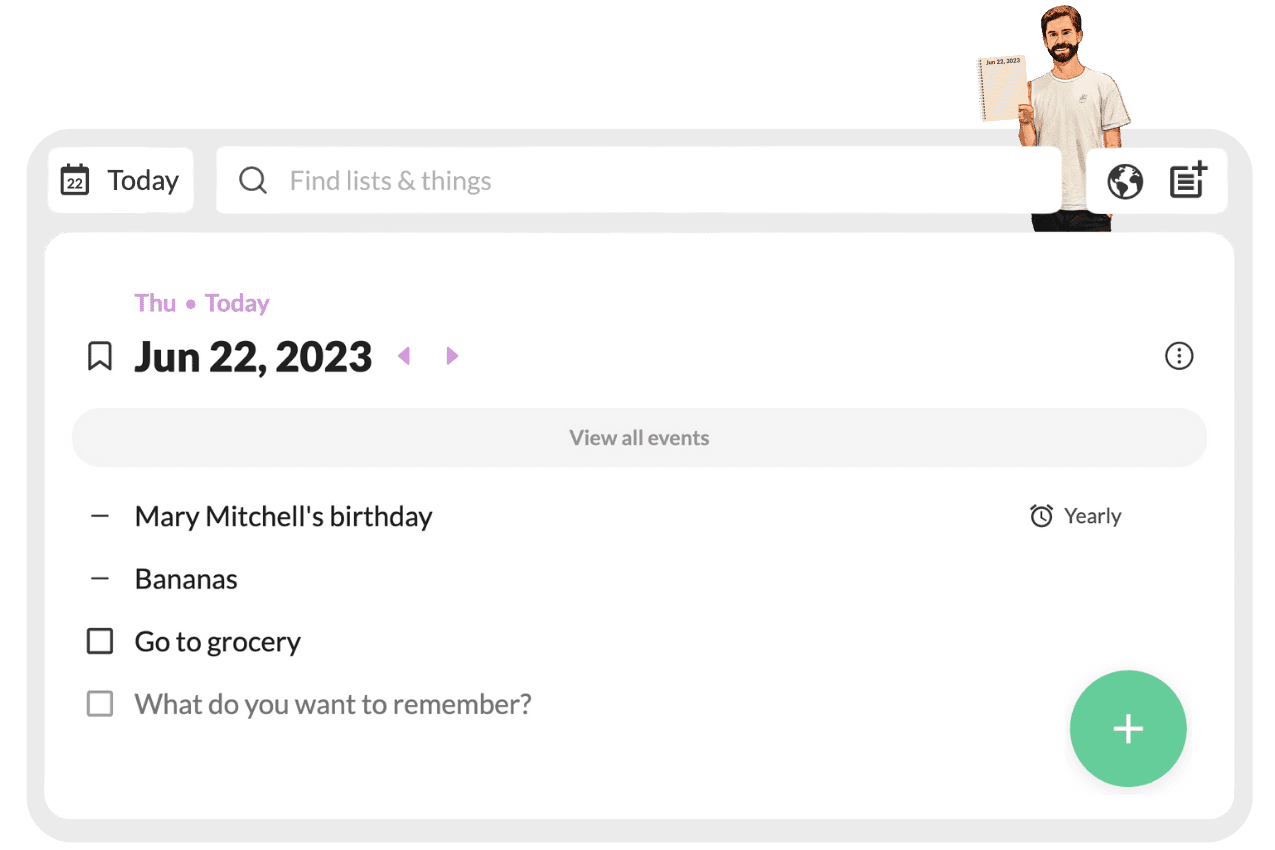
You know how it goes. You have an idea, a task, an appointment – and you grab your phone to jot it down somewhere. But where? In your notes app? Your task list? Your calendar? Before you know it, you have four apps open and you’ve forgotten what you wanted to write down. Twos promises to offer a solution: one place for everything. I used the app intensively for several weeks and I’ll tell you exactly what works well and what you might run into.
Twos: the company
Twos was founded by Parker Klein and Joe Sak – two American entrepreneurs who became frustrated with juggling different apps. They wanted something simple: one place where you can quickly note something without having to think about categories, projects, or labels.
What makes Twos special is their revenue model. Instead of the standard freemium subscription with monthly costs, Twos lets you make one‑time purchases for specific features. Want a particular theme? Pay once $ 1,99. Need more options? Then there’s Twos Plus for $ 1,67 per month with annual billing. But the basics? They always stay free. No limits on data, no time restrictions.
The founders are remarkably active in their community. They respond personally to feedback, host weekly Q&A’s, and aren’t afraid to experiment with new features. You can feel that involvement in the app – it feels like a product truly used and understood by the people who make it.
Who is Twos actually for?
Twos is perfect for people dealing with app overload. You’re probably using Apple Notes for quick thoughts, Todoist for tasks, Google Calendar for appointments, and maybe another app for grocery lists. Recognizable? Then Twos is for you.
The app works great for students who track lectures, plan groceries, and need to remember exams. Freelancers who want to keep their day organized without diving into complex project‑management tools will also feel at home here. And parents juggling school schedules, groceries, and birthdays? They’ll find peace here.
But are you a project manager in a large team? Then Twos falls short. There are no Gantt charts, no advanced filters, no extensive collaboration tools. Do you work with lots of long documents or wiki‑like structures? Then you’re better off looking at Notion. Twos is intentionally kept simple – and that’s both its strength and its limitation.
Features of Twos
Let’s look at what Twos can actually do. And more importantly: what it means for you in practice.
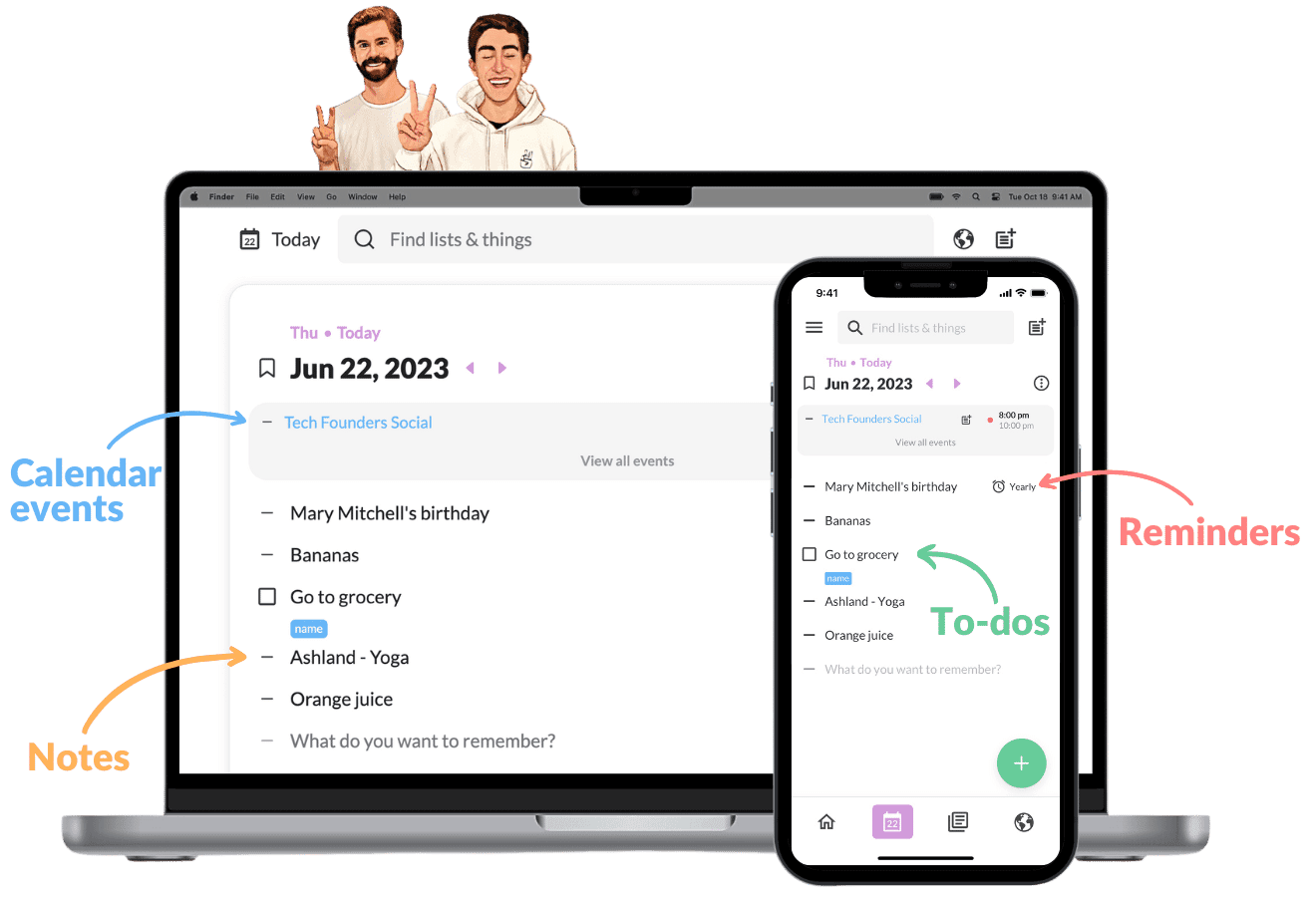
- Days (Daily lists) – This is the heart of Twos. Every day you get a fresh list. Today, tomorrow, next week – you scroll through time as if you’re flipping through a planner. Didn’t finish something today? It automatically rolls over to tomorrow. No stress about forgotten tasks.
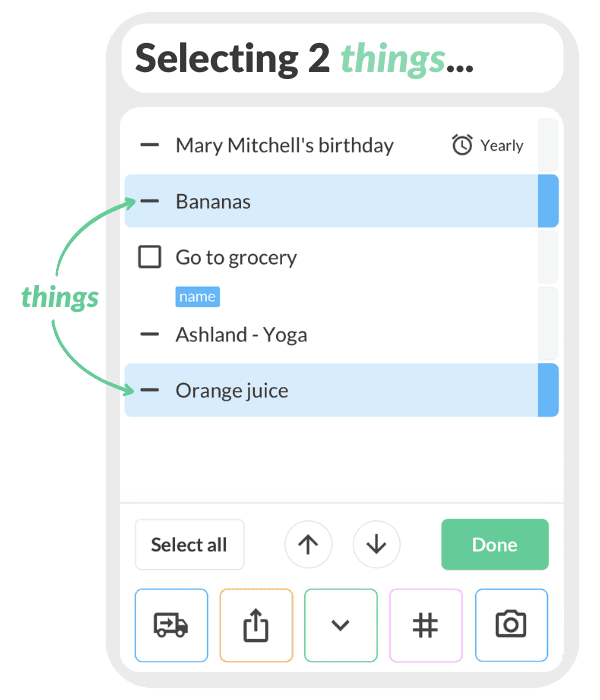
- Things – That’s what Twos calls everything you save: notes, tasks, reminders. It doesn’t matter what it is – you type it in and Twos handles the rest. Want to turn it into a task? Check the box. Set a reminder? Swipe right. Simple.
- Calendar integration – Connect your Google, Apple, or Outlook calendar and your appointments automatically appear in your daily list. Finally, you can see at a glance what’s on your schedule AND what you still need to do. No more app-switching.
- Offline mode – No internet? No problem. Twos works completely offline. Your notes sync as soon as you’re connected again. Handy on the train or in places with bad reception.
- Cross-platform synchronization – Start on your phone, continue on your laptop. Twos works on iOS, Android, Windows, Mac, and Linux. Plus a web version for when you’re on any computer. Everything stays in sync.
- Twos World – A kind of community hub where people share their lists. Think book lists, movie tips, travel plans. You can copy these lists into your own Twos and edit them. Pretty handy if you’re looking for inspiration.
- AI integration (PALs) – Twos is experimenting with AI assistants that can help you organize your notes. Still in development, but the direction is interesting. For example, you can ask questions about your notes or have summaries generated automatically.
The Days concept deserves some extra attention. In most apps, you have to think for yourself about where something belongs. Which project? Which category? With Twos you only think: when is this relevant? Today? Tomorrow? In a week? You place it on that day and done. It feels more natural than the way other apps force you to think in projects and labels.
The rollover feature is brilliant. We are all too optimistic about what we can do in a day. In other apps, unfinished tasks stay behind in old lists, where you forget about them. In Twos they automatically roll over to tomorrow. No guilt, no forgotten tasks – just a fresh start with everything that still needs to get done.
Twos price
Here’s where it gets interesting. Twos has a free version that is more than enough for most people. No data limits, no restriction on the number of notes or tasks. You can just use the app completely for free. Period.
Want extras? Then there are two options. You can make one-time purchases for specific features – usually cosmetic things like themes or icons. Those usually cost between the $ 1,99 and $ 4,99. Pay once, have it forever.
Or you choose Twos Plus. That costs $ 2 per month, or $ 19,99 per year (equivalent to $ 1,67 per month). With that you get access to all premium features, plus priority support and early access to new features. For an app you use daily, that’s quite reasonable – especially compared to Notion ($ 10/maand) or Todoist ($ 5/maand).
The strange thing is: on desktop some features are simply free that are paid on mobile. The developers are clearly still experimenting with their pricing model. That can be confusing, but it also means you often get more than you expect.
Is it worth it? If you really use the calendar integration and cross-platform sync, absolutely. Then you pay less than a cup of coffee per month for an app that organizes your entire day. But do you only use the basics? Then just stay on the free plan. That’s totally fine.
What should you watch out for?
Let’s be honest about the limitations. Because they definitely exist.
First: text formatting is limited. You can make an entire block of text bold or italic, but not individual words within a sentence. Want to highlight important words in your notes? Too bad. For anyone used to the rich editors of Notion or Evernote, this feels like a step backward.
The Android version is noticeably slower than the iOS version. That’s frustrating if you have an Android phone and you’re reading all those glowing reviews about how fast the app is. You’re left waiting while iOS users are already moving on. The developers are working on it, but the difference is definitely noticeable right now.
Then there are the sync bugs. Not often, but they do happen: you drag a task to another day and it disappears. Or you check something off on your phone and it still appears open on your laptop. Usually it resolves itself after a restart, but it still breaks trust. If your app promises that everything is always synced, it simply has to work.
For advanced users, Twos is too simple. No subtasks, no task dependencies, no time tracking, no reports. Want to manage projects with multiple team members? Then you’ll miss features. Twos is intentionally simple, but that also means it doesn’t scale to more complex workflows.
And integrations? There are hardly any. You can connect your calendar and that’s about it. No Zapier, no direct connections with other tools. If your workflow depends on linking different apps together, Twos becomes an island in your digital ecosystem.
What do others think?
The overall sentiment around Twos is strikingly positive. People are especially enthusiastic about the Days concept. Finally an app that matches how you really work: per day. Not in abstract projects or endless lists, but simply: what do I need to do today?
The involvement of the founders is constantly mentioned as a plus. Parker and Joe are not just another pair of anonymous startup founders – they are visible, approachable, and genuinely listen. That builds trust. If something doesn’t work, you can simply send them a message and often get a reply within a day.
The revenue model is also well‑liked. No forced subscription, no artificial limitations to pressure you into paying. You can simply use the app for free and only pay if you truly want extras. It feels fair.
But that text formatting remains a pain point. It appears in almost every review: why can’t I format individual words? It’s such a basic function that its absence stands out. Especially people switching from Notion or Evernote miss this.
And those Android performances? Android users rightfully complain about them. The app feels less polished than on iOS. That’s unfortunate, because it gives the impression that Android users are second‑class citizens. Hopefully that will improve soon.
Twos alternatives
Does Twos not quite fit what you’re looking for? Then take a look at these alternatives.
- Notion – Much more complex and database-oriented. Choose this if you want to build a full team workspace, wiki, or database instead of quick daily notes. Notion can do everything, but that also makes it overwhelming if you just want to jot something down quickly.
- Todoist – Specialized in task management with projects. Choose this if you need advanced project management features like Gantt charts and filters. Todoist is more powerful for managing complex projects but lacks the simplicity of Twos for daily planning.
- Apple Notes – Preinstalled but less structured. Choose this if you want deep integration with the Apple ecosystem without the specific ‘daily list’ structure. It’s free and already on your device, but it doesn’t really help you plan your day.
Frequently asked questions
Is Twos really free?
Yes, and they mean it. No data limits, no restriction on the number of notes or users. You can use Twos completely for free forever. There are optional paid features – usually cosmetic things or advanced features – but the core of the app remains free. No hidden costs, no surprises after a trial period.
Does Twos work offline?
Absolutely. You can use the app completely offline. Are you on a plane or somewhere without service? No problem. Everything you write down is stored locally, and as soon as you’re connected again, it automatically syncs to your other devices. It actually works quite well — I tested it by deliberately turning off my Wi‑Fi and it synced neatly once I was back online.
Can I collaborate with others?
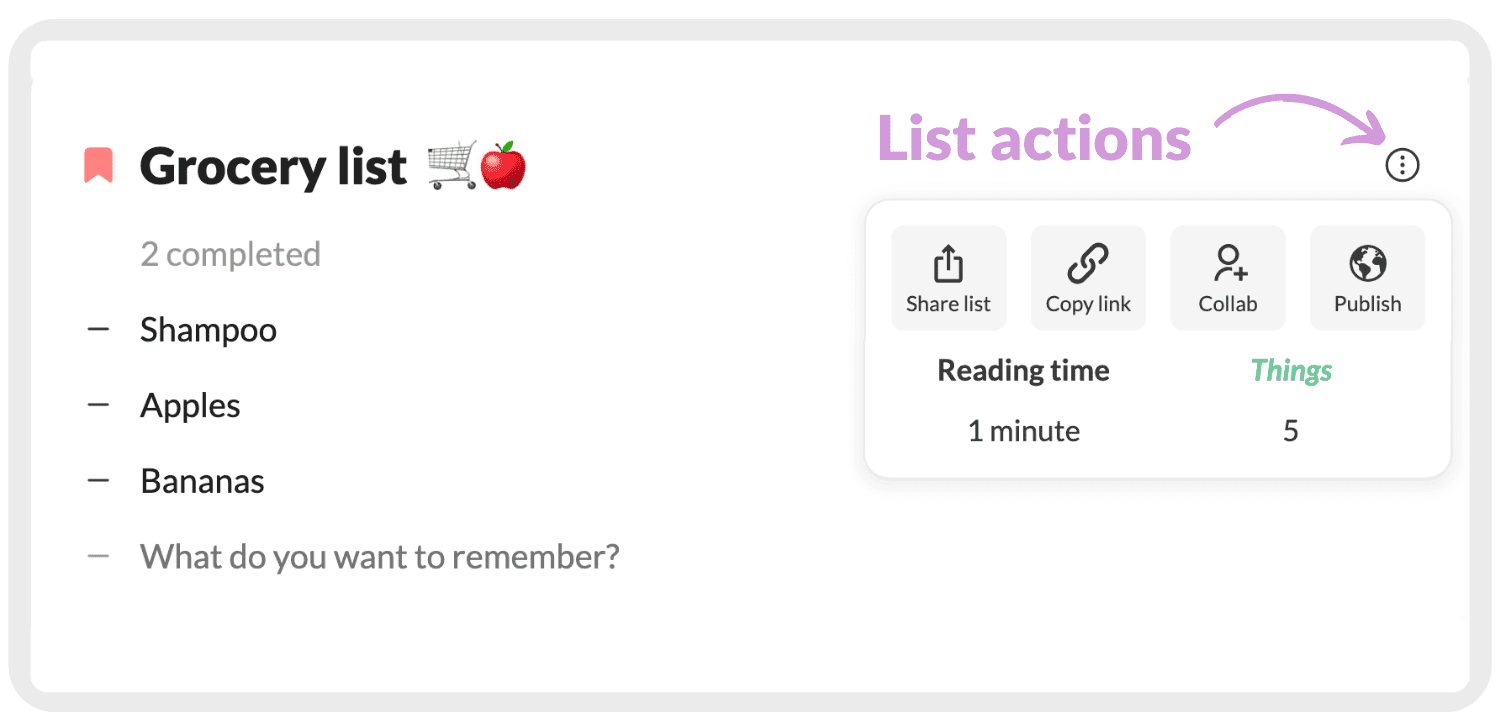
Yes, you can share lists with others. The handy thing is that the people you share with don’t even need to have the app — you can send a link, and they can view and edit through their browser. Ideal for grocery lists with your partner or project lists with colleagues. It’s not as extensive as the collaboration tools in Notion, but for simple shared lists it works perfectly fine.
Conclusion
Twos does exactly what it promises: keeping your day simple. No complex project structures, no endless settings, no hassle. You open the app, see what needs to be done today, and get started. For many people, that’s exactly enough.
The app is perfect if you struggle with app overload. If you’re currently switching between five different apps to organize your day, try Twos. There’s a good chance you can replace many of those apps with this one. And that feels liberating.
But are you a power user? Someone who enjoys advanced filters, complex workflows, and extensive integrations? Then you’re going to feel limited. Twos is intentionally simple, and that’s not for everyone. That’s okay. Not every tool needs to be for everyone.
What I personally appreciate is the honesty. No hidden costs, no artificial limitations, no aggressive marketing. Just a well‑working app you can try for free and only need to pay for if you want to. In a world full of subscriptions and vendor lock‑in, that’s refreshing.
My advice? Download the free version and use it for a week. See if the Days concept suits you. If after a week you notice that you open fewer apps and your day feels more organized, stick with it. If not, you’ve lost nothing. No credit card needed, no obligations. Just try it out.





